
Scripting view UI overview
The Scripting view lets you manage scripts and review their results.
This documentation reflects the current capabilities of this Ecoverse view. As new features and functions are released, this documentation will be updated to match. Please see the
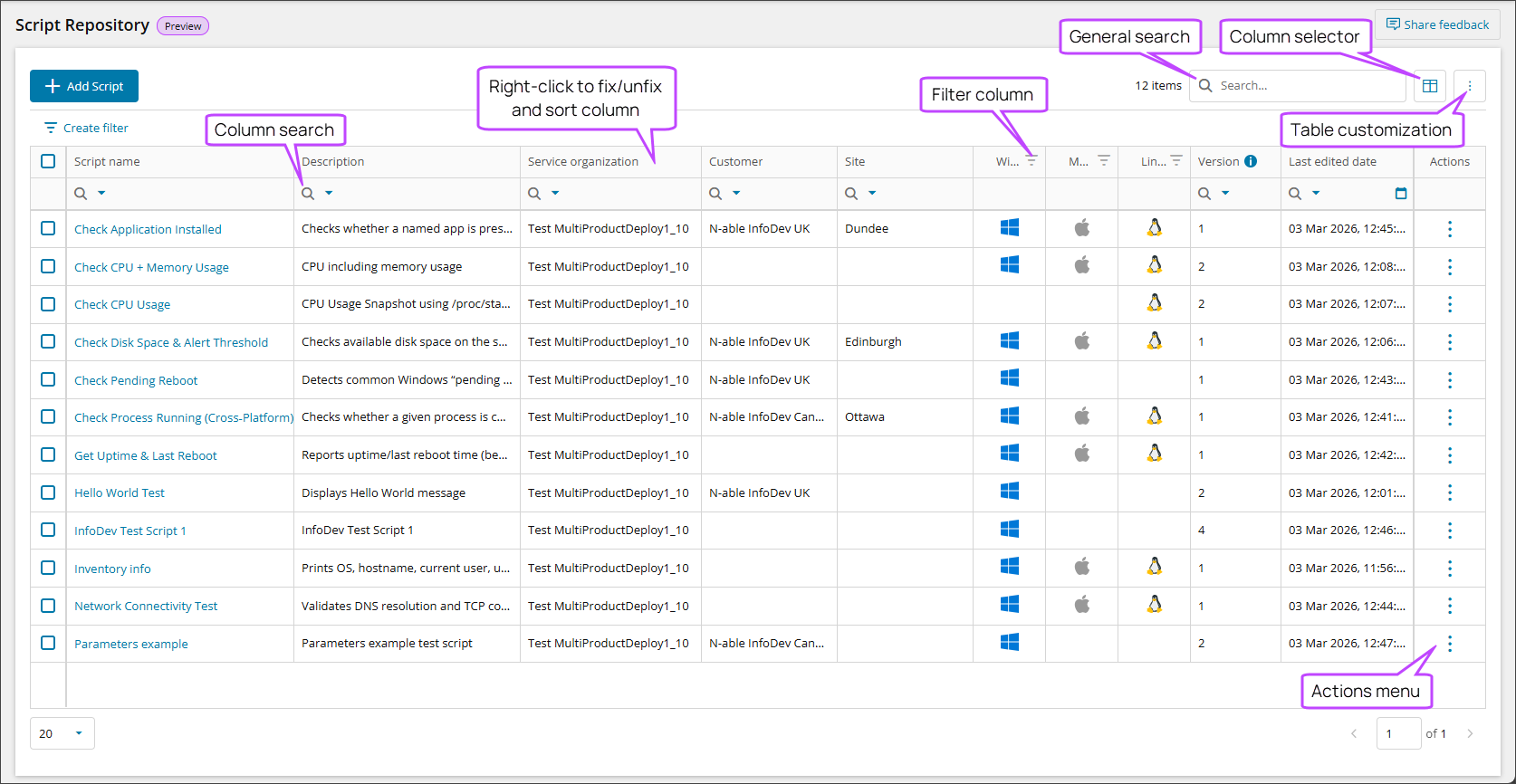
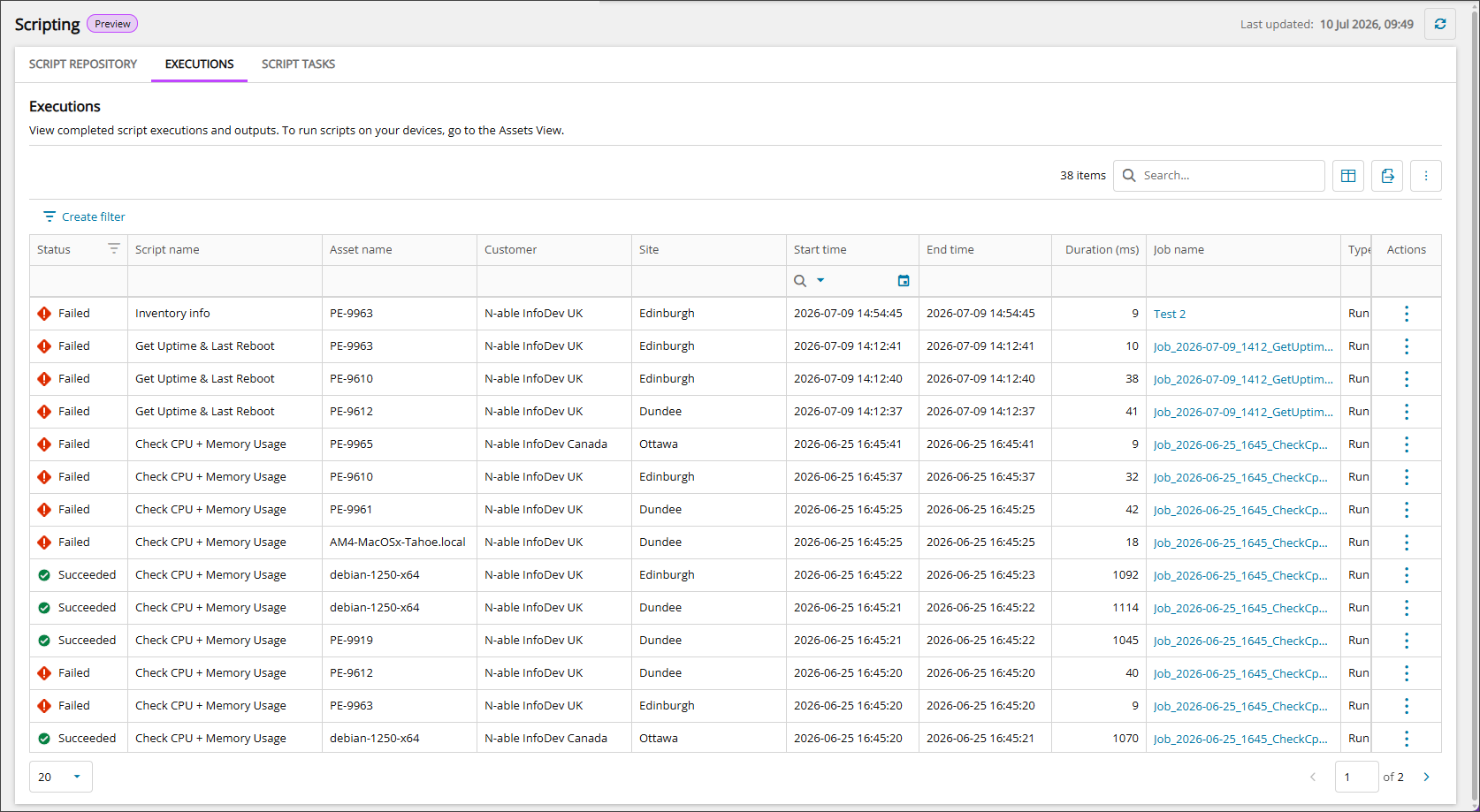
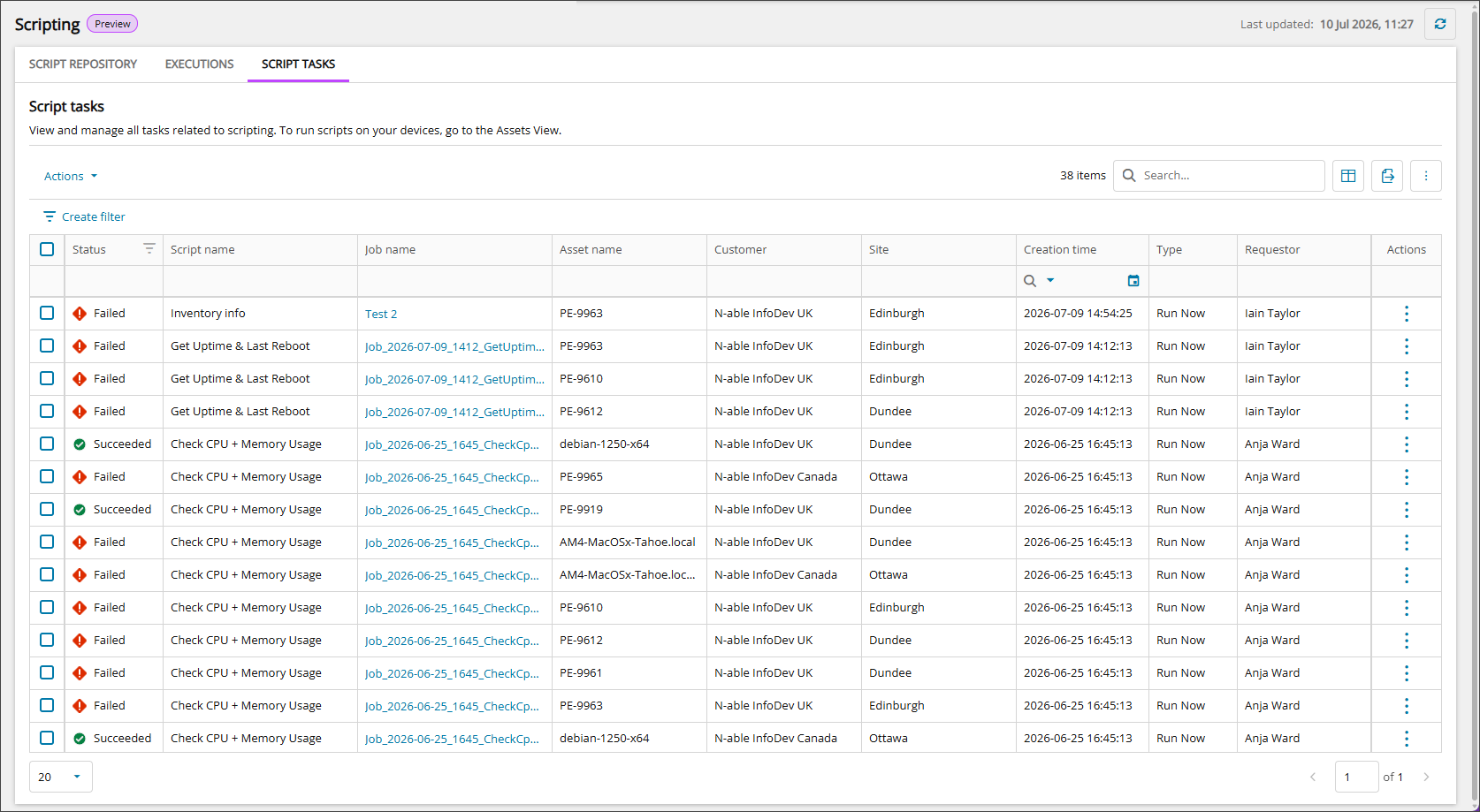
Scripting provides three tabbed views. Use these Ecoverse views to search, filter, sort, export, and manage scripts. For the full list of table columns, see Data columns in the Scripting view.
- SCRIPT REPOSITORY: Import, edit, view, and manage scripts.
- EXECUTIONS: View completed script executions and outputs.
- SCRIPT TASKS: View and manage all tasks related to scripting.
Access the Scripting view
- Select Scripting in the Left navigation.
Actions available from the Scripting view
After you locate the script you are looking for, you can act directly from the Scripting view with the following tasks:
- View script details
- Add a script
- Edit a script
- Download a script
- Duplicate a script
- Delete scripts
- Cancel script tasks
- Download a script task output
- Run scripts (from Assets view)
- View script results (from Assets view)
All device level actions initiated from the Scripting view are recorded in the User Audit Report, available from Reports > User Audit Report.
Ecoverse functions
All new Ecoverse views support filtering, sorting, searching, and exporting.
Select a link below to view full instructions and details.
- Ecoverse views
- Filter and sort Ecoverse views
- Search Ecoverse views
- Create custom filters in Ecoverse views
- Custom filters examples
- Customize your Ecoverse views
- Save Ecoverse views
- Export data from Ecoverse views
Some Ecoverse views may not include all available functions at launch. As new views are developed, features like filtering, sorting, searching, and exporting may be added over time.
Related articles
- Work with Scripting view (New)
- Requirements for Scripting view
- Add a script
- Read about the Modern Agent