
Scripting view (New)
The Scripting view lets you manage scripts and review their results.
This documentation reflects the current capabilities of this Ecoverse view. As new features and functions are released, this documentation will be updated to match. Please see the
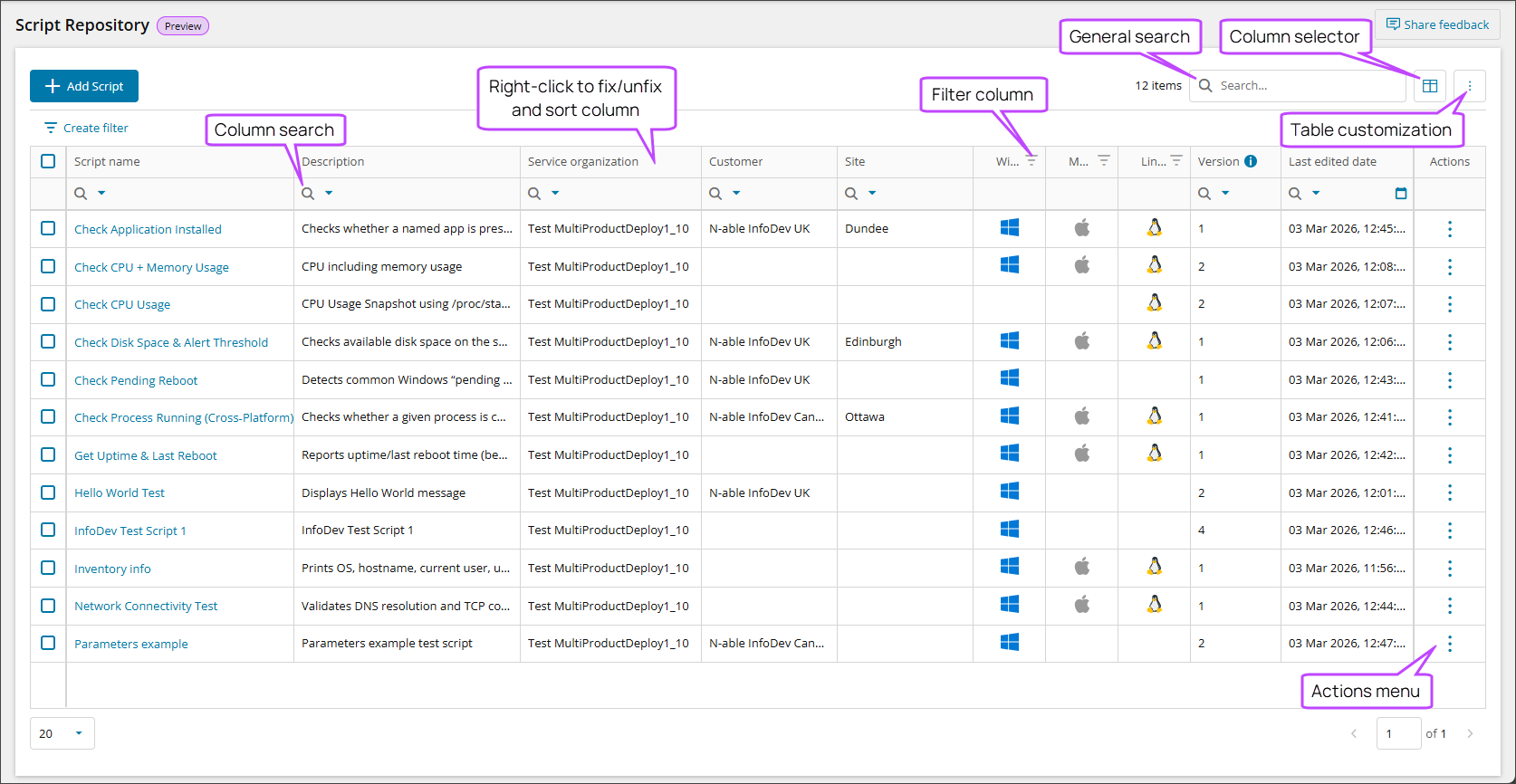
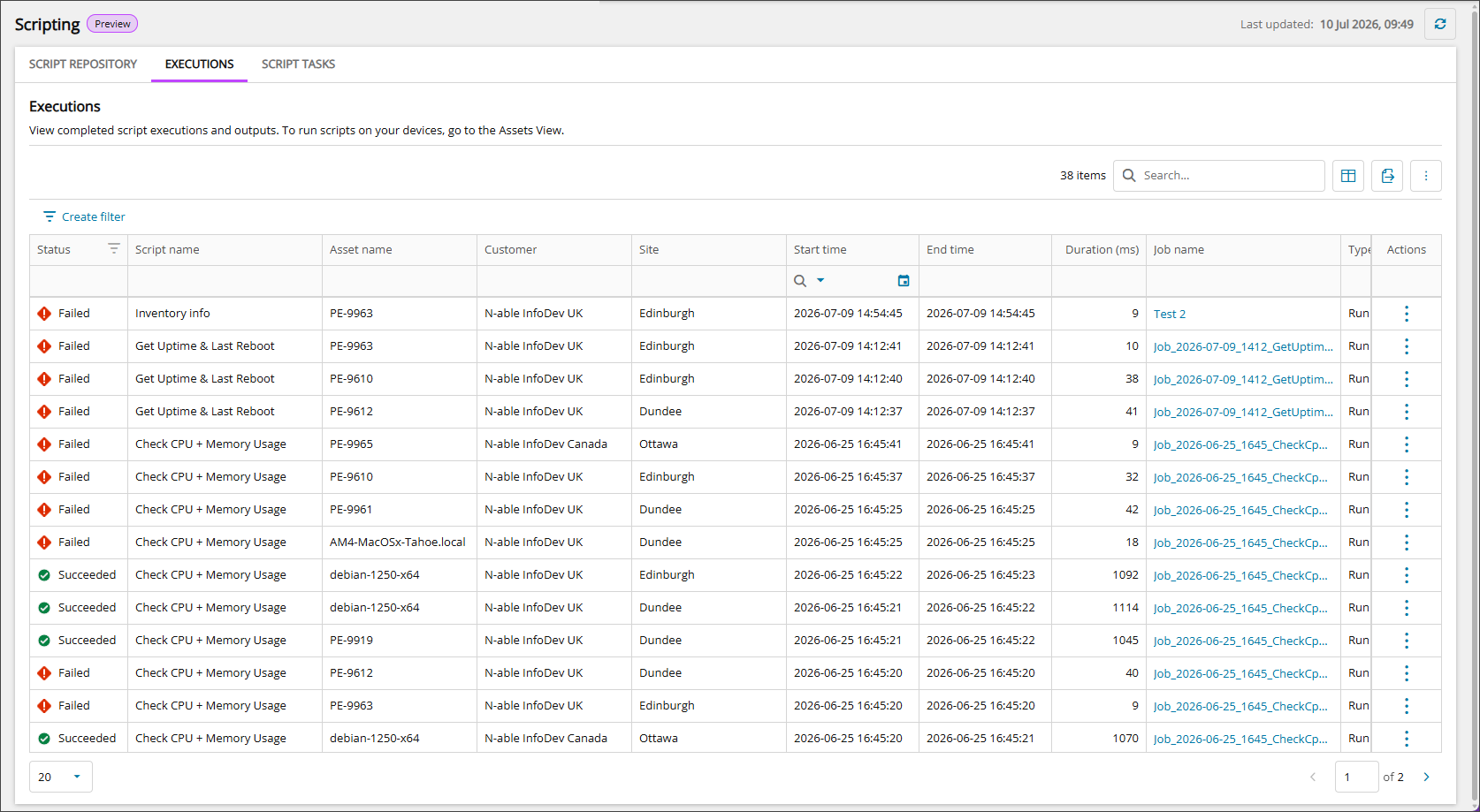
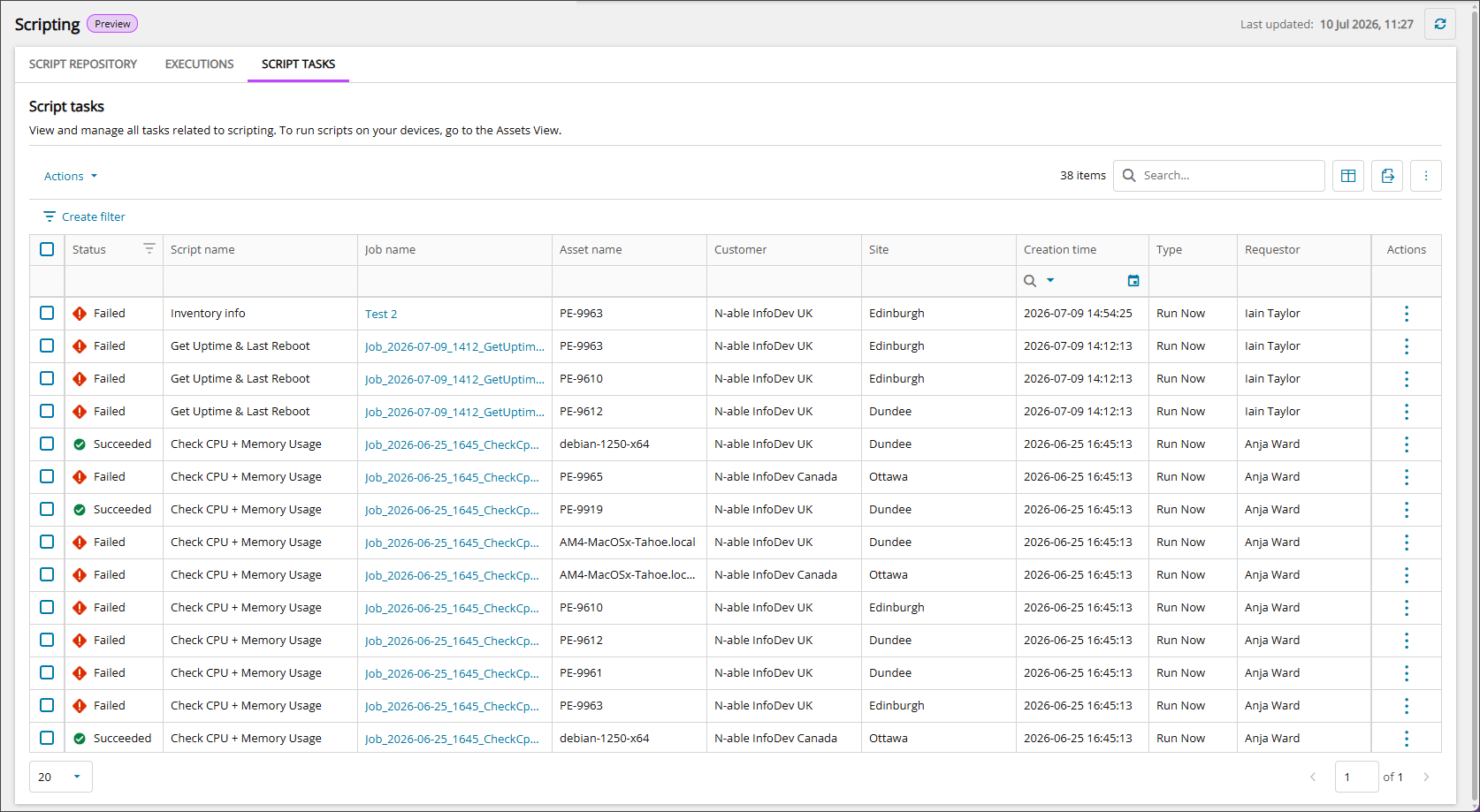
Scripting provides three tabbed views. Use these Ecoverse views to search, filter, sort, export, and manage scripts. For the full list of table columns, see Data columns in the Scripting view.
- SCRIPT REPOSITORY: Import, edit, view, and manage scripts.
- EXECUTIONS: View completed script executions and outputs.
- SCRIPT TASKS: View and manage all tasks related to scripting.
Access the Scripting view
Hosted users:
-
Go to Views > Scripting.
On-premises users:
- From the left panel, select the level to work at.
- Go to Views > Scripting.
Actions available in Scripting view
Manage scripts from the Scripting view with the following actions:
- View script details
- Add a script
- Edit a script
- Download a script
- Duplicate a script
- Delete scripts
- Cancel script tasks
- Download a script task output
- Run scripts (from Assets view)
- View script results (from Assets view)
Ecoverse functions
All new Ecoverse views support filtering, sorting, searching, and exporting.
Select a link below to view full instructions and details.
- Ecoverse views
- Filter and sort Ecoverse views
- Search Ecoverse views
- Create custom filters in Ecoverse views
- Custom filters examples
- Customize your Ecoverse views
- Save Ecoverse views
- Export data from Ecoverse views
Some Ecoverse views may not include all available functions at launch. As new views are developed, features like filtering, sorting, searching, and exporting may be added over time.
Related articles
- Requirements for Scripting view
- Add a script
- Read about the Modern Agent