
View script details
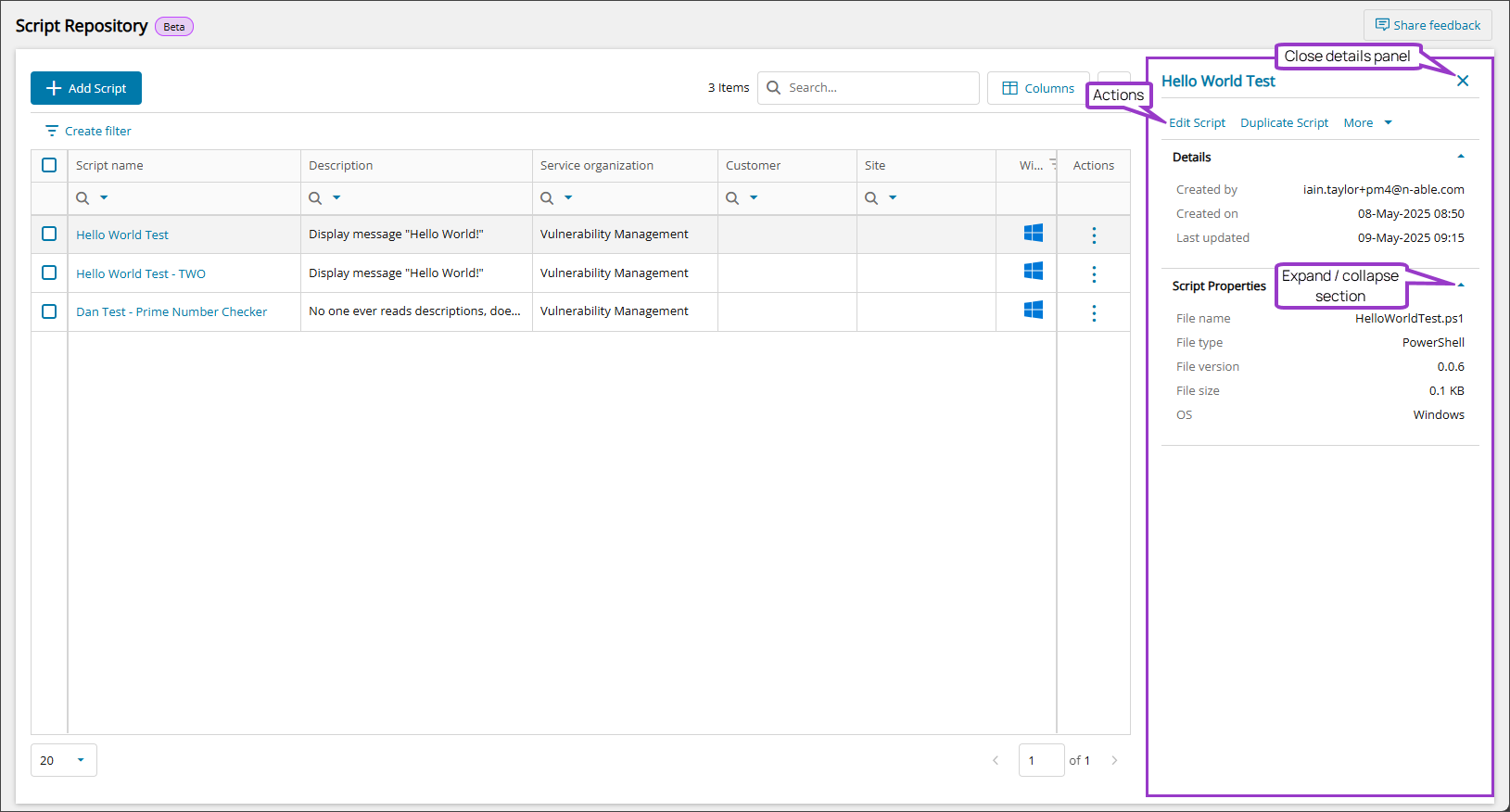
The Script details panel displays script information, including the author, file name and target operating system. The panel also provides options to perform script actions, expand or collapse sections, and close the panel.
To view the Script details panel
- Go to Views > Scripting.
- (Optional) Select a custom view or apply a custom filter.
- Locate the script, and select the row (not a link in the row).
- The Script details panel opens on the right.
Script details panel features
You can perform the following actions in the Script details panel:
Related articles
- Learn about Scripting view (New)
- Review Requirements for Scripting view
- Add a script