
Run scripts
You can run a script directly from the Assets view (New), for one or multiple devices.
This documentation reflects the current capabilities of this Ecoverse view. As new features and functions are released, this documentation will be updated to match. Please see the
Run a script on a single device
- Go to Views > Assets in the Left navigation.
- (Optional) Select a custom view or apply a custom filter.
- Locate the target asset, and select its Actions menu.
- Choose Run Script to open the Run script dialog.
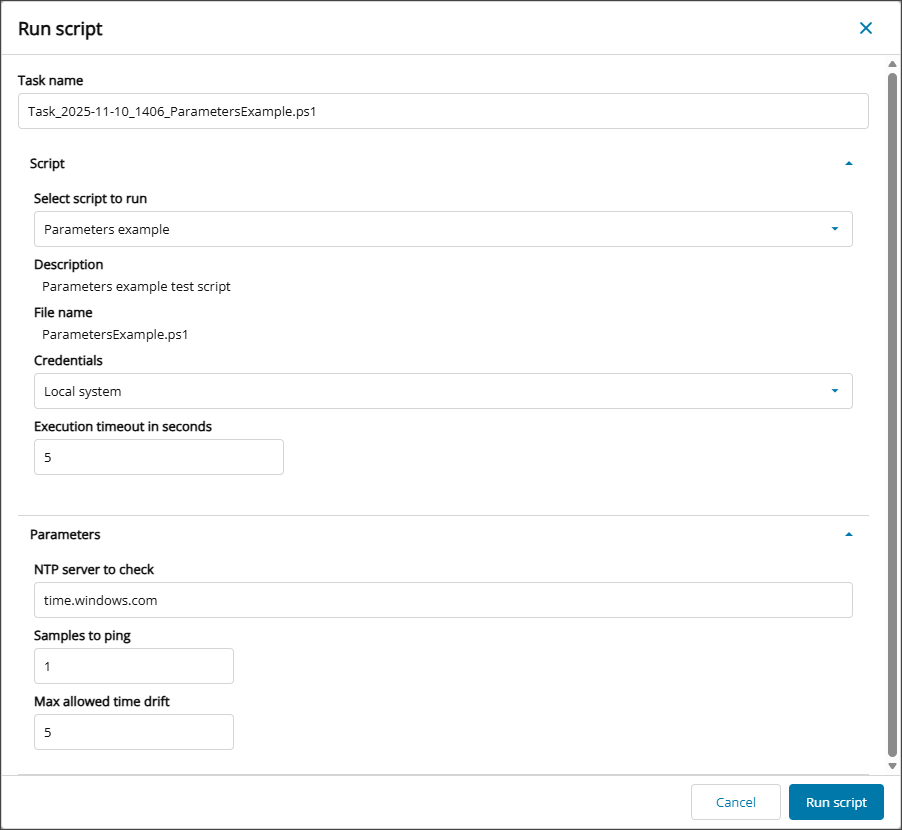
- Provide a Job name or use the default.
- Choose the script to run from the Select script to run dropdown menu.
- Select the account to use when running the script from the Credentials dropdown menu
- Set an Execution timeout in seconds.
- Configure any required Input and Output parameters.
- When the configuration is complete, select Run script.
After a script runs on an asset, view the results from the View script results.
Run a script on multiple devices
- Go to Views > Assets in the Left navigation.
- (Optional) Select a custom view or apply a custom filter.
- Select the checkbox for each target device.
- Select the Actions menu at the top of the table grid.
- Choose Run Script.
- Provide a Job name or use the default.
- Choose the script to run from the Select script to run dropdown menu.
- Set the required Credentials from the dropdown menu.
- Set an Execution timeout in seconds.
- Configure any required Input and Output parameters.
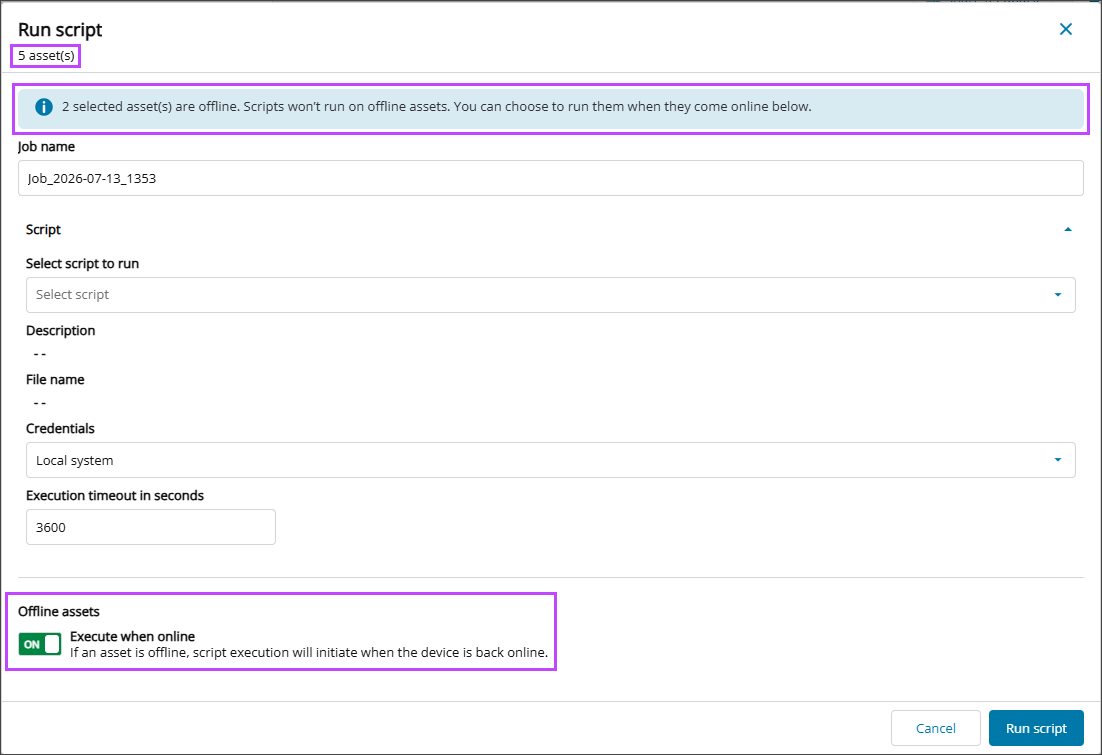
- (Optional) Enable Execute when online for offline devices.
- When the configuration is complete, select Run script.
Online devices run the script task in near real time.
Offline devices show as Pending in the Script tasks tab if Execute when online has been enabled. The script task runs after the device come back online.
The Run script dialog opens and displays the number of selected devices, including how many are currently offline.
After a script runs on an asset, view the results from the View script results.
Related articles
- View script results
- View asset data details
- View asset details in the Device Overview
- Discover Vulnerability Management (New)
- Discover Scripting view (New)
- Read more about the Modern Agent.