With use of this guide, you will be able to roll out Cove Data Protection (Cove) onto your N-central devices with just a few mouse clicks. After the roll-out, the backup software is not only installed but also configured with a backup Profile and Retention Policy of your choice.
The automation policy will:
- Download the latest version of Cove's Backup Manager
- Save the download in
C:\Users\Public\Downloads\ - Download and silent install the Backup Manager in a customer with a profile and retention policy
- Remove the downloaded installer after installation
There is no reboot required
Requirements
These instructions are for Windows machines only.
In order for the instructions provided to succeed, the following is required:
- N-central:
- Dashboard version 2025.4.0.16
- For Servers:
- Windows 2012 or higher
- .NET framework 4.5 or higher
- For Workstations:
- Windows 10 or higher
- .NET framework 4.5 or higher
Preparation
Before running this automation task, please make sure you have available or add:
- Access to Cove's Management Console
- The Customer(s) organization in the Cove Management Console
- A Retention Policy
- A Backup Profile (Recommended, but optional)
Instructions to Deploy Cove Data Protection (Cove) Via N-central
The configuration and deployment of Cove Data Protection (Cove) is done by completing the following steps.
- Create Custom Property in N-central
- Generate Installation ID in Cove Management Console
- Add property value (unique value per customer) in N-central
- Upload the Automation Policy in N-central
- Run ‘Cove Data Protection Deployment By CoveInstallationID’ automation policy in N-central
Monitoring
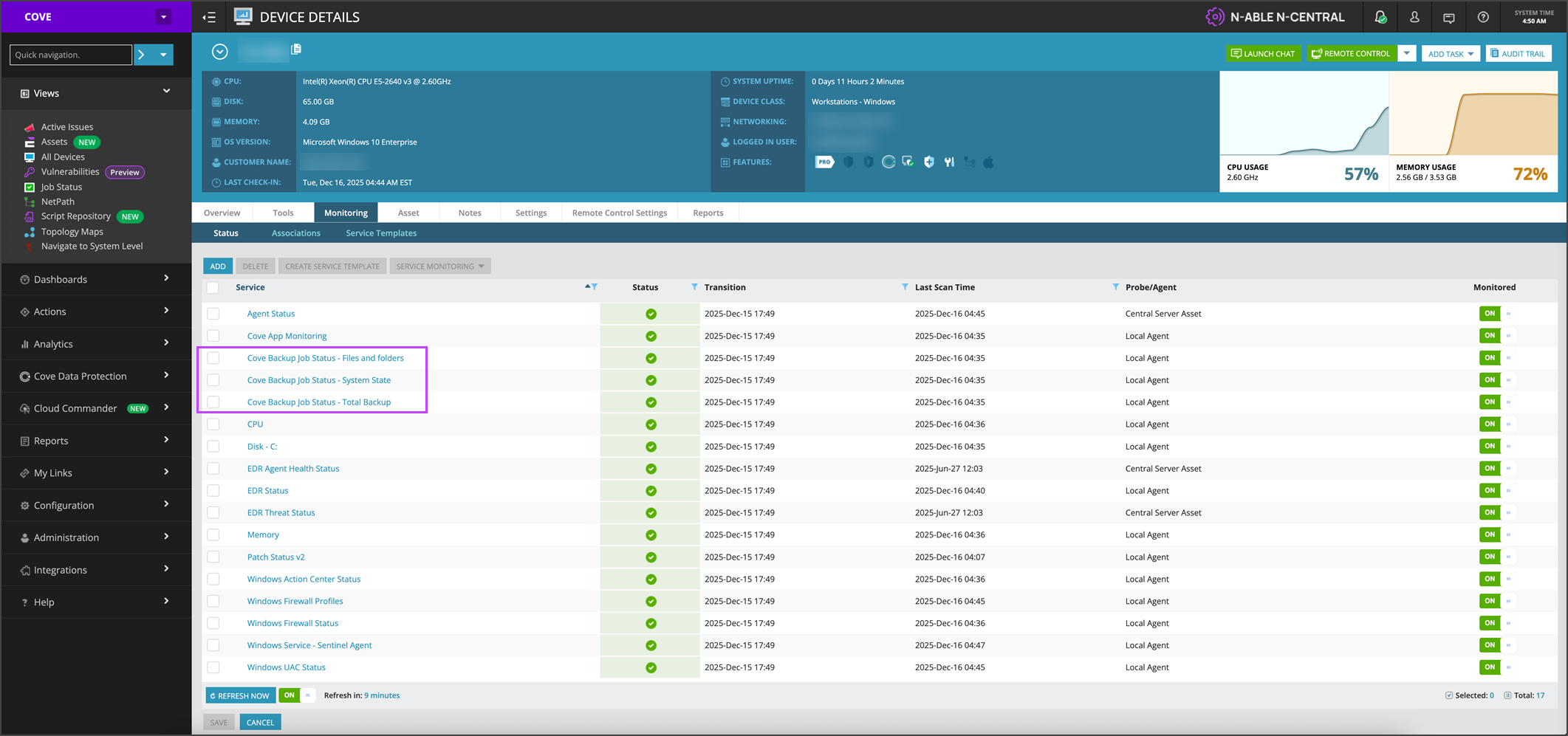
Once the deployment of Cove has completed successfully, monitoring will be added automatically to the device in N-central.
This can be checked by:
- Login to N-central
- Navigate to All Devices, then select the device you wish to check
- Switch to the Monitoring tab
- The Cove Backup Job status services will now be displayed in the list