
Before beginning, ensure you have:
- Reviewed the Requirements.
- Taken the Preparation steps.
Instructions
- Login to N-central
- Ensure you have selected your partner Service Organization level.
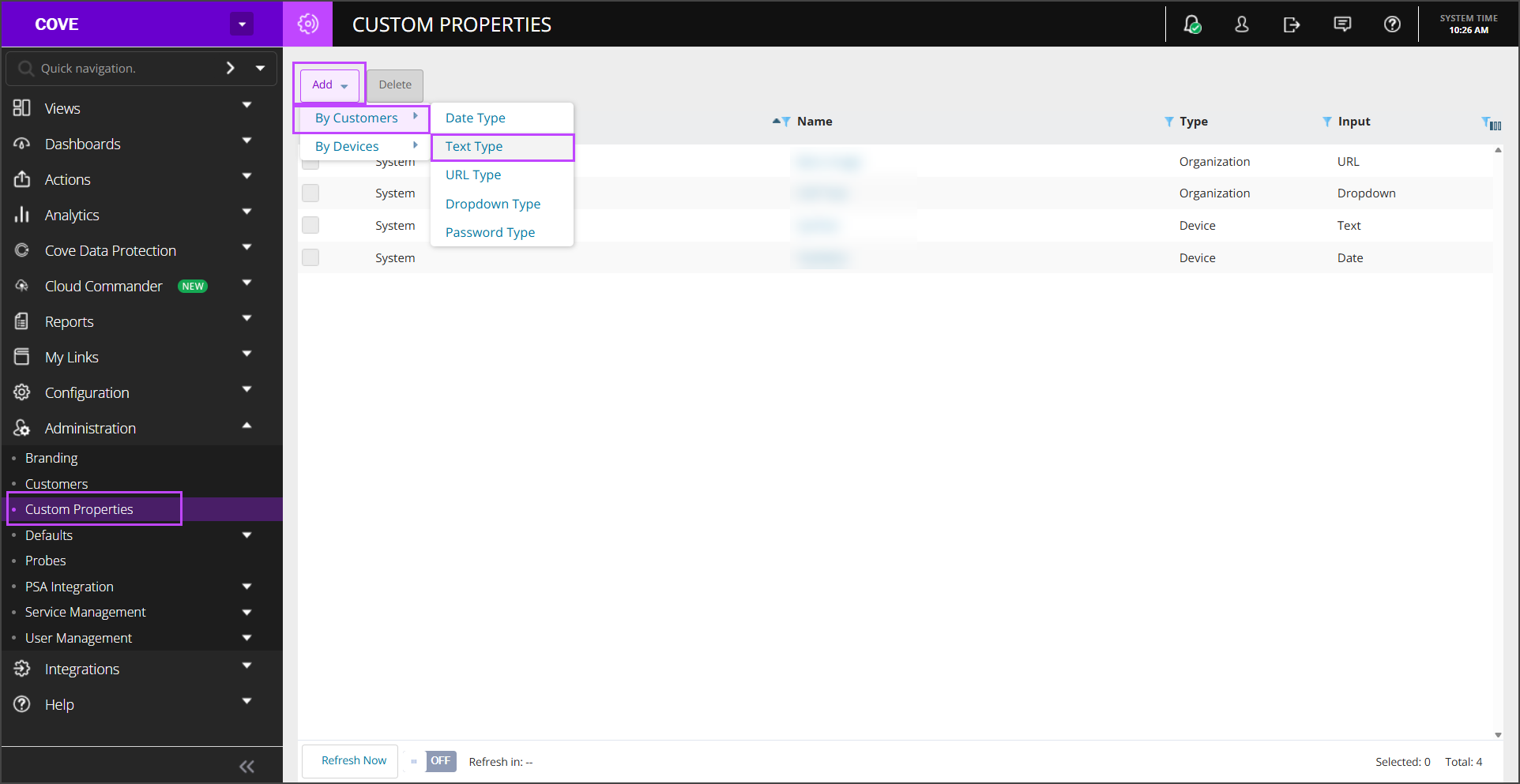
- Navigate to Administration > Custom Properties
- Click Add > By Customer > Text Type
- Configure the property:
- Enter the Property Name of: CoveInstallationID
- Set the Default Text to: Cove Installation ID
- In the Customers tab, select Propagate to all new Customers/Sites
- Select all existing Customers/Sites which are shown in the Customer/Sites overview
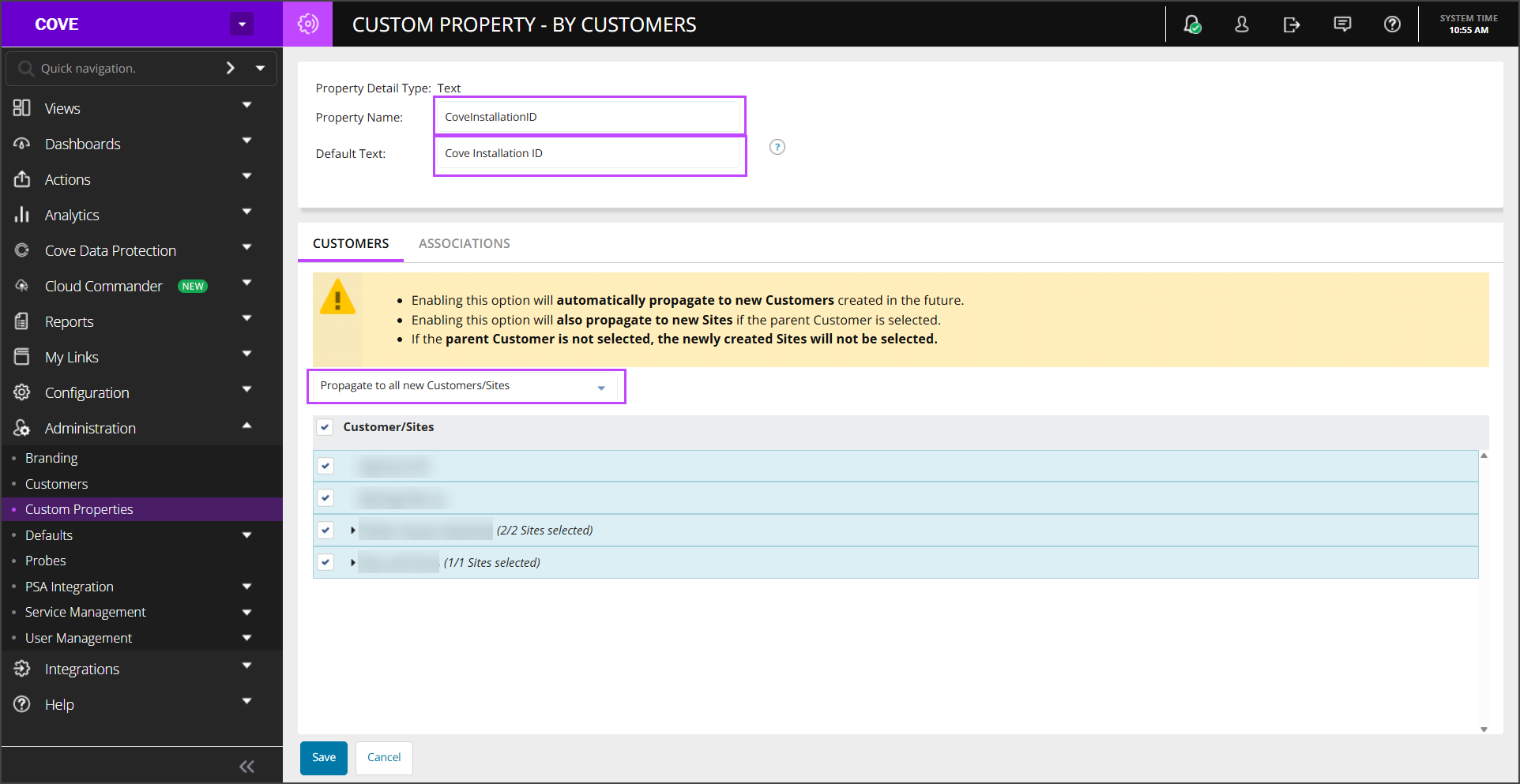
- Click Save
Now generate Installation ID in Cove's Management Console.