
Before uploading the Automation Policy, ensure you have:
- Reviewed the Requirements.
- Taken the Preparation steps.
- Created the custom property in N-central
- Generated Installation ID in Cove's Management Console.
- Added the unique property value in N-central
Instructions
- Download the following automation policy:
- Login to N-central
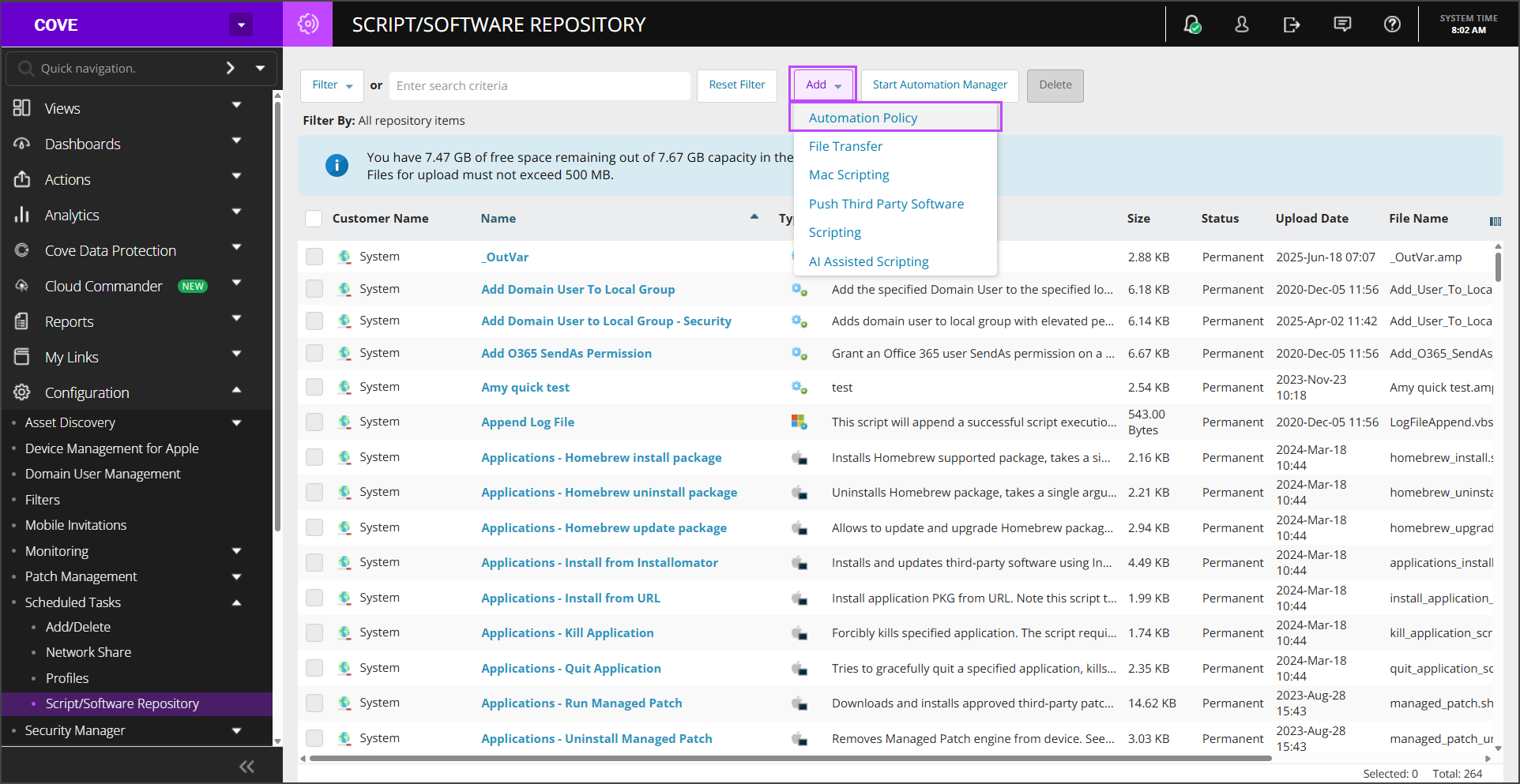
- Navigate to Configuration > Scheduled Tasks > Script/Software Repository
- Click Add > Automation Policy
- Browse to the location where you saved the automation policy .amp file and click Open
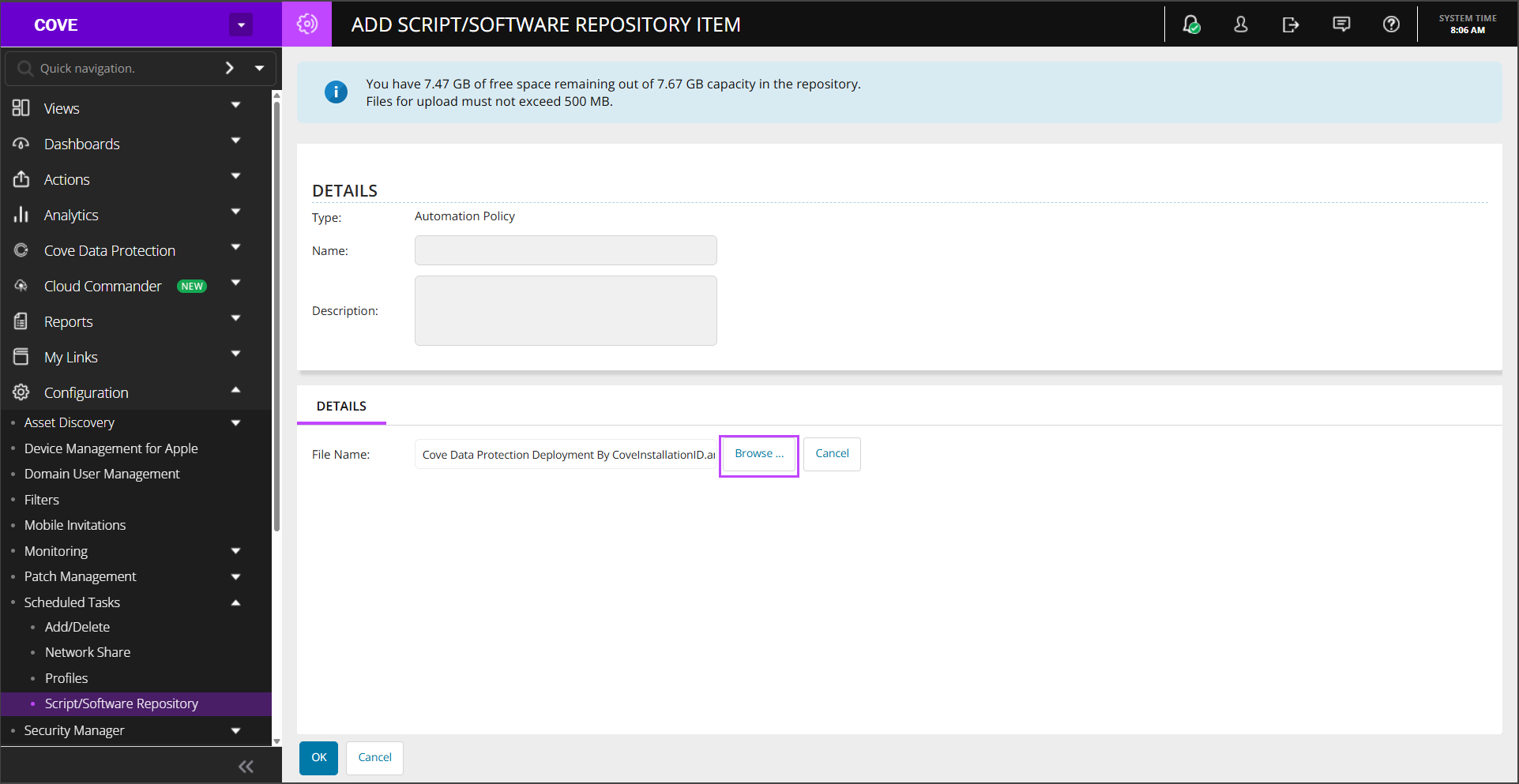
- Click OKto complete
The newly added policy will appear in the list immediately
Now run the automation policy in N-central