
You can edit the details of a connected device to update its name, description, or classification. This helps ensure consistency between the device name shown in the Connected Devices tab and the name used in the All Devices view.
To align the names update the Network Device Name. This update changes only the name displayed in the Connected Devices panel. It does not change the actual hostname.
How to edit details of a connected device
- In the All Devices view, go to the Networks tab.
- Select the managed network that contains the device.
- In the South-pane, open either the Connected Devices tab or Connection History tab, and select the device.
- Open the Device drop-down menu and choose Edit Device.
- Update the device details as needed.
- Select OK to save and apply.
You can also right-click the device row and select Edit Device, or double click the device row to open the Device Details for <Device Name> dialog.
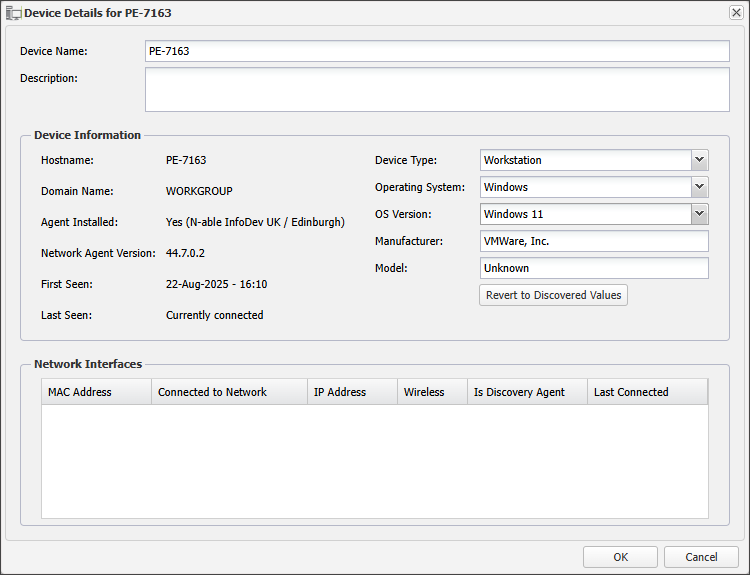
To restore the original device details after changes have been saved, select Revert to Discovered Values in the dialog. This option becomes available once edits have been made.
Related articles