
Before generating the deployment script in NinjaOne, ensure you have :
- Reviewed the Requirements.
- Taken the Preparation steps.
- Created the Custom Field in NinjaOne.
- Generate Installation ID in the Cove Data Protection Management Console.
- Added the custom property value in NinjaOne.
Instructions
- In the NinjaOne dashboard, navigate to Administration > Library > Automation.
- Click Add Automation > New Script
- Provide the following parameters:
- Name: Cove Data Protection deployment
- Description (optional): a brief description of what the script is for
- Language: Powershell
- Operating System: Windows
- Architecture: All
- Run as: System
- Enter the following Powershell script parameters:
# Begin Install Script Cove Data Protection deployment

$CoveInstallationID = Ninja-Property-Get 'CoveInstallationID'

# Validate the property
if ([string]::IsNullOrWhiteSpace($CoveInstallationID)) {
    Write-Output "InstallStatus=PropertyError"
    Write-Output "ErrorMessage=CoveInstallationID is not set."
    exit 1
}

# Regex check: enforce GUID/UID format
if ($CoveInstallationID -notmatch '^[0-9a-fA-F]{8}-[0-9a-fA-F]{4}-[0-9a-fA-F]{4}-[0-9a-fA-F]{4}-[0-9a-fA-F]{12}$') {
    Write-Output "InstallStatus=PropertyError"
    Write-Output "ErrorMessage=CoveInstallationID has invalid format: $CoveInstallationID"
    exit 1
}

# --- Stop script if Backup Manager is already installed (check for config.ini) ---
if (Test-Path "C:\Program Files\Backup Manager\config.ini") {
    Write-Output "InstallStatus=AlreadyInstalled"
    Write-Output "ErrorMessage=Found config.ini in C:\Program Files\Backup Manager"
    exit 1
}
elseif (Test-Path "C:\Program Files (x86)\Backup Manager\config.ini") {
    Write-Output "InstallStatus=AlreadyInstalled"
    Write-Output "ErrorMessage=Found config.ini in C:\Program Files (x86)\Backup Manager"
    exit 1
}

# Continue with installation
$INSTALL = "C:\Users\Public\Downloads\cove#v1#$CoveInstallationID.exe"

[Net.ServicePointManager]::SecurityProtocol = [Net.SecurityProtocolType]::Tls12

# Try HTTPS first, fallback to HTTP
try {
    (New-Object System.Net.WebClient).DownloadFile(
	"https://cdn.cloudbackup.management/maxdownloads/mxb-windows-x86_x64.exe",
	$INSTALL
    )
    Write-Host "Download succeeded via HTTPS."
}
catch {
    Write-Warning "HTTPS download failed. Attempting HTTP..."
    try {
	(New-Object System.Net.WebClient).DownloadFile(
	    "http://cdn.cloudbackup.management/maxdownloads/mxb-windows-x86_x64.exe",
	    $INSTALL
	)
	Write-Host "Download succeeded via HTTP."
    }
    catch {
	Write-Output "InstallStatus=DownloadFailed"
	Write-Output "ErrorMessage=Installer could not be downloaded via HTTPS/HTTP."
	exit 1
    }
}

Write-Output "Running installer..."
Start-Process -FilePath $INSTALL -ArgumentList "/S" -Wait
Remove-Item $INSTALL -Force

# End Install Script Cove Data Protection deployment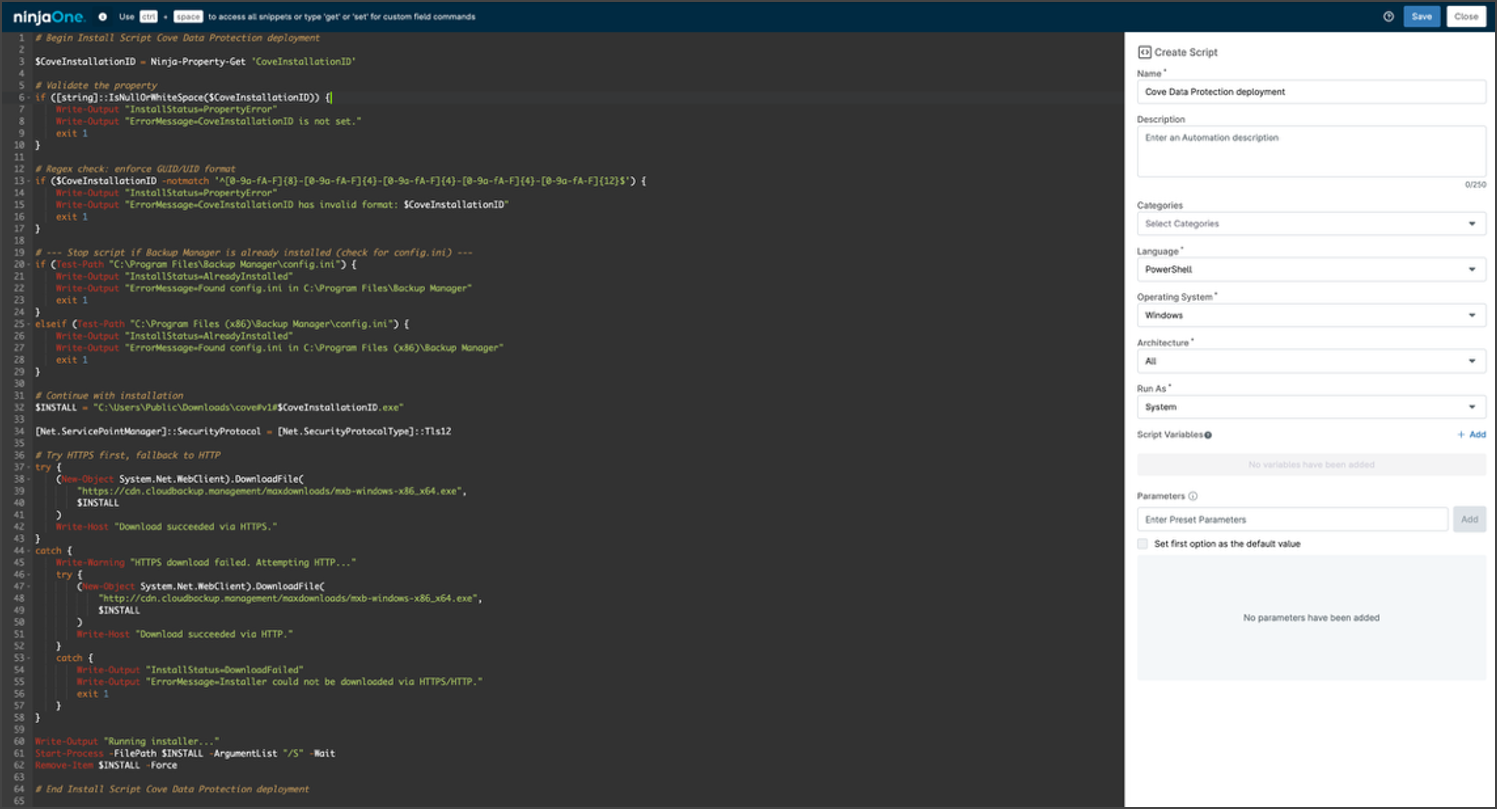
- Save and Close the script
Next, run the deployment script in NinjaOne.