
Before adding the task to the relevant Client, Site or Device, ensure you have:
- Reviewed the Requirements.
- Taken the Preparation steps.
- Uploaded the automation policy in N-sight
- Generated Installation ID in the Cove Data ProtectionManagement Console.
Instructions
- Login to N-sight
- Right click on the client, site, or device you want to execute this task
- Select Task > Add
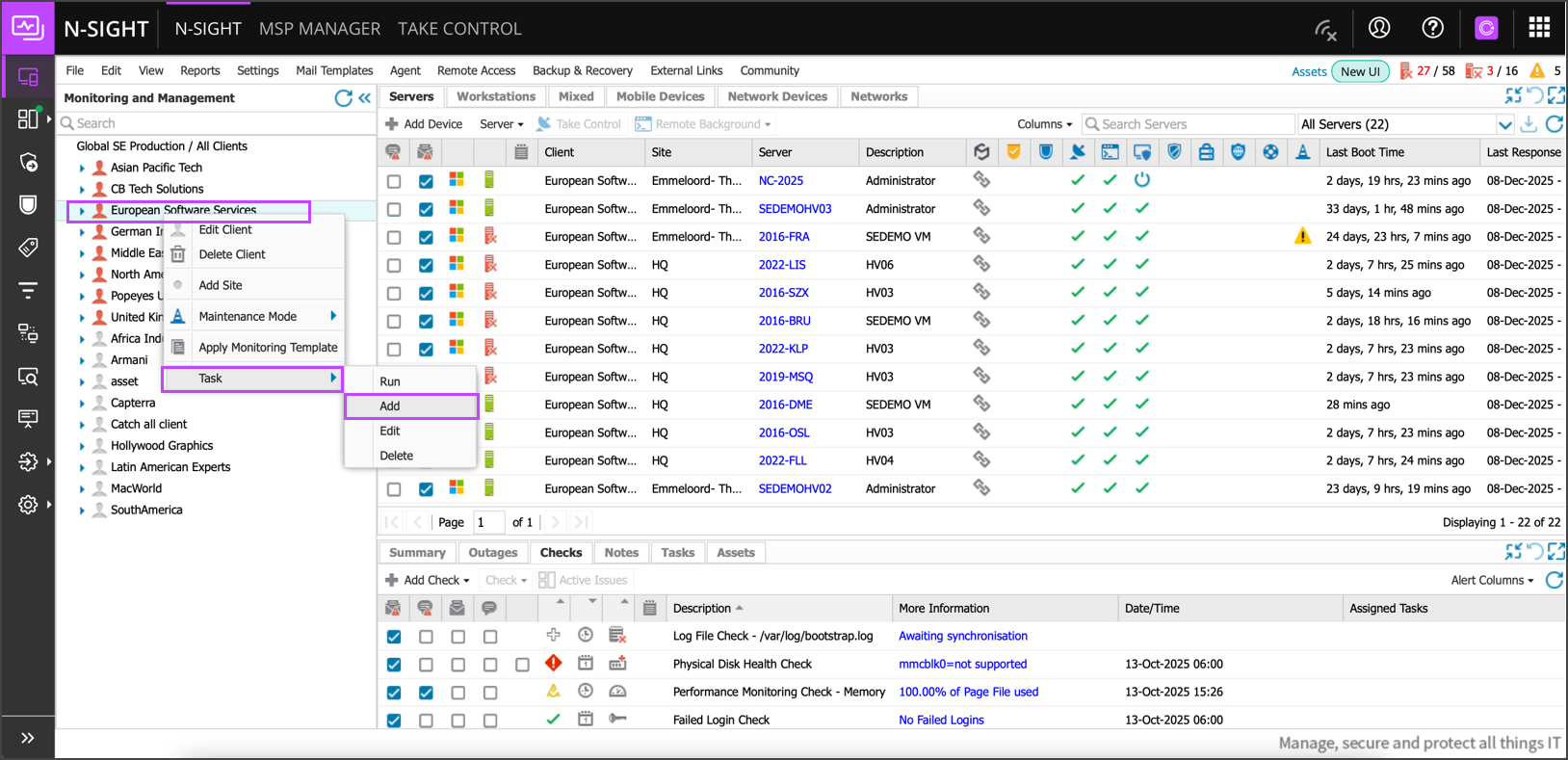
- Search and select Cove Data Protection Deployment By CoveInstallationID
- Click Next
- If you selected a client or site to add the task to, you will get a pop-up asking if you want to run the task on Servers and/or Workstations. Select the right option for your situation and click Next.
- Enter a Descriptive Name and the Cove Installation ID taken from the Cove Management Console and click Next
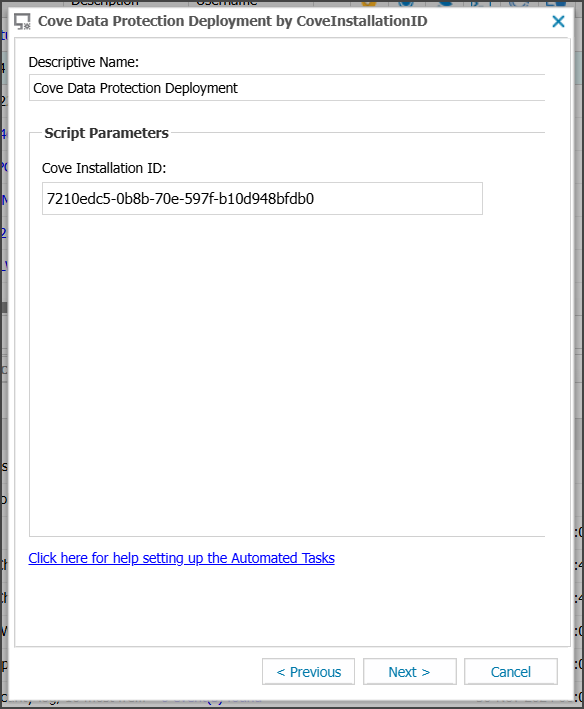
- Select Manual as the Frequency Method and click Next
- Deselect the Set maximum permitted execution time checkbox.
- If you have selected a site or client with multiple devices, you will be prompted with a pop-up where you can select or deselect the devices you want to run the task. Select the right device(s) and click Add Task.
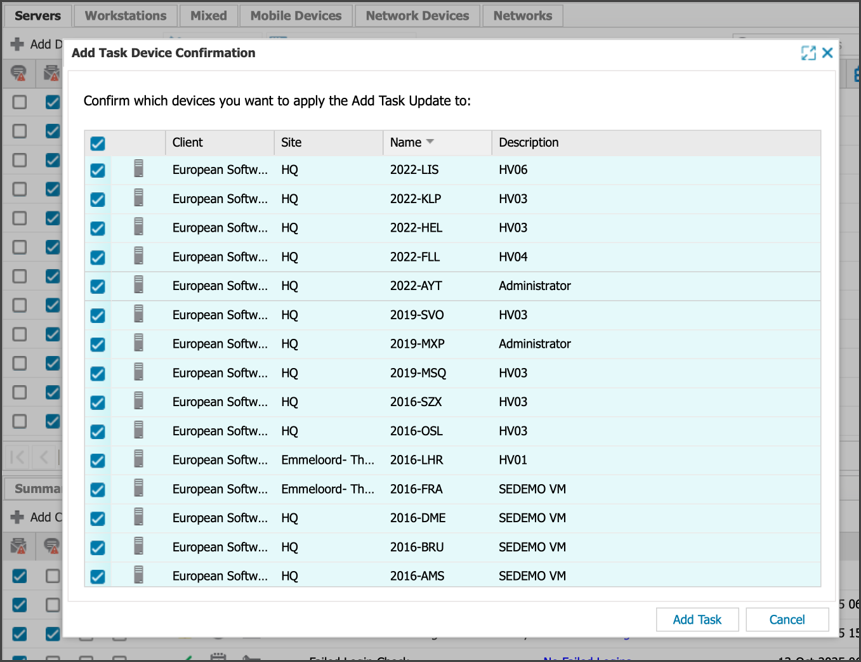
After adding the task, it can take up to one minute before the task shows up in the RMM dashboard under the devices it’s added to.
Next, run the task on the Client, Site or Device in N-sight.