
Before beginning, ensure you have:
- Reviewed the Requirements.
- Taken the Preparation steps.
Instructions
- Download the following automation policy and upload it into N-sight
- Login to N-sight
- Navigate to the All Devices dashboard
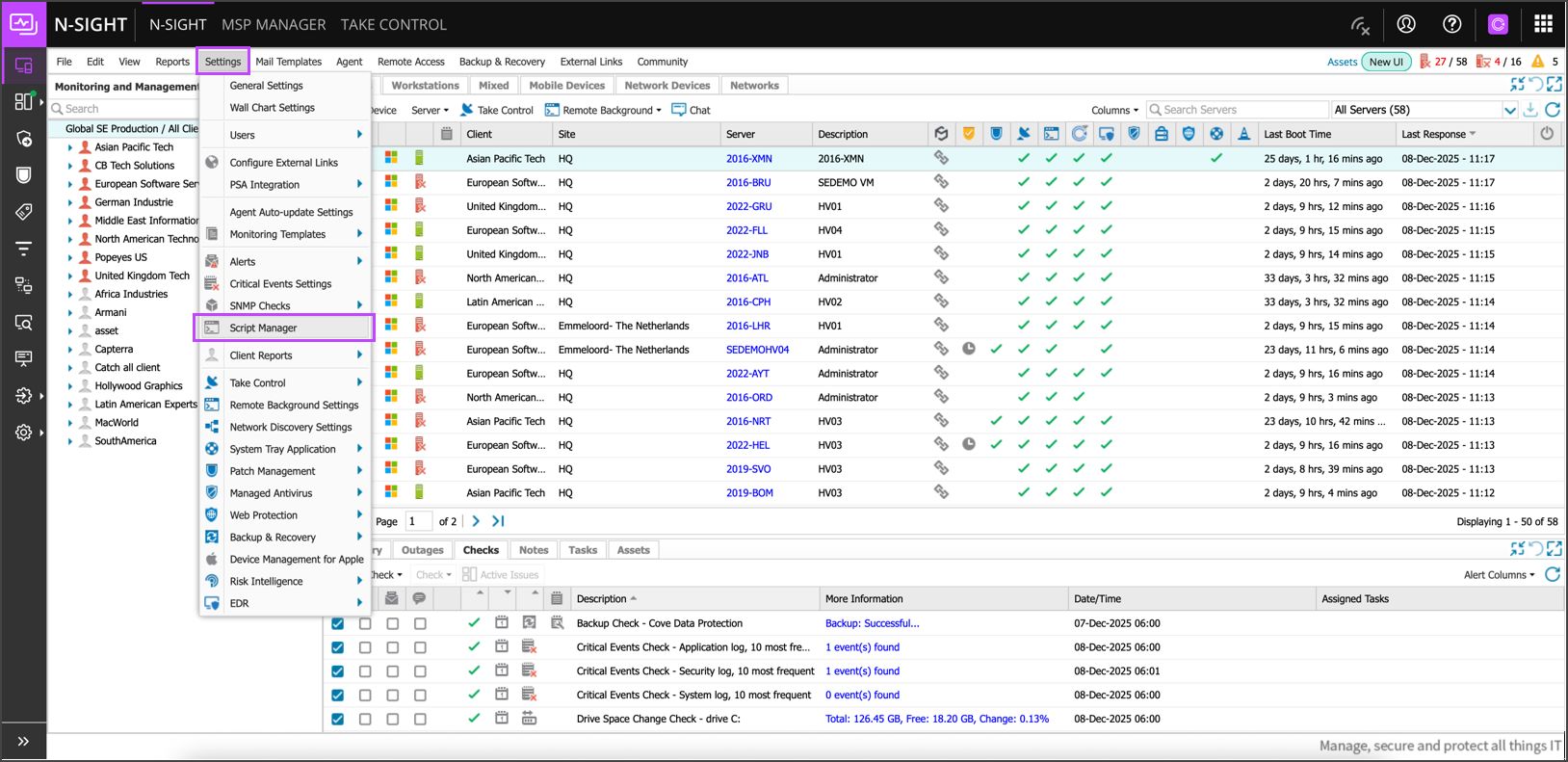
- Select All Clients in the clients/sites panel, go to Settings > Script Manager
- Once in the Script Manager, click New
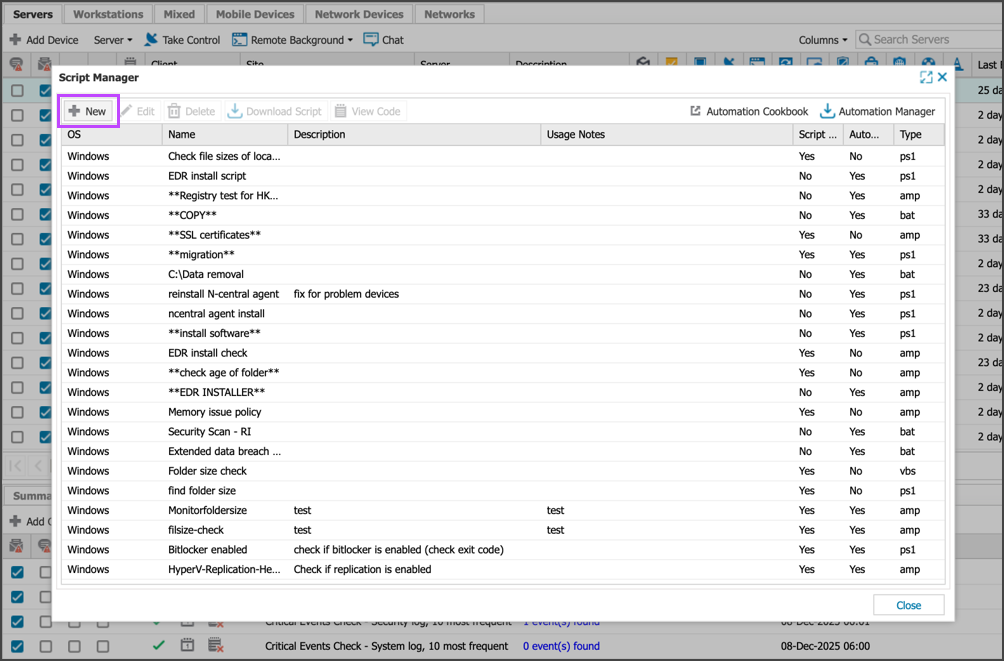
- Configure the script settings as follows:
- Name: Cove Data Protection Deployment By CoveInstallationID
- Description: Cove Data Protection Deployment By CoveInstallationID
- Type: Automated Task
- OS: Windows
- Upload script: Click Browse and select the Cove Data Protection Deployment By CoveInstallationID.amp file
- Click Save to complete
You can now close the Script Manager.
Next, generate the installation ID in Cove Management Console.