
Sign in to n-able.app to access Ecoverse
Use the N-able application, n-able.app, to access Ecoverse capabilities across supported environments. View devices and perform supported security and management tasks.
Access the portal at https://n-able.app/. The portal requires sign-in.
Requirements
To use n-able.app, you need:
- An active N-able Login associated with the appropriate customer or organization.
- An N-able product environment connected to Ecoverse.
- Permissions for the organizations, devices, and features you want to access.
For N-central, your N-able Login must be associated with the applicable N-central user account.
Sign in and select an organization
- Go to https://n-able.app/.
- Sign in with your N-able Login.
- Select the required organization or customer.
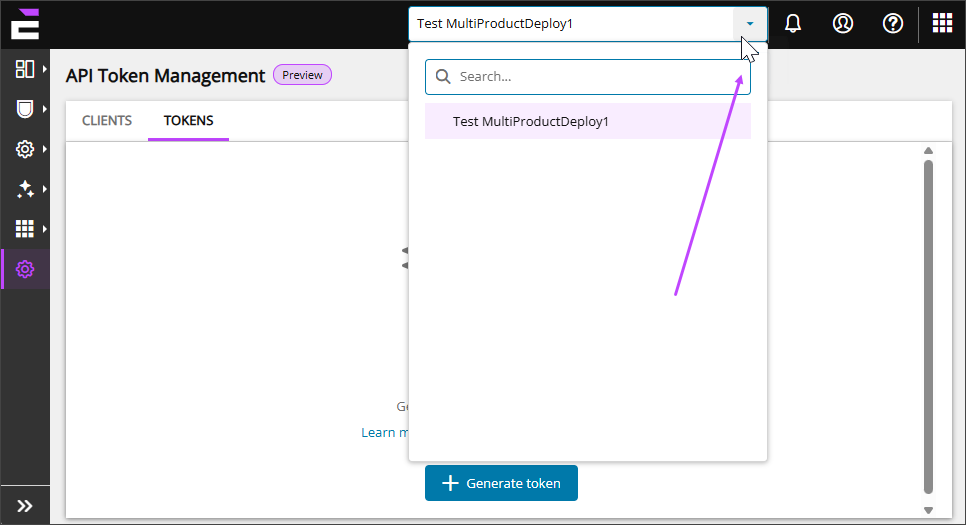
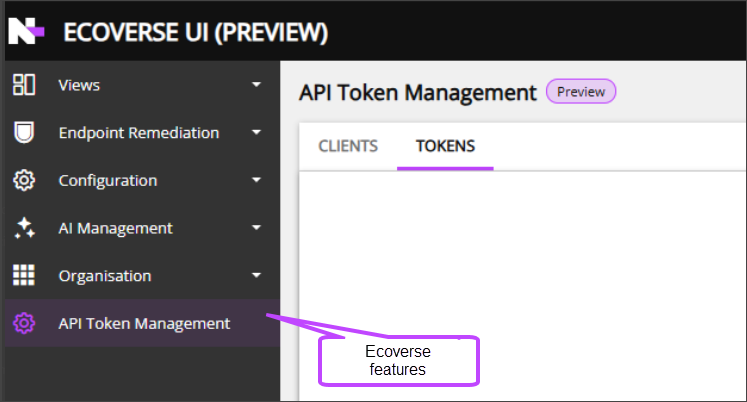
- Select a feature from the left navigation.
Organizations are displayed based on their N-able business account association. An organization can include supported assets from multiple connected N-able environments.
Troubleshoot access
When an organization, device, or feature is missing:
- Confirm that you signed in with the correct N-able Login.
- Confirm that your login is associated with the correct organization.
- Verify that the source N-able environment is connected to Ecoverse.
- Confirm that your role has permission to use the feature.
- Confirm that the feature is licensed and enabled for the environment.
- Sign out and sign back in after changes to permissions or account associations.
Related topics