
You can edit a managed network to update its name or modify the network credentials used for scanning. Any changes to credentials are sent to the Network Discovery Agent and applied during the next scheduled scan.
How to edit a managed network
- Go to the All Devices view and select the Networks tab in the North-pane.
- Locate and select the network you want to edit.
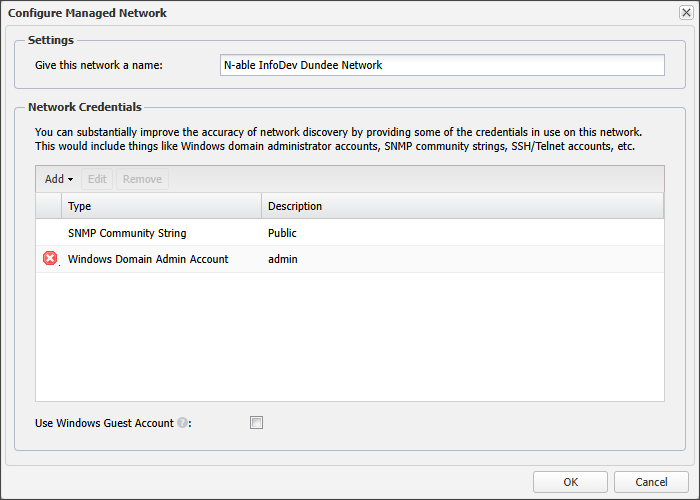
- Open the Networks drop-down menu and choose Edit selected network. Configure Managed Network dialog.
- In the Configure Managed Network dialog update the Settings and Network Credentials as needed.
- Select OK to save your changes and close the dialog.
You can also right-click the network row and select Edit selected network, or double-click the network row.
Network Credentials issues are highlighted with a red cross.
You can delete or edit any network credential by selecting it in the list and then selecting Remove or Edit.
Related articles