
Starting your N-sight RMM Trial
You can test N-sight RMM for free for 30-days, with no obligation. Trials restrictions apply and are explained in the Trial restrictions article.
Start your free 30-day trial
- Browse to N-sight Endpoint Management.
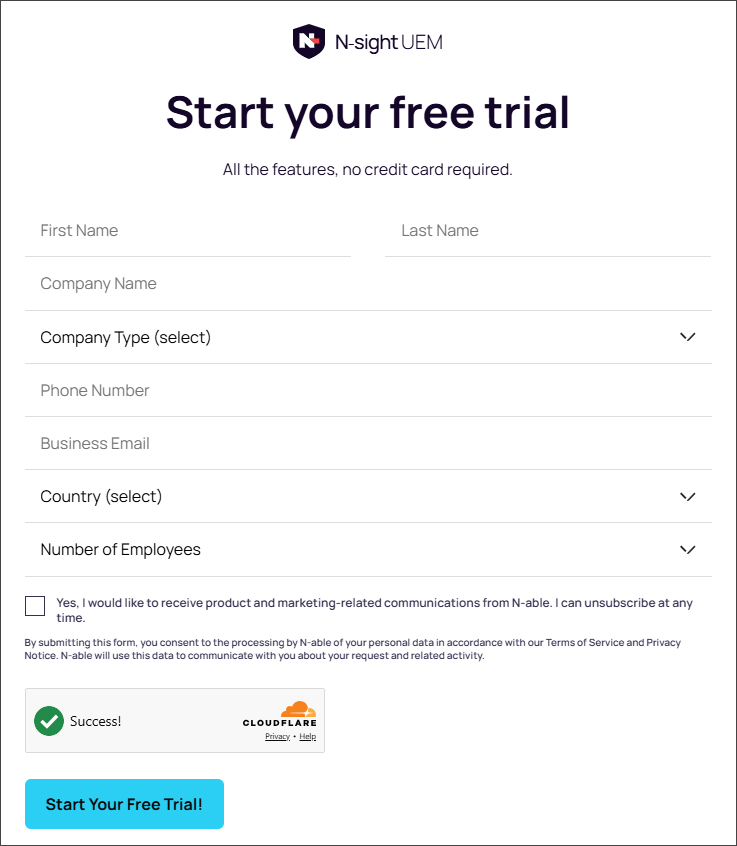
- Enter your details into the form.
- Select Start Your Free Trial! Your information is submitted and your browser refreshes to show useful information to help you get started with N-sight.
- Your activation email will arrive within 10-minutes. Select the Login to Start Your Trial link.
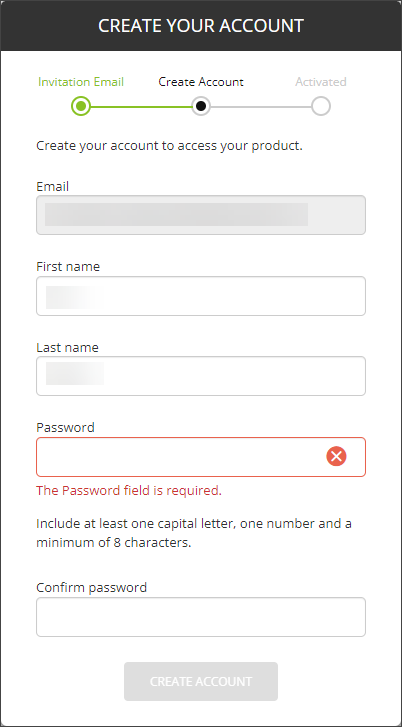
- A new tab opens in your browser, displaying the Create Your Account dialog. Enter and confirm a password for your N-sight user account, then select Create Account.
- Two-Factor Authentication (2FA) is mandatory. Ensure you have an authenticator as per the on screen advice, then select Next.
- Scan the QR code or manually enter the code provided into your authenticator.
- Enter the 6-digit code provided by your authenticator into the N-sight 2FA Setup dialog, then select Confirm Setup.
- Save the Recovery code securely. You will need it to recover 2FA details.
- Select Complete setup to continue.
- Read the Two-Factor Authentication Enabled advisory message, then select Continue to open the N-sight user interface.
The link expires within 7 days.
Related articles