
Enable remote access for Linux devices
Remote access is now supported for Linux devices by request.
When enabled:
- Remote access applies to all Linux devices in your estate. Enabling by device is currently in development.
- Only users with remote access permissions will see and be able to use the feature.
- You can disable the feature later if required.
Wayland-based systems (default on modern Ubuntu, Debian, etc.)
- Screen share requires end-user approval for every session. This is a known limitation.
- Persistent approved access following the initial approval is currently in development.
X11-based systems
- Fully unattended access without end-user session approval.
Request remote access for Linux
To request Take Control for Linux:
- Open a Linux device's details overlay in the Assets view.
- Select Request Linux remote access.

- Read the Linux remote access dialog, and choose Request remote access for Linux devices.
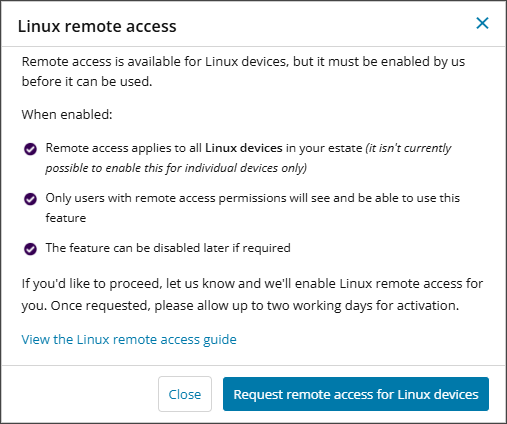
The N-sight support team receive the request to enable the feature, and will action it accordingly. Allow two working days for the feature to become active.
After remote access for Linux is active, you launch a remote support session in the same way you do for Windows or Mac devices from the Assets view. See Start a remote access session from Assets view.
This feature uses the modern agent infrastructure and is therefore only available via the Assets view.
Related articles