
Delete a PSA Integration
Cove Data Protection (Cove) can be linked to only one PSA integration at a time. If you no longer need a configured PSA integration, you can remove it from the Integrations page.
Deleting a PSA integration is permanent and cannot be undone.
Instructions
- Log in to the Management Console as a Reseller level customer using a SuperUser or Administrator user account.
- Navigate to Management > Integrations in the vertical menu.
- Using the action icon (three vertical dots) on the configured PSA integration, select Delete Integration.
- Confirm your intention to delete the integration.
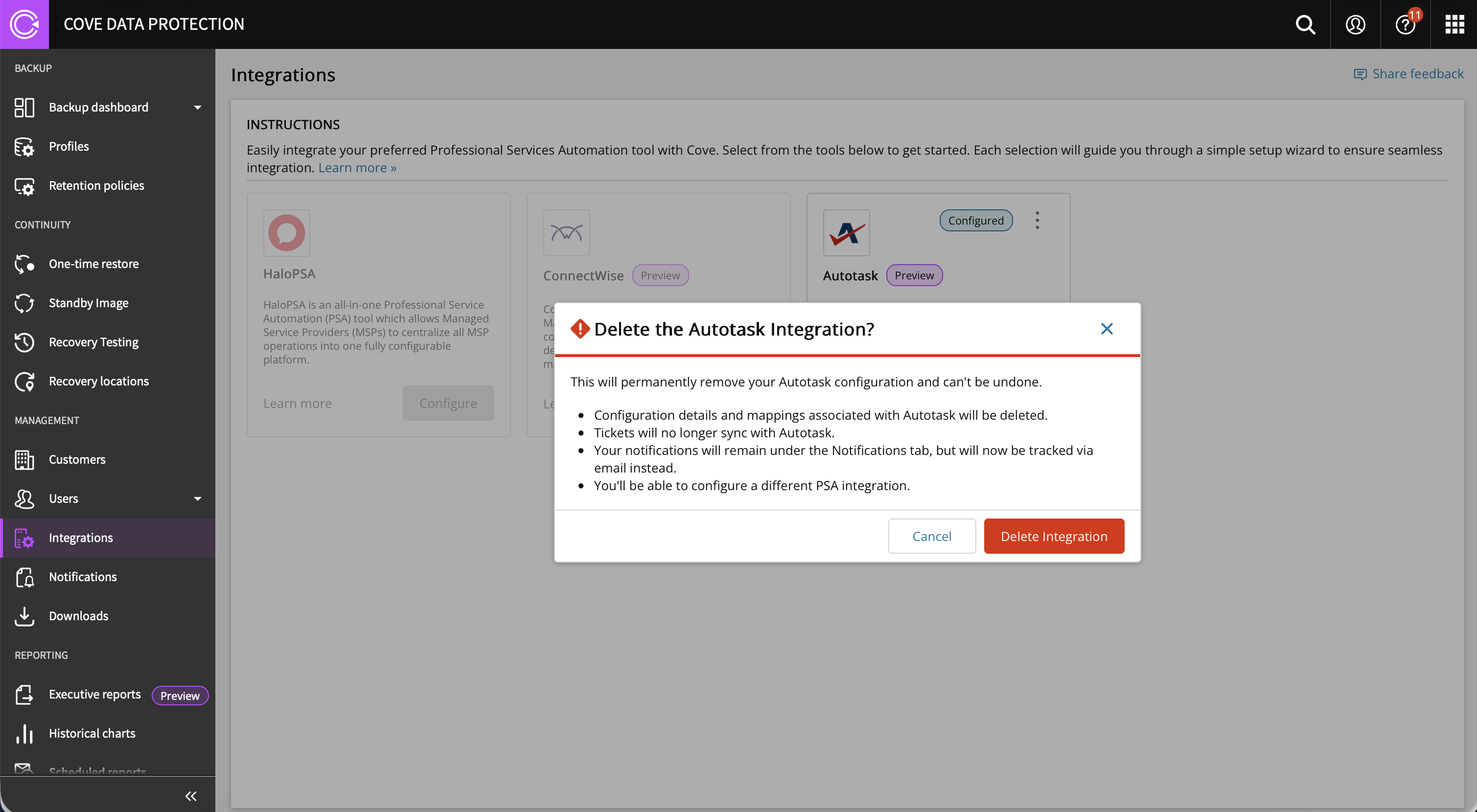
- A success message appears stating the integration was successfully deleted.
If the deletion fails, an error message appears. Try again, and contact N-able support if the problem continues.
What happens when you delete an integration?
- The configuration details and mappings associated with the PSA are permanently deleted.
- Ticket creation through the PSA stops, and the Fallback workflow applies to the affected notifications.
- Records of past notifications remain available in the Notifications page.
- To use the PSA integration again, you must reconfigure it from scratch. You must also reconfigure the notification configuration, because existing PSA notifications still point to the deleted configuration.
Notifications that reference a deleted PSA configuration
When a PSA configuration is deleted or re-created, existing PSA notifications remain pointing to the old configuration. These notifications are classed as 'out-of-date'.
See Out-Of-Date Notifications for details on identifying and re-configuring notifications that reference a deleted PSA configuration.
Fallback workflow
After a PSA integration is deleted, the internal recipients configured in the corresponding Notification rule continue to receive backup failure emails.
- The fallback emails continue until one of the following happens:
- The PSA integration is configured again in the notifications.
- The PSA Notification rule(s) is disabled.
- The PSA Notification rule(s) is deleted.
Notifications that point to a deleted PSA configuration show a warning icon on the Notifications page. To update them, open the notification, review the PSA settings, and save it so it uses the new configuration.