
Cove Data Protection (Cove)'s Notification service is found in the Management section of Management Console.
Notifications in the form of email alerts can be created for backups failing or completing with errors, or for critical configuration changes to the monitored devices.
Notifications in the form of PSA tickets can be created for backups failing or completing with errors.
PSA Ticket Notification
PSA Ticket creation can be configured by customer levels below Reseller only, and only once a Reseller has set up the PSA Integration.
To add a new backup status alert PSA Ticket notification:
- Sign in to the Management Console using a SuperUser or Administrator account
- Navigate to Management > Notifications
- Click Add Notification
-
Give the notification a recognizable Name
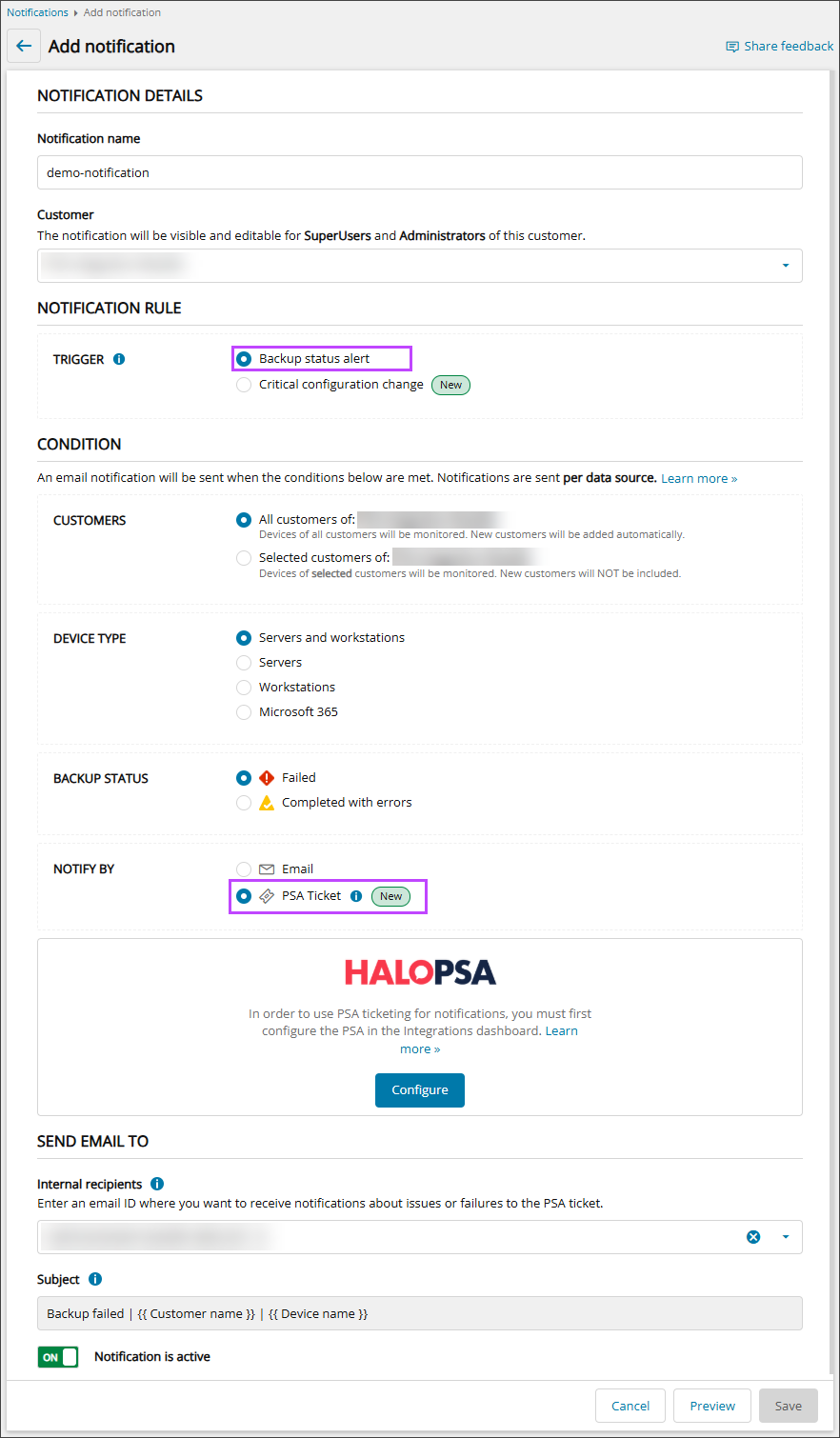
- Select the Customer from the dropdown
- In the Notification Rule section, select Backup status alert. This provides notifications on the status of your servers, workstations, and Microsoft 365 domain backups
- In the Condition section, set the conditions which must be met for a PSA ticket notification to be sent:
- Customers:
- All Customers - Devices of all customers of the customer selected in step #5 will be monitored
New customers will be added automatically
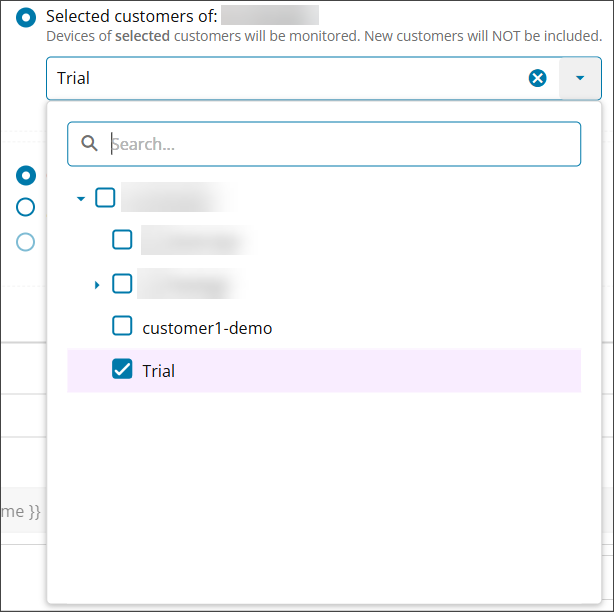
- Selected Customers - Only devices of selected customers of the customer selected in step #5 will be monitored
New customers will not be included automatically
Use the dropdown list to check all Customers whose devices should be monitored for the Backup status alert:
- All Customers - Devices of all customers of the customer selected in step #5 will be monitored
- Device Type:
- Servers and workstations
- Servers
- Workstations
- Microsoft 365
- Backup Status:
- Failed: Send a notification for backups which Failed
- Completed with errors: Send a notification for backups which Completed with Errors
- Notify By: Select PSA Ticketfor the method of notification.
PSA Ticket creation can be configured by customer levels below Reseller only.
See Add Email Notifications for instructions on configuring email notifications for Backup Status Alerts and Critical Configuration Changes.
- Select the PSA integration as configured in Connect Cove To HaloPSA.
If the PSA has not yet been configured, a message will be displayed stating that in order to use PSA ticketing, the PSA must be configured by a Reseller in the Integrations dashboard.

- Customers:
- In the Send Email To section, configure the email settings:
- Internal Recipients: Begin typing or select the recipients who should receive the email notification
Only users belonging to the selected customer will be available to send the notification to
- The email Subject cannot be changed, this will dynamically generate the backup status, customer name and device name when each email is sent
- If the notification should begin monitoring straight away, ensure Notification is Active is On
- Internal Recipients: Begin typing or select the recipients who should receive the email notification
- Click Save before closing the window
Ticket Details
Full information on the details provided in the HaloPSA ticket can be found on HaloPSA Ticket Details.