
To manage and maintain your existing Notifications, login to Cove Data Protection (Cove)'s Management Console and navigate to Management > Notifications.
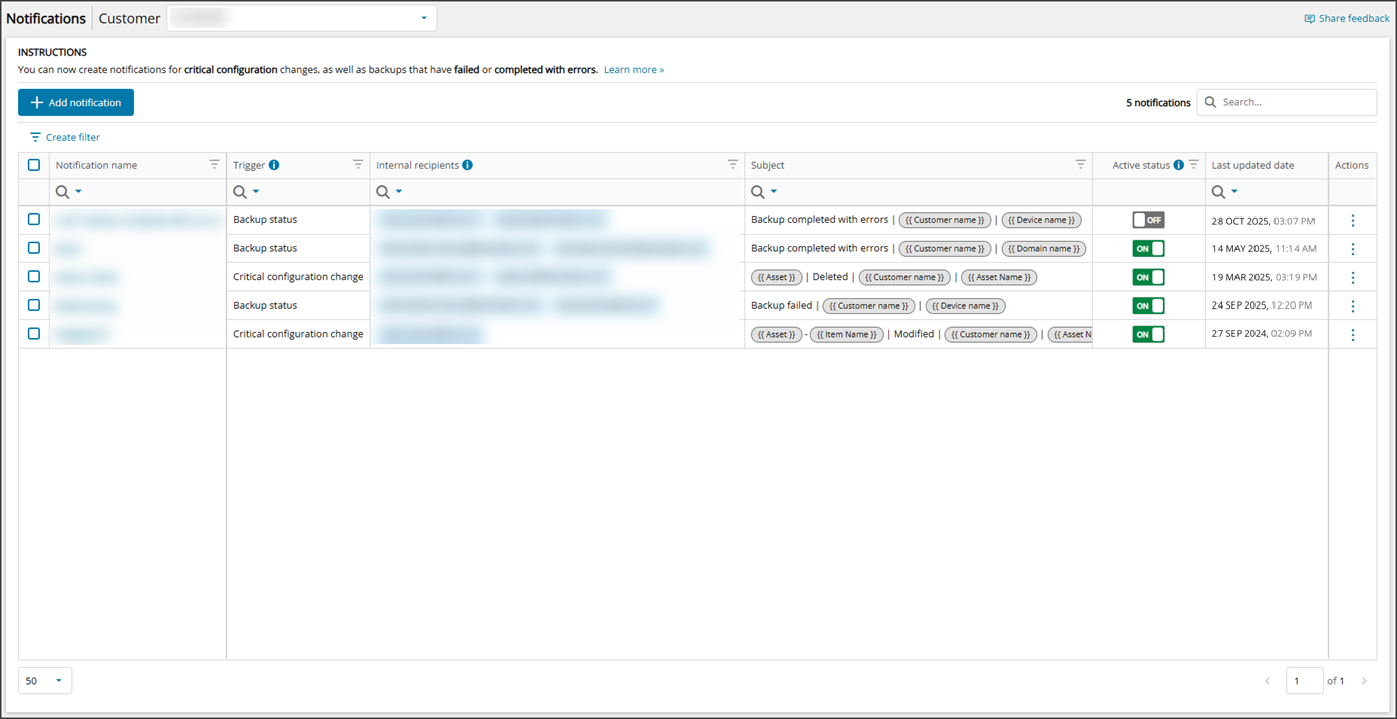
From this window you can:
- Add Notifications
- Preview Notifications
- Search Notifications
- Filter Notifications
- Edit Notifications
- Activate/Deactivate Notifications
- Delete Notifications
Edit Notifications
To edit an existing Notification:
- Find the appropriate notification to edit by scrolling, searching or filtering through the list of notifications
- Click the Notification name to open the Edit Notification window
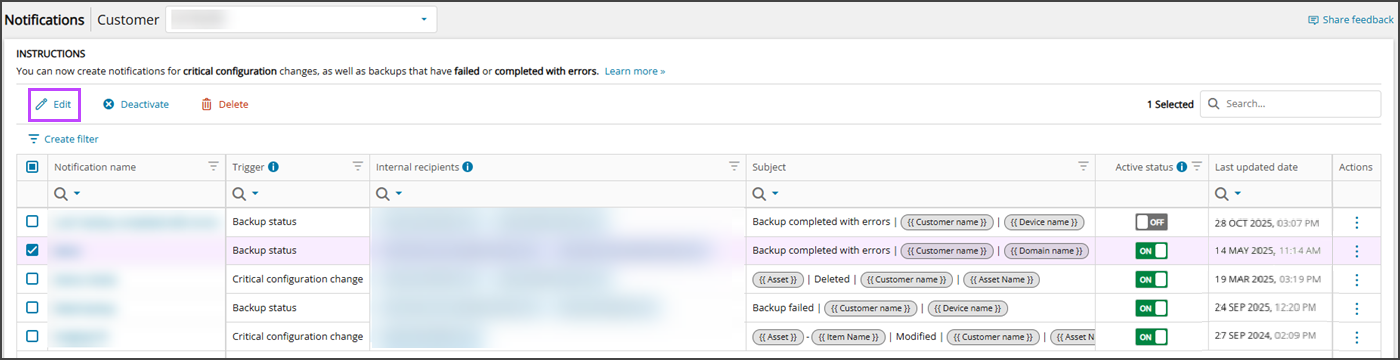
- Place a check in the box to the left-hand side of the Notification Name column and click Edit from the top bar
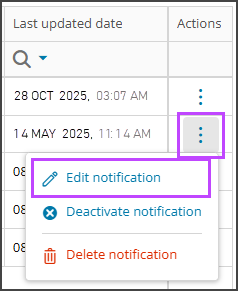
- Open the action menu to the right-hand side of the Active Status and click Edit Notification
- Make the required changes to the Notification configuration.
All aspects of the Notification other than the Customer may be edited.
- Save any changes made to the Notification configuration
Or,
Or,
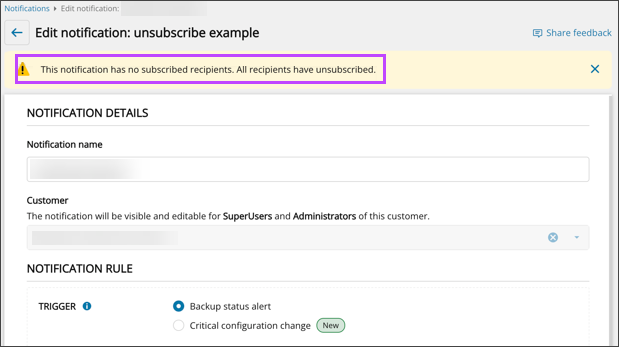
If there are notifications with only unsubscribed recipients, a warning message is displayed during edit.
Activate/Deactivate
To activate an inactive Notification or to deactivate an active Notification:
- Find the appropriate notification to deactivate or activate by scrolling, searching or filtering through the list of notifications
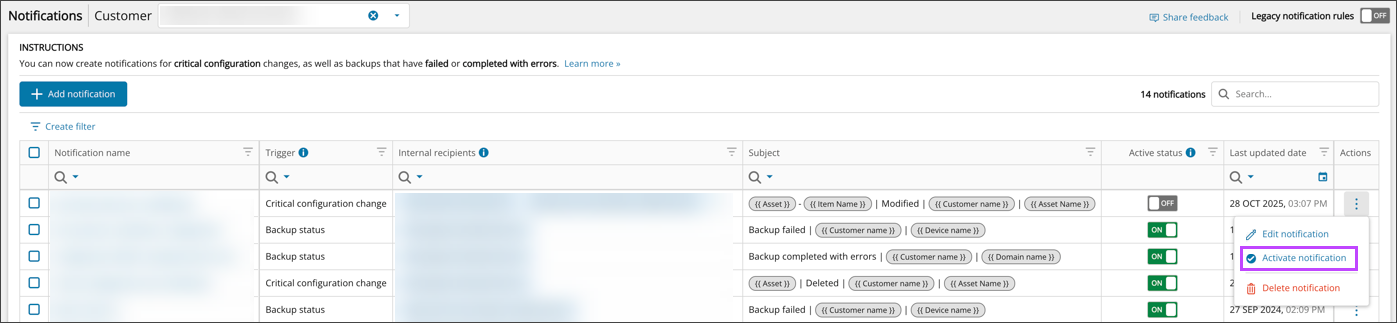
- Place a check in the box to the left-hand side of the Notification Name column and click Activate/Deactivate from the top bar

- Use the toggle in the Active Status column to turn the status On or Off

- Open the action menu to the right-hand side of the Active Status and click Deactivate/Activate Notification
Or,
Or,
Delete
To delete a Notification that is no longer required:
- Find the appropriate notification to delete by scrolling, searching or filtering through the list of notifications
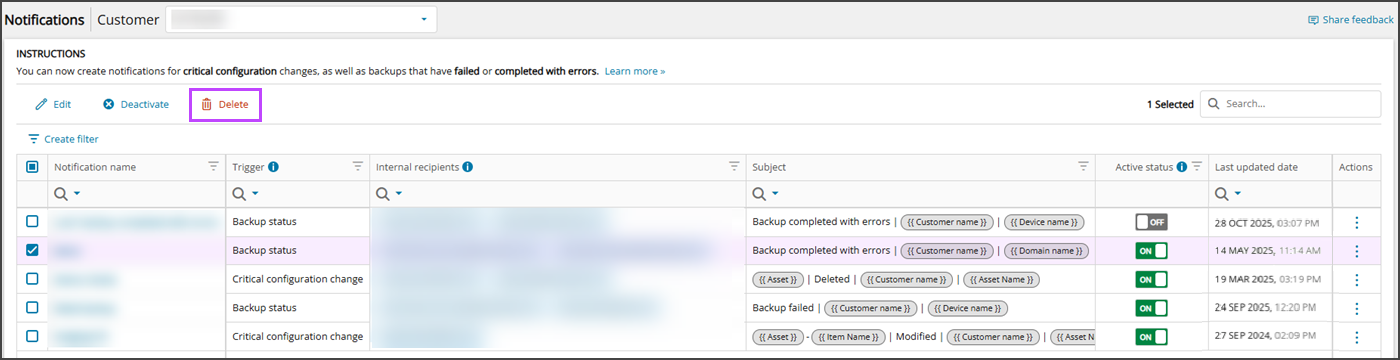
- Place a check in the box to the left-hand side of the Notification Name column and click Delete from the top bar
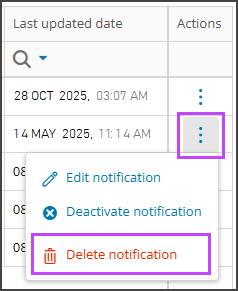
- Open the action menu to the right-hand side of the Active Status and click Delete Notification
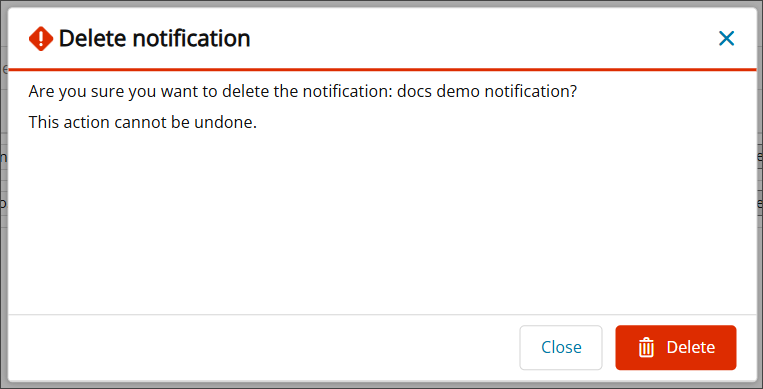
- Confirm deletion of the notification by clicking Delete
Or,