
Before adding a custom variable for each Site/Customer in Datto RMM, ensure you have:
- Reviewed the Requirements.
- Taken the Preparation steps.
- Generated Installation ID in Cove's Management Console.
Instructions
- Login to Datto RMM
- Navigate to Sites > All Sites
- Select the Site/Customer and open the Settings page
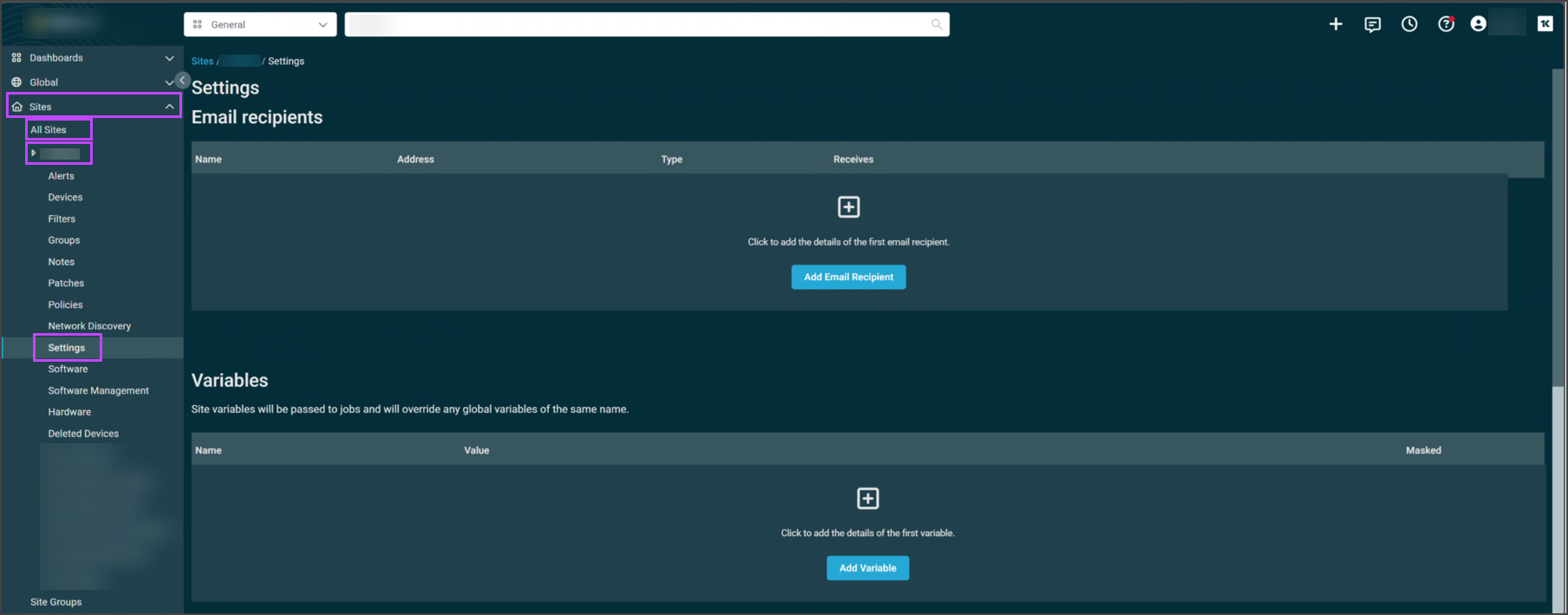
- Click Add Variable
- Enter the Variable name: CoveInstallationID
- Enter the Installation ID taken from Generate Installation ID > Step #9 in the Value field

- Click Add Variable to save
Next, import the Cove Data Protection deployment script into the component library in Datto RMM.