
Schedule a reboot for one or more devices
Applies to Windows and macOS.
Schedule a reboot for one or more devices at a specific date and time based on the device's local time zone.
- In the All Devices view North-pane, go to the Servers, Workstations or Mixed tab.
- Select one or more devices:
- Press Shift and select to choose a range.
- Press CTRL and select to choose specific devices.
- Right-click one of the selected devices, then select Reboot > Later.
- In the Multiple Device Action dialog, ensure only the devices you want rebooted are selected.
- The UTC Offset column shows the device time zone.
- Use the Device Time column to identify devices that are ahead of or behind the selected schedule.
- Adjust your selection as needed to apply an appropriate schedule across time zones.
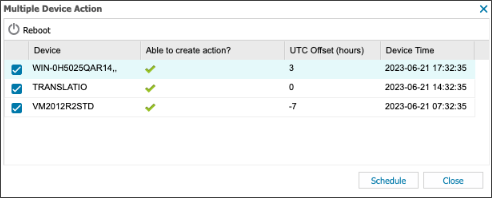
- Select Schedule.
- Choose the reboot date and time, then select OK to confirm.
The Reboot column updates to show the pending reboot icon for each device.
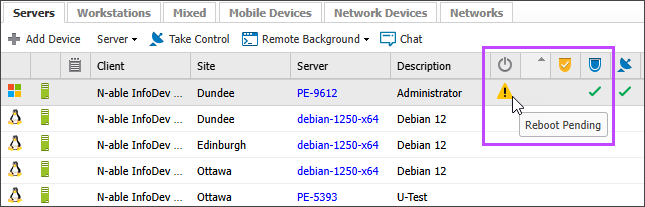
The reboot command is sent at the selected date and time. You can cancel a scheduled reboot before the command is sent. See Cancel pending device reboots.