
Use multiple tags to achieve your goal
Tags help you organize and manage assets based on specific criteria. By combining tags, you can create flexible groupings that support operational goals and future policy enforcement.
Using tags strategically prepares you for advanced features like policy-based actions, where tags define which assets policies apply to.
Example goal: Ensure all Windows laptops have Trusted Platform Module (TPM) activated
Criteria:
-
OS = Windows
-
Chassis type = Laptop
-
TPM = Activated
You can achieve this goal in two ways.
Create one dynamic tag with all three criteria
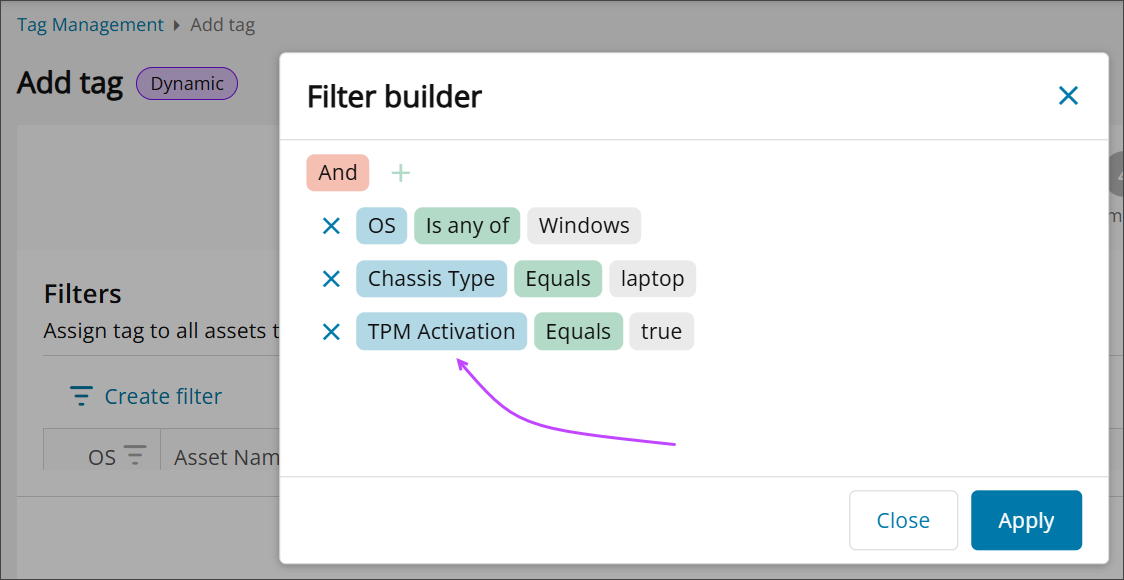
Pros:
- Simple to manage.
- Automatically updates when assets meet all conditions.
Cons:
- Less flexibility if you want to reuse individual criteria for other goals.
Create multiple tags and combine them into one
Create separate tags for each criterion, then combine them into a parent tag.
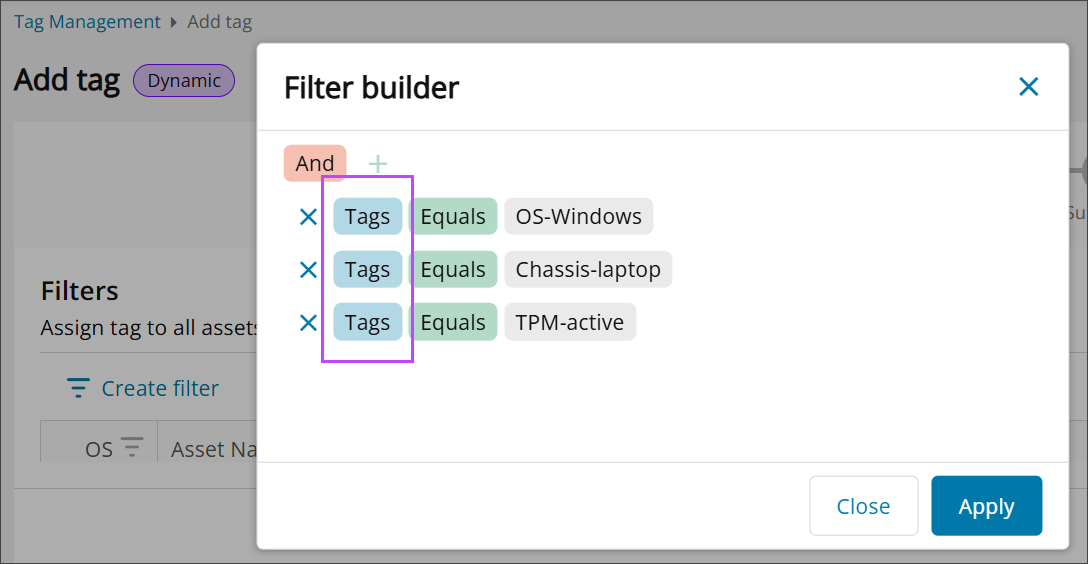
Pros:
- Reusable tags for different goals.
- Easier to adjust individual conditions without editing the entire tag.
Cons:
- Takes more time to set up and maintain.
Related topics