Set up Entra ID as an identity provider with N-sight
N-able Login with Entra ID works as an identity provider (IdP) that lets users securely access multiple applications with one sign-in. Using Entra ID improves security, simplifies the user experience, and removes the need for users to sign in to each application individually.
Only the Agent Key and Superuser roles can set up and configure Entra ID as an identity provider for N-sight.
Set up Entra ID as an identity provider for N-sight
- Sign in to N-sight
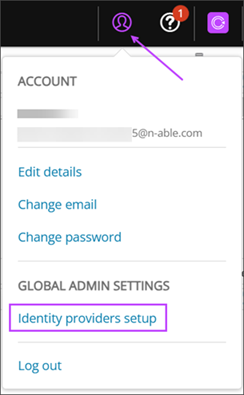
- From the Account menu, select Identity providers setup.
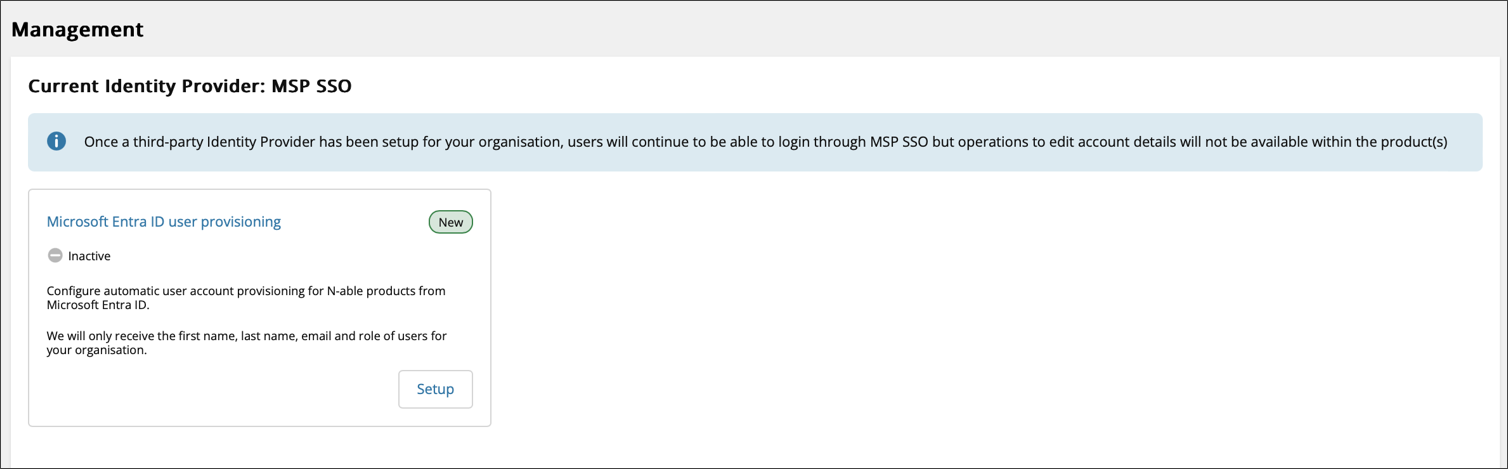
- In the Microsoft Entra ID user provisioning tile, select Setup.
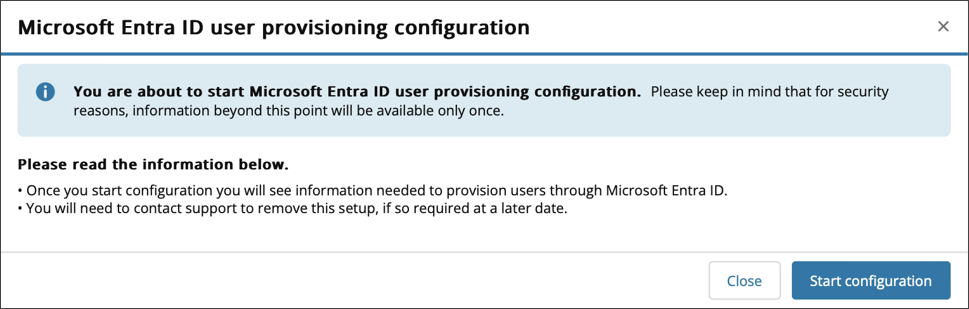
- Review the information on the page and select Start configuration.
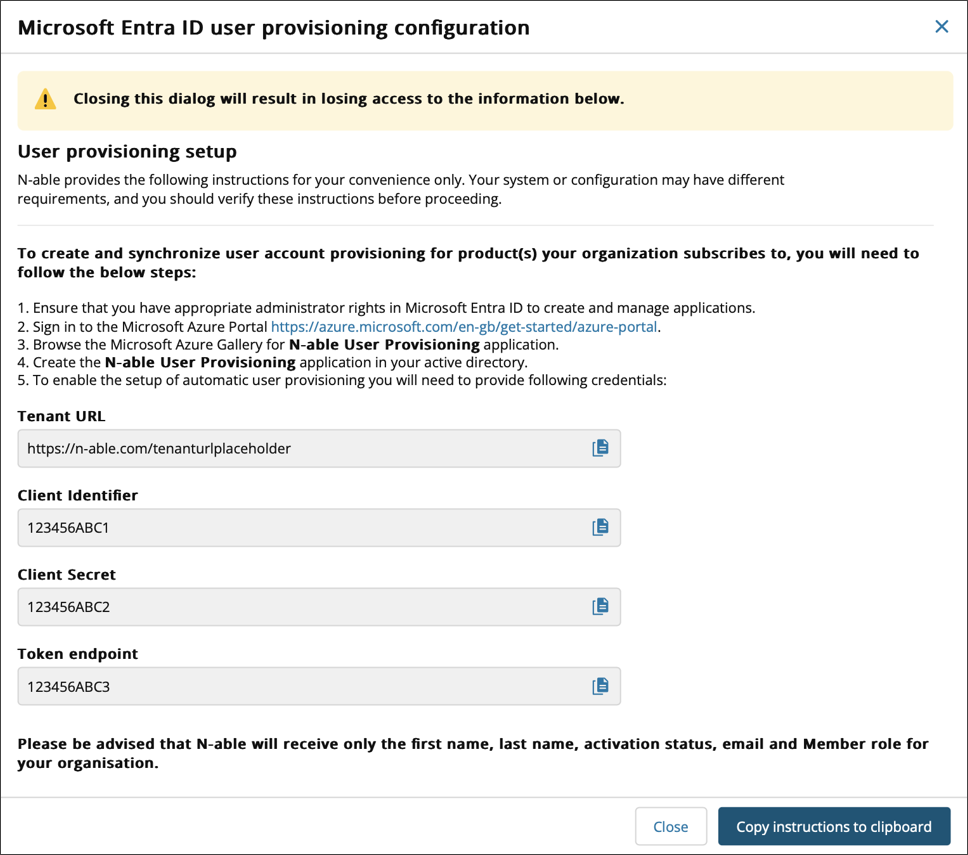
- The system automatically populates the Tenant URL, Client Identifier, Client Secret, and Token endpoint fields. Then select Copy instructions to clipboard.
These values appear only once. Copy them immediately. If you lose this information, you need to contact Support to retrieve it.