
Add columns to existing views in the Cove Data Protection (Cove) Management Console
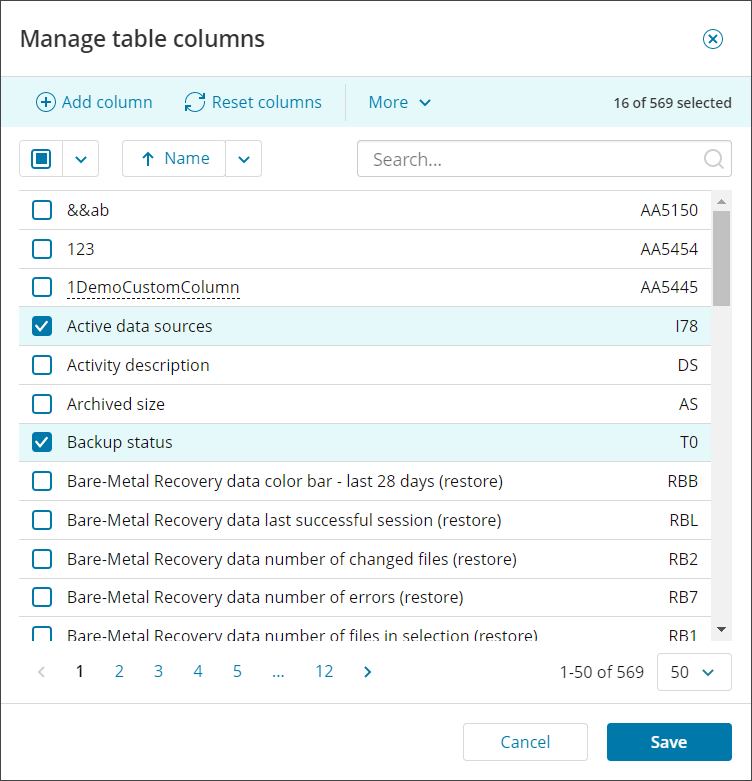
In this window, you can also Add a custom column, reset columns, reset the column width and filter to show only the columns currently selected.
You can also change the sorting method from column name to shortcode. For full details on column codes, see Expressions for advanced filter in Management Console.
- Sign in to the Management Console
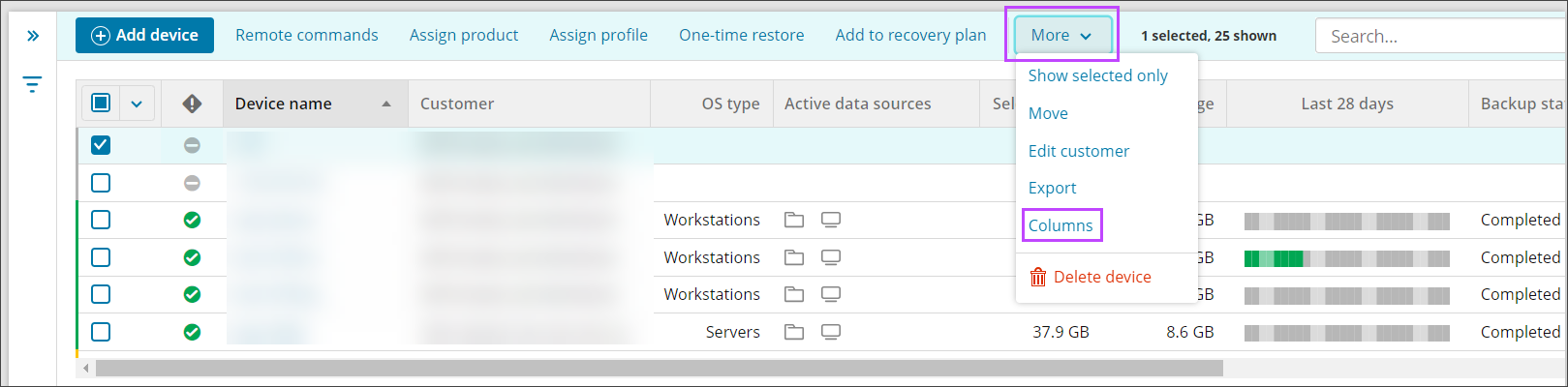
- On the Backup Dashboard, click the Columns option on the toolbar, or if a device is selected, this can be found in More > Columns

- The Manage table columns window is shown
- Use the Column Categories panel to filter the column list to make finding the correct columns easier
- Select or deselect the required columns
There is no limit to the number of columns that can be added, you can see the number of columns selected at the top of the window
- Save the changes made