
Change the assets assigned to a tag
Add or remove assets assigned to a tag from Tag Management.
Before you begin
-
Your role must include the Custom Properties Create/Edit/Delete permission in the Administration section.
- The tag must be a static tag in your organization or a child organization. You can't edit tags inherited from a parent organization or manually assign assets to a dynamic tag.
Steps
- Go to Ecoverse > Configuration > Tag Management.
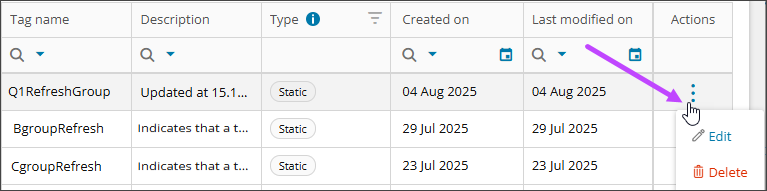
- Select the tag to open its details or select Edit from the Actions menu in the tag's row.
- Go to the Settings tab.
- For a static tag, in Select assets, select assets to add them to the tag or clear assets to remove them.

- For a dynamic tag, update the filter conditions that determine which assets the tag applies to.
- Select Save.
Result
A success message briefly appears in the upper-right corner. The tag applies to the selected assets. The Assets count may take time to update.
Related topics