Using N-central Mobile
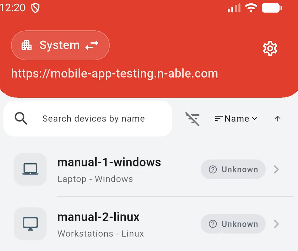
Once signed in, N-central Mobile displays an overview of your devices.
- Use the organization selector in the upper-left of the screen to switch between customers, sites, or Organizational Units. Alternatively, you can also use the menu (gear icon), top-right, to quickly change the customer or site.
- View devices for the selected scope.
- Filter devices by state.
- Sort devices by Name, Type, Status, or alphabetically.
- Sign out using the button at the bottom of the app, or from the menu (cog icon).
- Search for and select a device to view its details.
- Start a Take Control session from the app - available in N-central Mobile (updated) only.