
2026.1 Release Notes HF1
| Build Number: | 2026.1.2.7 [N-central] |
| This hotfix does not apply to N‑central for CMMC Compliance | |
| Last updated: | 9-Apr-2026 |
This hotfix addresses several stability, performance, and reliability issues identified in N-central 2026.1, along with the introduction of two key feature foundations.
In certain environments:
-
Ecoverse eventing issues where configuration changes were not consistently applied System backup operations could encounter deadlocks related to event production.
-
Customer Bug: Memory consumption could increase over time due to inefficient handling of internal HTTP client connections.
Additionally, this hotfix provides an early access for following features:
-
Ask N-zo (AI capabilities)
-
Security Insights dashboard
AI Management & N-zo (Preview)
We are introducing AI Management in N-central, giving administrators full control over access to N-zo AI capabilities within Ecoverse. N‑zo is our AI assistant that provides contextual guidance and answers using natural language.
This enhancement allows partners to manage which users can access AI-powered features, ensure controlled adoption while enabling technicians to quickly get contextual help, explanations, and guidance without leaving their workflow.
With this release:
A new AI Management section is available under Administration, providing a single place to configure and monitor AI capabilities.
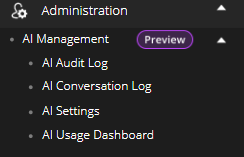
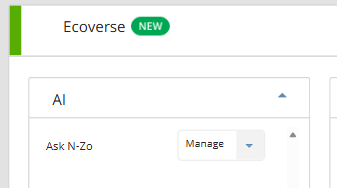
Access to N-zo is governed by role permissions:
-
Default Administrators can enable AI, manage users, and control settings.
-
Default Technicians can access and use N-zo based on assigned permissions.
-
Users without access will not see AI features in the UI.
AI Audit Log, AI Conversation Log and AI Usage Dashboard will be implemented at a later stage and details will be provided.
Guided Activation Experience
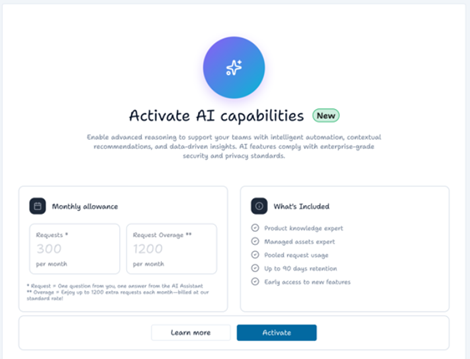
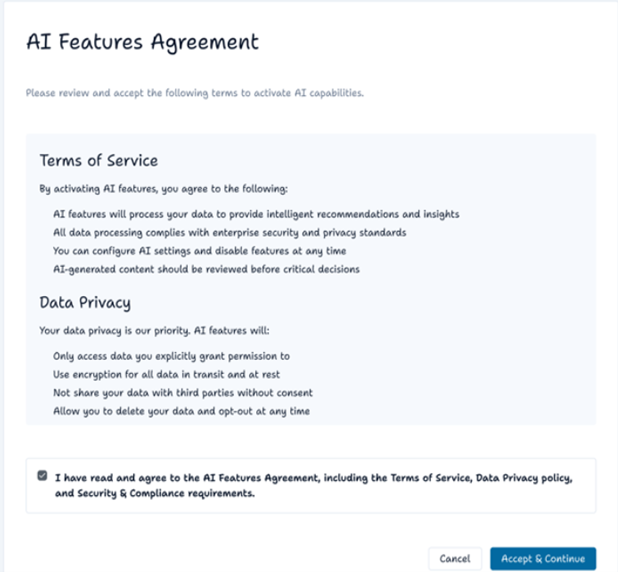
Administrators can enable AI through a structured workflow that includes:
-
Activate AI capabilities: View the available AI capabilities, request limit and pricing implications for the feature.
-
AI Features Agreement: Review and accept the AI Features Agreement. Acceptance is required before AI can be activated.
-
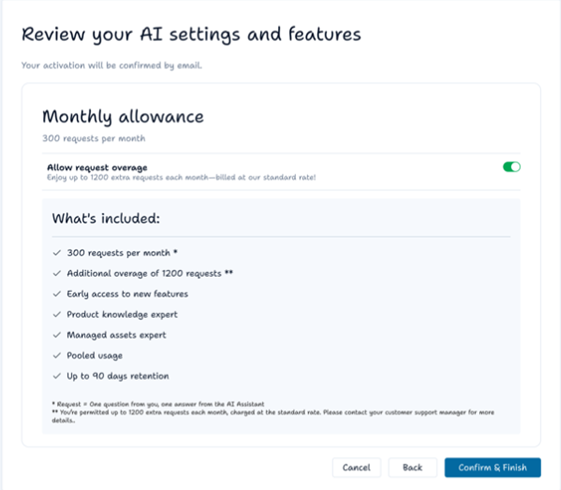
Review your AI settings and features: Review what’s included, choose whether to enable or disable request overage, and confirm activation.
-
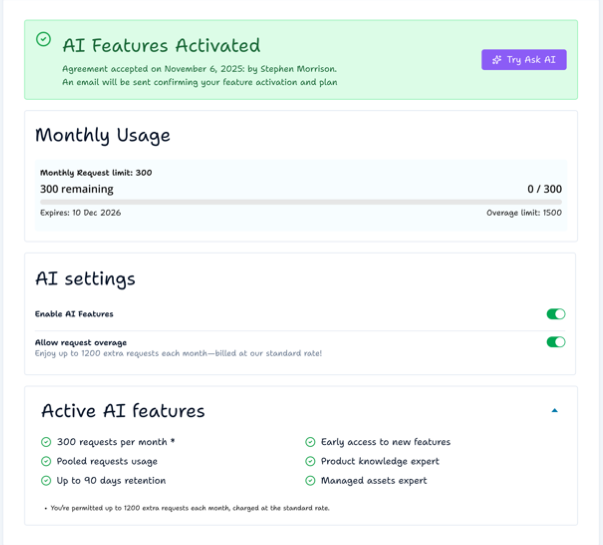
User who activated the AI and time and date.
-
Simple AI credit usage chart.
-
Toggle to disable AI.
-
Toggle to disable overage.
-
Description of AI settings and what’s included.
-
AI Features Activated: After activation, you are redirected to the AI settings page with an inline confirmation banner. Monthly request usage is shown (at 0).
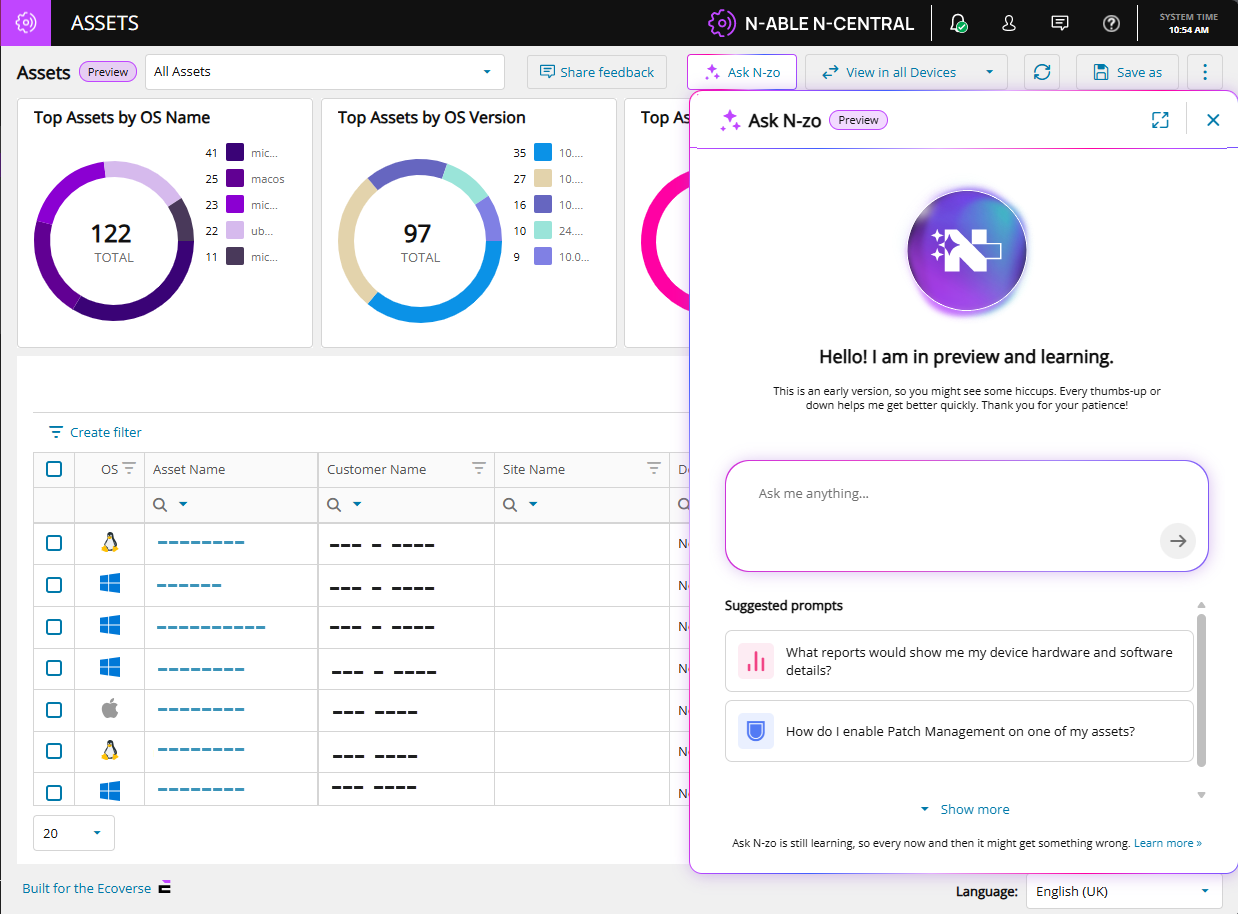
To test N‑zo, select Try Ask AI. You are redirected to the Asset view page, where you can access N‑zo from the top menu using the Ask N‑zo button.
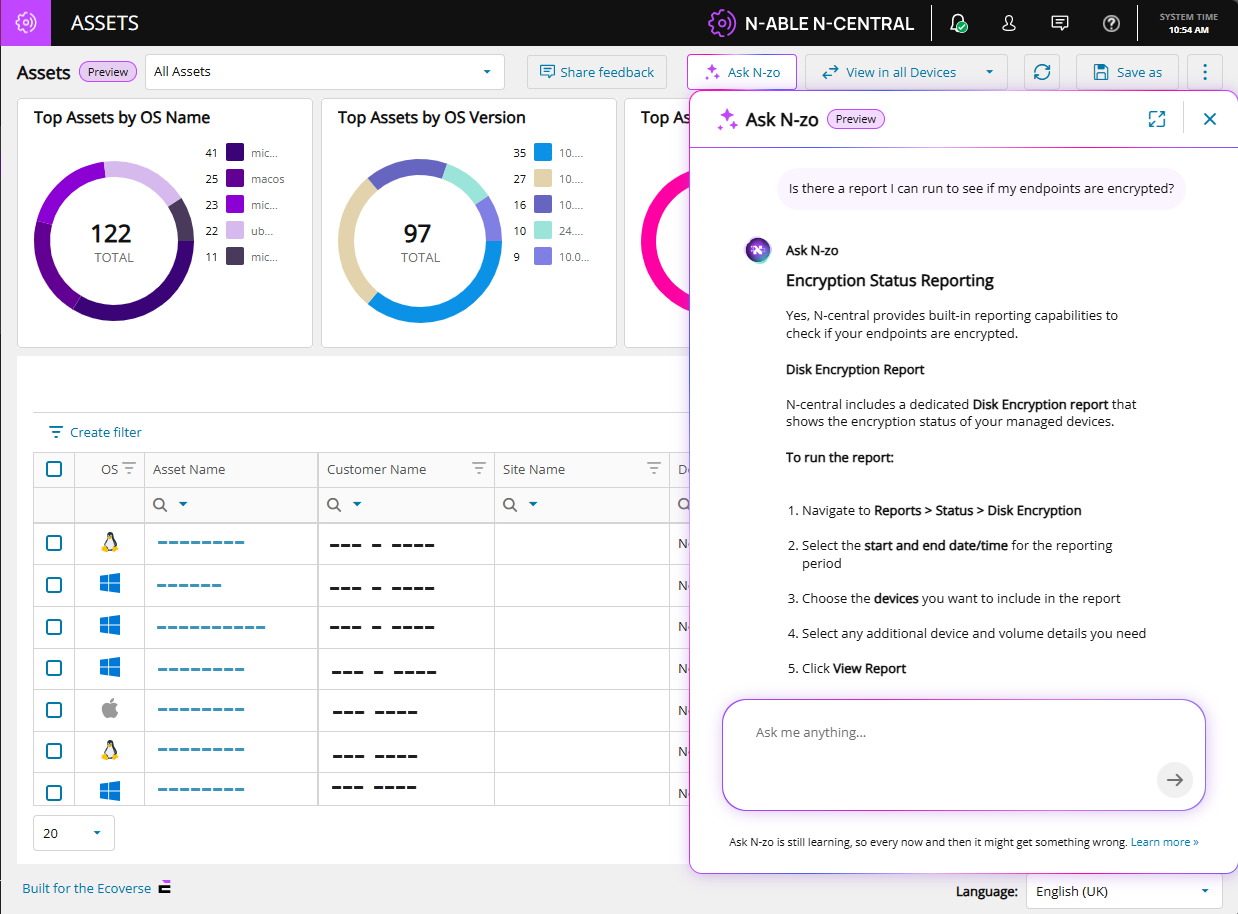
An example query and N-zo's response:
N-zo use cases
| Use Case | Scenario | Sample Prompt | Outcome |
|---|---|---|---|
| Pre-Meeting Executive Briefing | Before a QBR or client visit, an MSP technician asks N-zo for a summary of the client's environment. They arrive informed and prepared — no report-running required. | "I'm briefing a company tomorrow. Can you give me an executive summary of what's going on with their devices and flag any problems I should know about before my meeting?" | A structured briefing covering total devices, healthy systems, critical issues, vulnerabilities, talking points, areas of concern, and a proposed action plan. |
| Slow Server Troubleshooting | A user reports slow logins at their site. The technician describes the problem in plain language. N-zo identifies the device, diagnoses the root cause, and offers immediate recommendations. | "I just got a call from the Dundee site that their logins are slow. Their server is called Avery — can you see why it's running slow?" | Root cause analysis (e.g., critically high memory usage), specs review, Microsoft recommendations, and suggested remediation steps including whether a VM memory increase is feasible. |
| Active Threat Exposure Check | A headline breaks about a known CVE. The Admin needs to know immediately which — if any — devices are exposed. N-zo checks the environment in seconds and reports current exposure status. | "I'm worried about vulnerability CVE-2026-2760. Do any of my devices have this?" | A count of affected devices, confirmation of any that have already been remediated, and which still require action. |
| Report Discovery | A technician needs to know which built-in reports cover hardware and software details. N-zo reads the documentation and returns the exact report name and where to find it — no manual searching required. | "What reports show me my device hardware and software details?" | The specific report name, its location in the product, and all relevant documentation sources. |
| Product Documentation Lookup | A technician wants to know how to automate recurring tasks without leaving the console. Instead of searching the documentation site, they ask N-zo directly and get a plain-language answer with source links in seconds. | "How can I automate recurring tasks in Central?" | Step-by-step instructions for scheduling tasks, formatted in plain language with clickable links back to the documentation source. |
See the N‑zo (Preview) user guide for more information.
Feature Flag Controlled Rollout
This feature is currently controlled via a feature flag and will be rolled out in phases as part of our ongoing AI capabilities expansion. When disabled, the feature is completely hidden from the UI. To enable this feature, please reach out to us via email ncpreview@n-able.com
Security Insights & Remediation Dashboard (Unified Patch & Vulnerability Management) (Preview)
We’ve introduced a new Security Insights Dashboard in N-central, providing a centralized and actionable view of vulnerabilities, patching status, and remediation progress across your environment.
Previously, vulnerability and patch data were available but often fragmented and data-heavy, requiring administrators to manually interpret raw information across multiple views.
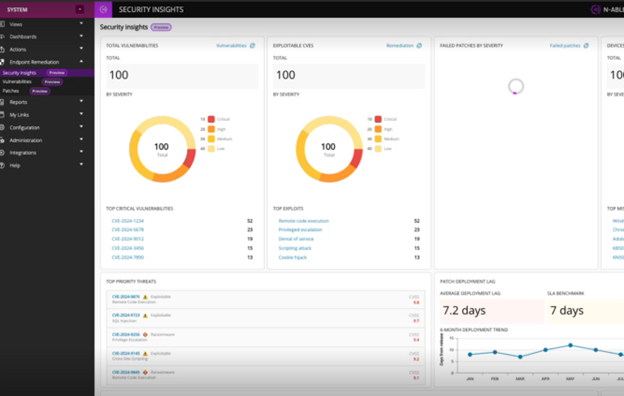
A new Security Insights view brings together: All in a single, easy-to-understand interface.
-
Vulnerabilities by severity.
-
Exploitable CVEs.
-
Failed patches.
-
Patch deployment trends and lag.
-
Top critical threats and exploit types.
New Endpoint Remediation Section: A new Endpoint Remediation section has been introduced in the navigation:
-
Serves as the central hub for security operations.
-
Includes the new dashboard as well as Patch and Vulnerability views.
Actionable Insights
-
Quickly identify high-risk devices and vulnerabilities.
-
Prioritize remediation based on severity and exploitability.
-
Monitor patching performance against SLA benchmarks.
Role-Based Access (Leveraging Existing Permissions)
-
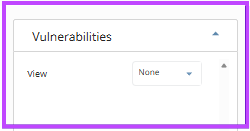
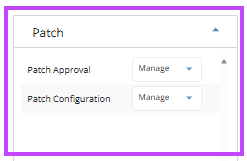
Existing Patch and Vulnerability permissions control access
-
The read only permission for Vulnerability and manage permission for Patch is automatically added to the built-in default roles - Default admin and Default tech, no default permissions will be set for the Custom roles
Feature Flag Controlled Rollout
This feature is currently controlled via a feature flag and will be rolled out in phases as part of our ongoing AI capabilities expansion. When disabled, the feature is completely hidden from the UI. To enable this feature, please reach out to us via email ncpreview@n-able.com
If either feature appears blank after upgrade, perform a hard refresh (clear browser cache) to ensure proper loading.
Details of the Customer Bug: NCCF-1713374
Summary
Improved system stability by resolving a memory management issue related to internal HTTP client handling.
What’s improved
We identified and resolved an issue where certain background services could gradually consume more memory over time. This was related to how system connections were being created and managed during regular operations.
What this means for you
-
Improved stability for long-running environments
-
Reduced risk of performance degradation over time
-
More efficient use of system resources
-
Better overall reliability of core services
Installation Notes:
-
Install this hotfix on your N-central server.
-
No additional configuration is required.
-
Improvements are applied automatically after installation.
-
Ensure a minimum of 1GB /boot partition is available for the 2026.1 Hotfix
For full release information:
To review additional updates included in the 2026.1 release, refer to the main release notes 2026.1 Release Notes.