
Manage devices
Use the following tools to manage devices in N-central Multi-Instance.
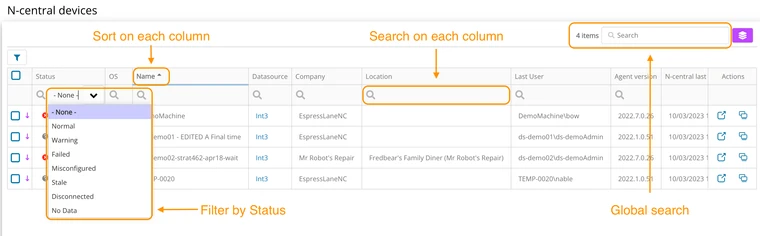
Filter, sort, and search device data
You can filter, sort, and search to find and view device data in Multi-Instance.
View device properties
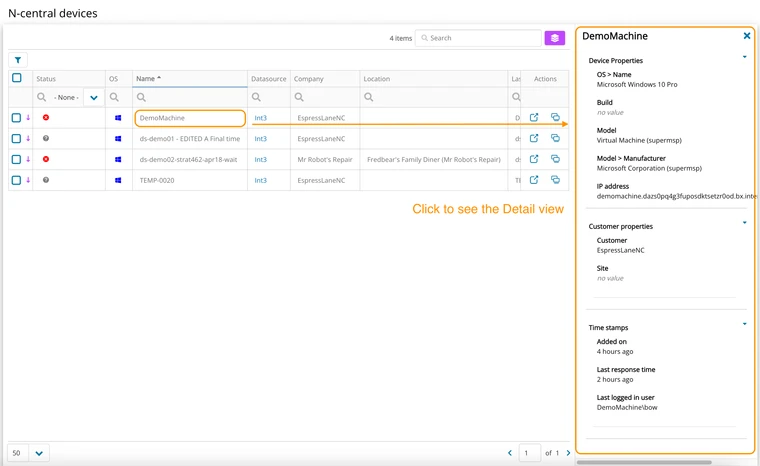
Quickly view the following device properties:
-
OS > Name
-
Build
-
Model
-
Model > Manufacturer
-
IP Address
-
-
Custom Properties
-
Time stamps
Access device details
Connect directly to the N-central Device Details view or remotely connect to a device using Take Control.
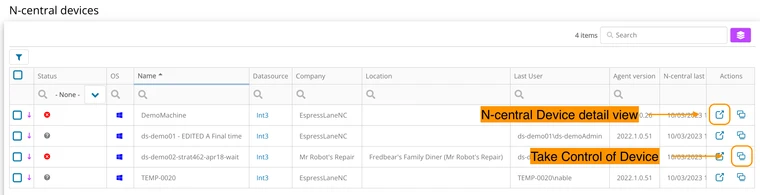
N-central Device Details
The N-central Device Details view provides more details of the health of a device. From Device Details, you quickly get an overview of device components, active issues, and other system information. See Device Details in the N-able N-central User Guide for more information.
Take control
When remotely connected to a device, you can see the details about the device. This is useful if the user is not available to answer questions about the device, or doesn't know the technical specs. The system information includes parameters related to hardware, drivers, Windows services, applications, system temperatures, Windows update policies, and more.