
Assign N-sight roles to Entra ID users
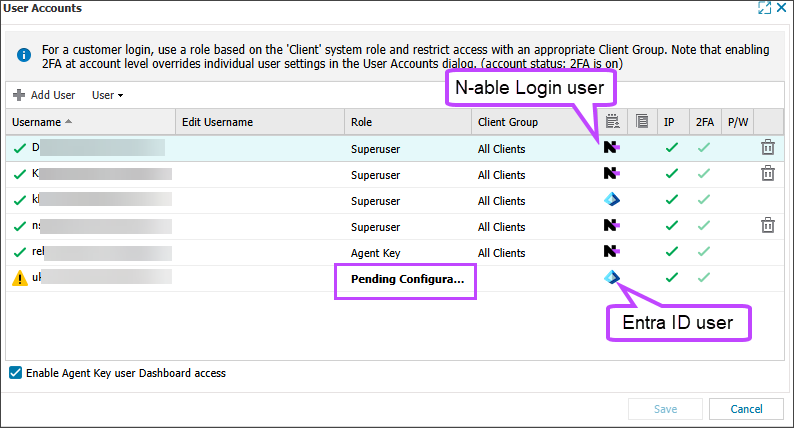
After provisioning completes, new Entra ID users appear in the N-sight User Accounts dialog with a Pending Configuration role.
A Superuser or Agent Key user must change each user role from Pending Configuration to an N-sight role.
If a provisioned user tries to sign in without a valid N-sight role, they receive an access error.
Assign an N-sight role to Entra ID users
- Sign in to N-sight as a Superuser or with the Agent Key.
- In the All Devices view, go to Settings > Users > User Accounts.
- For users with a Pending Configuration role, select the role and choose an N-sight role from the list.
- Select Save, review the changes, and then select OK to confirm.
The user can now sign in to N-sight.
For provisioned users, Microsoft Entra ID becomes the authoritative identity provider. You manage user details, access policies, and security settings in Entra ID instead of in N-able.