
View billing information for N-sight RMM
After logging in to your ID account, click the View Invoice Details button next to the N-sight subscription.
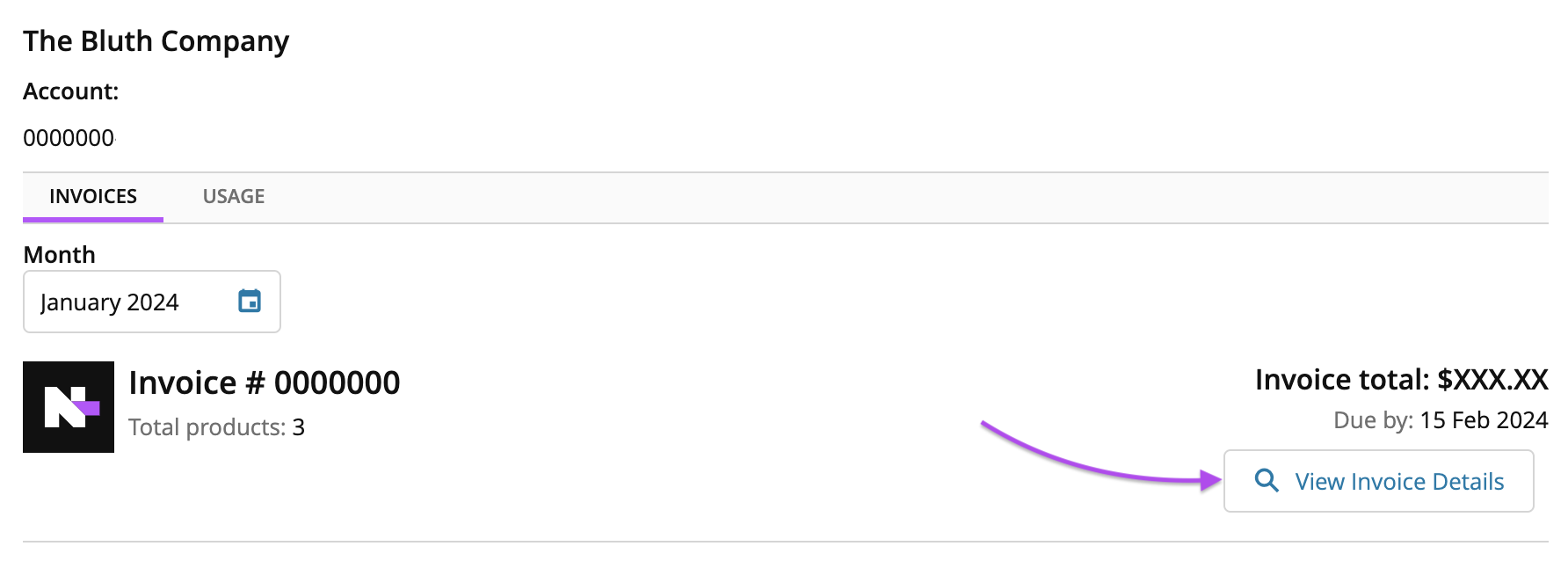
Or from the Usage page, click the Billing tab at the top of the page to view a breakdown of current N-sight invoices, or to look back at a past invoice. View the last bill received, current bill due date and whether it has been paid or not.
You can also easily determine what was committed to, compared to what was actually deployed.
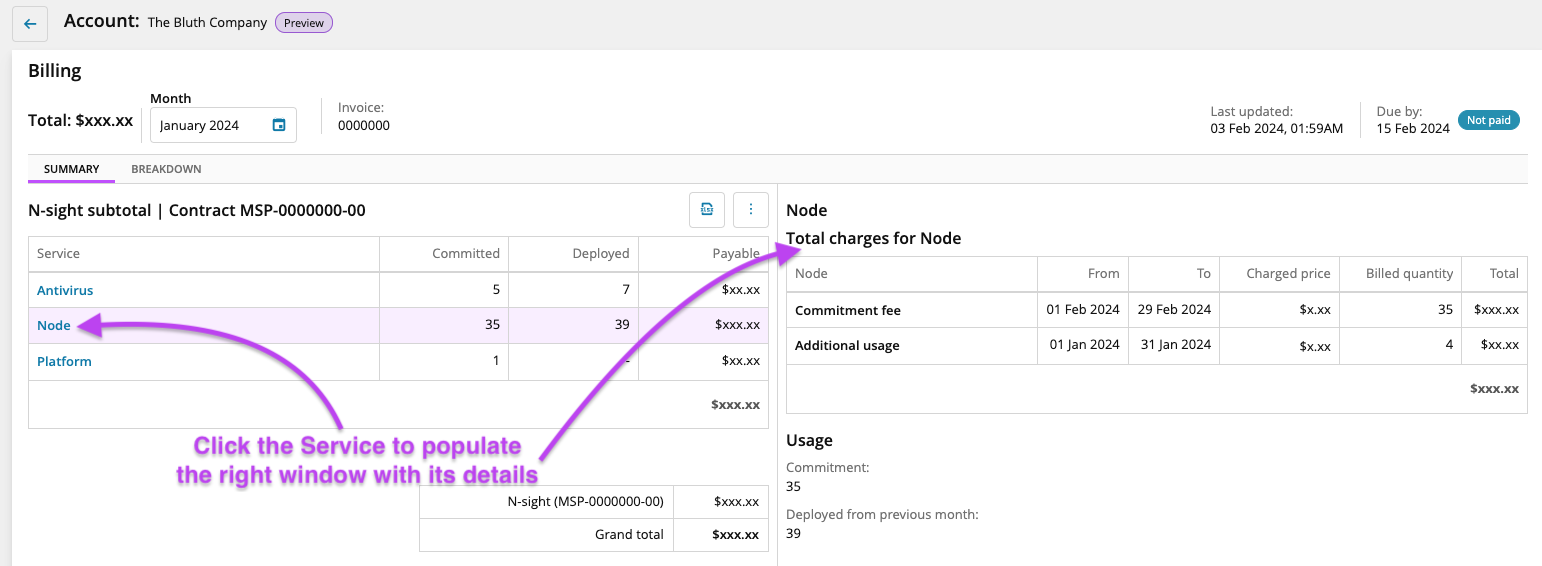
Additionally, you can use the Export All to Excel button  to export the billing data as an Excel spreadsheet.
Click the Calendar icon  next to the Month to select and view a previous months invoice.
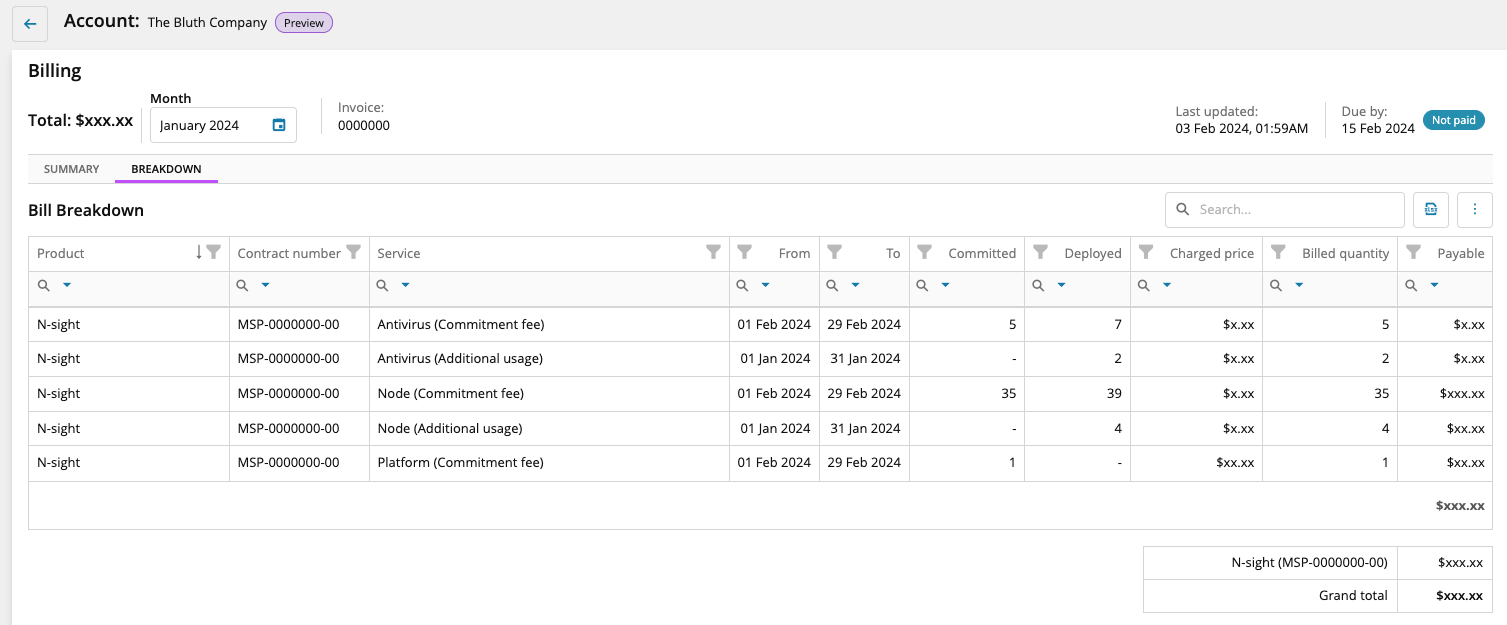
Click BREAKDOWN to view more information about your invoice.
What would you like to do?