
Edit Users
It is possible to change the Role, Job title, and Phone number of a user, as well as add or remove Security Officer permissions. All other settings cannot be changed.
- Log in to the Management Console under a SuperUser or Administrator account
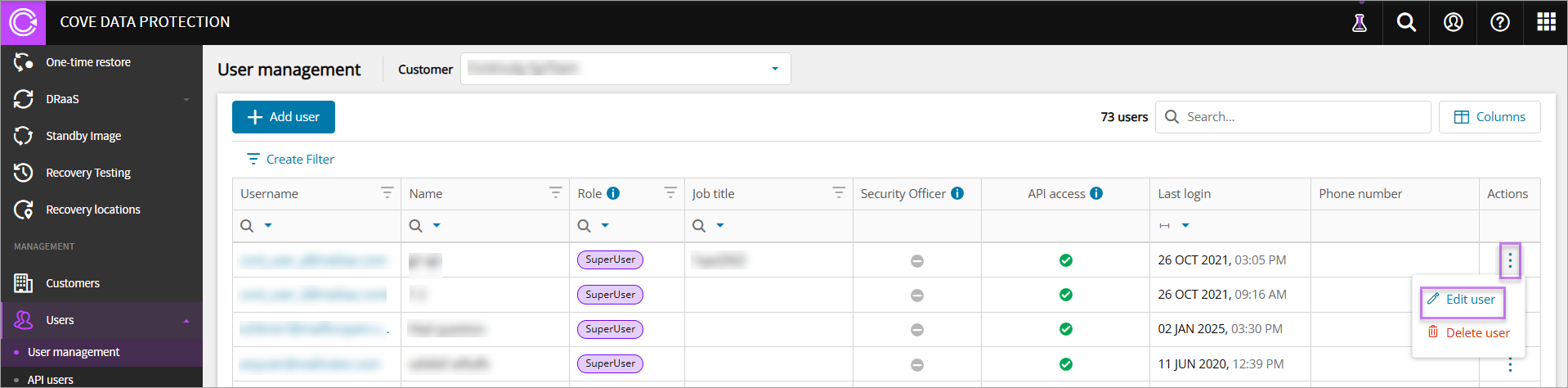
- In the vertical menu, navigate to Management > Users > User Management
- Find the user to edit
- Click the three dots under Actions and click Edit user
- Edit the settings as required
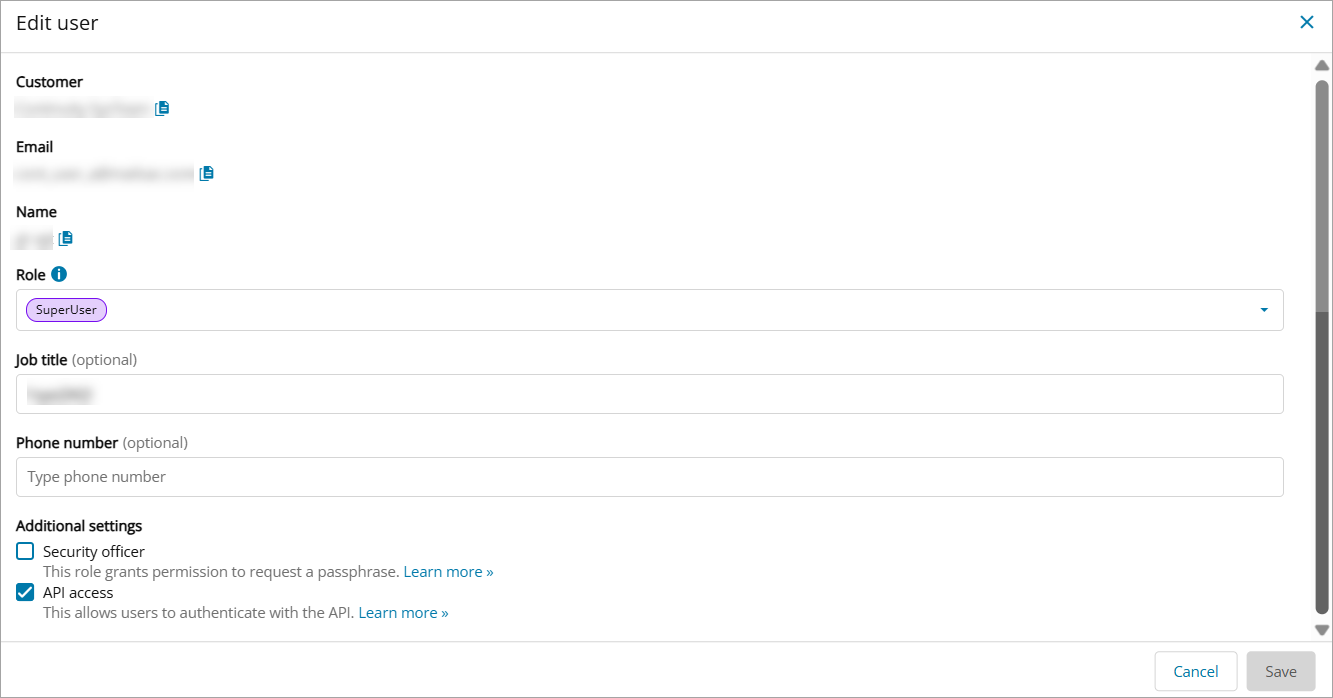
You can click the 'copy' icon next to the Customer, Email, and Name to copy to clipboard
- Click Save to apply the changes.
Edit API Users
It is possible to change the Role of an API user, as well as add or remove Security Officer permissions. All other settings cannot be changed.
- Log in to the Management Console under a SuperUser or Administrator account
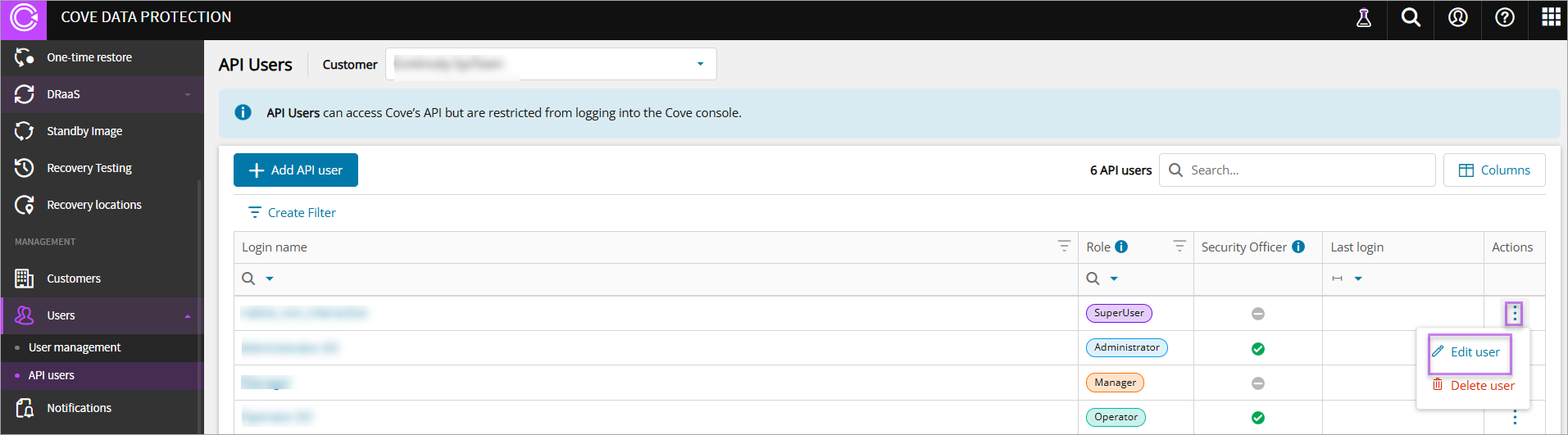
- In the vertical menu, navigate to Management > Users > API Users
- Find the user to edit
- Click the three dots under Actions and click Edit user
- Edit the settings as required
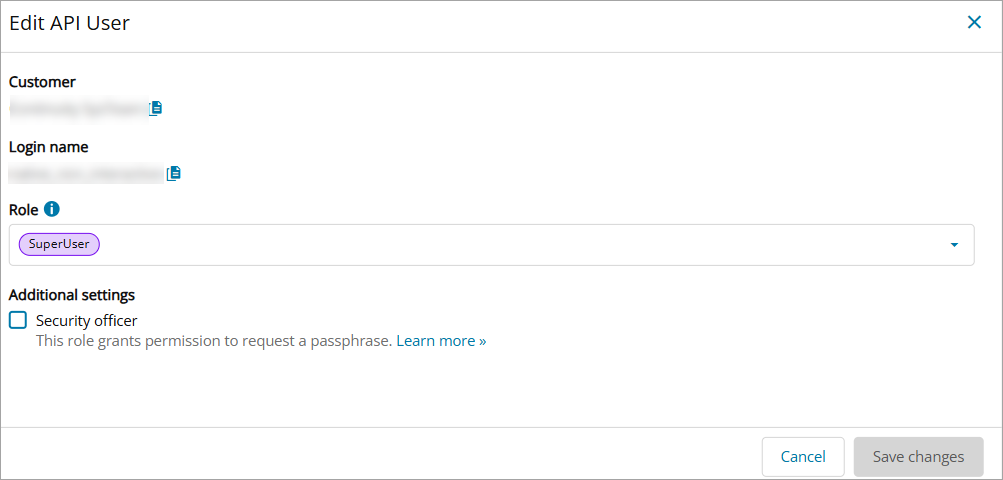
You can click the 'copy' icon next to the Customer, and Login Name to copy to clipboard
- Click Save changes to apply