
Before adding a custom field in Kaseya VSA, ensure you have:
- Reviewed the Requirements.
- Taken the Preparation steps.
- Generated Installation ID in Cove's Management Console.
Instructions
- Login to Kaseya VSA
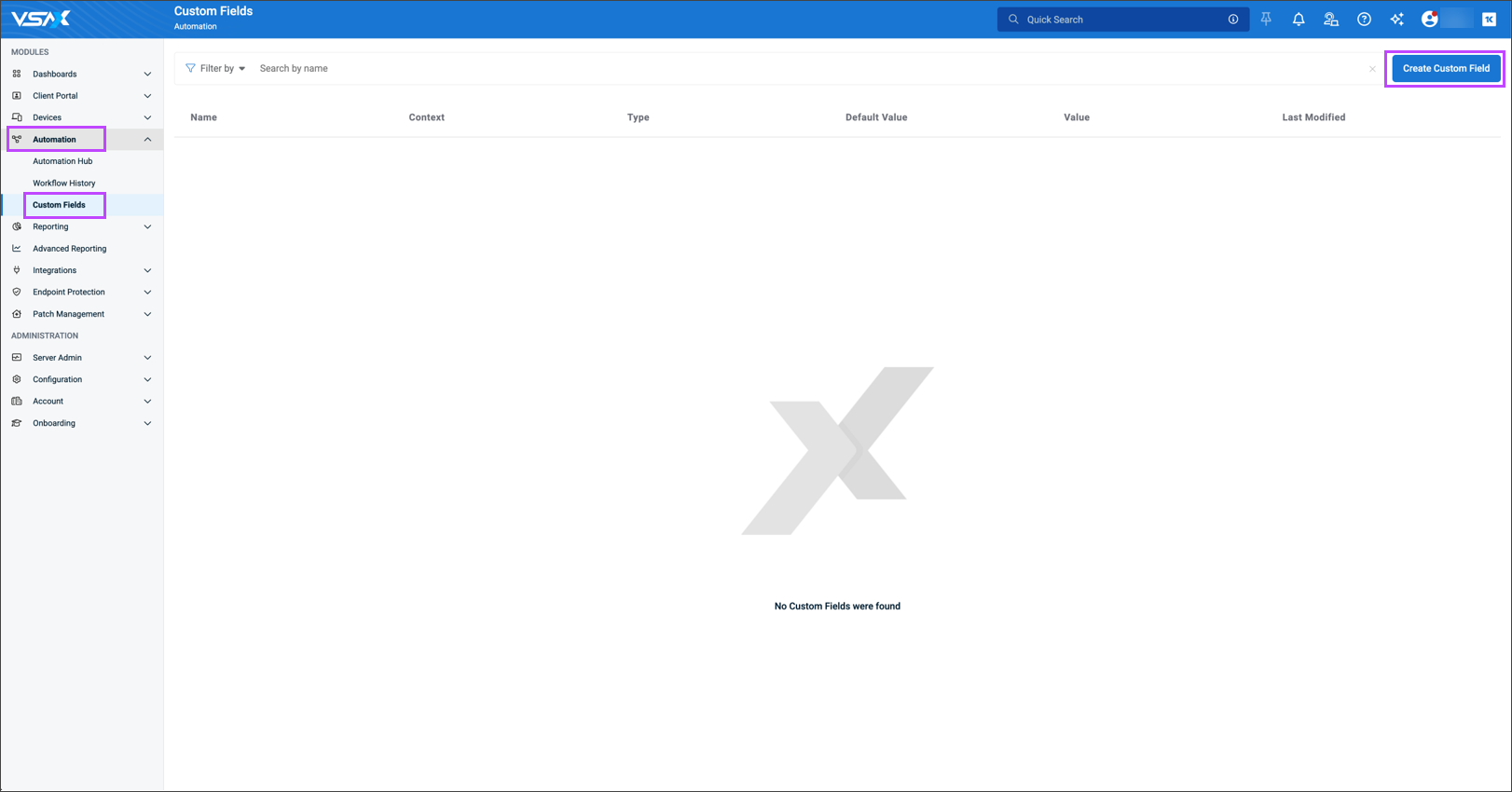
- Navigate to Automation > Custom Fields
- Select Create Custom Field
- Enter the Display name: CoveInstallationID
- Provide the Description: Cove Data Protection deployment
- Set the Variable type to Text
- Select Organization in the Contexts field
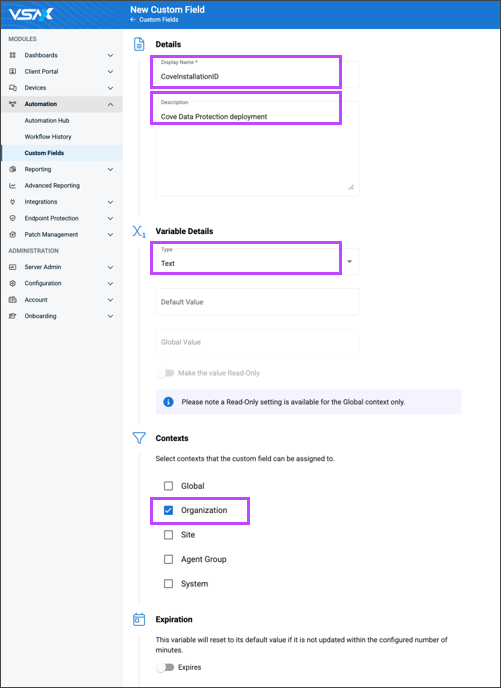
- Click Create to save the Custom Field
Now add a unique field value in Kaseya VSA.