
Before running the Cove Data Protection deployment script in Datto RMM, ensure you have:
- Reviewed the Requirements.
- Taken the Preparation steps.
- Generated Installation ID in Cove's Management Console.
- Added a custom variable for each Site/Customer in Datto RMM
- Imported the Cove Data Protection deployment script to the component library in Datto RMM
Instructions
- Login to Datto RMM
- Navigate to Sites > All Sites
- Select the Site/Customer and open the Devices page
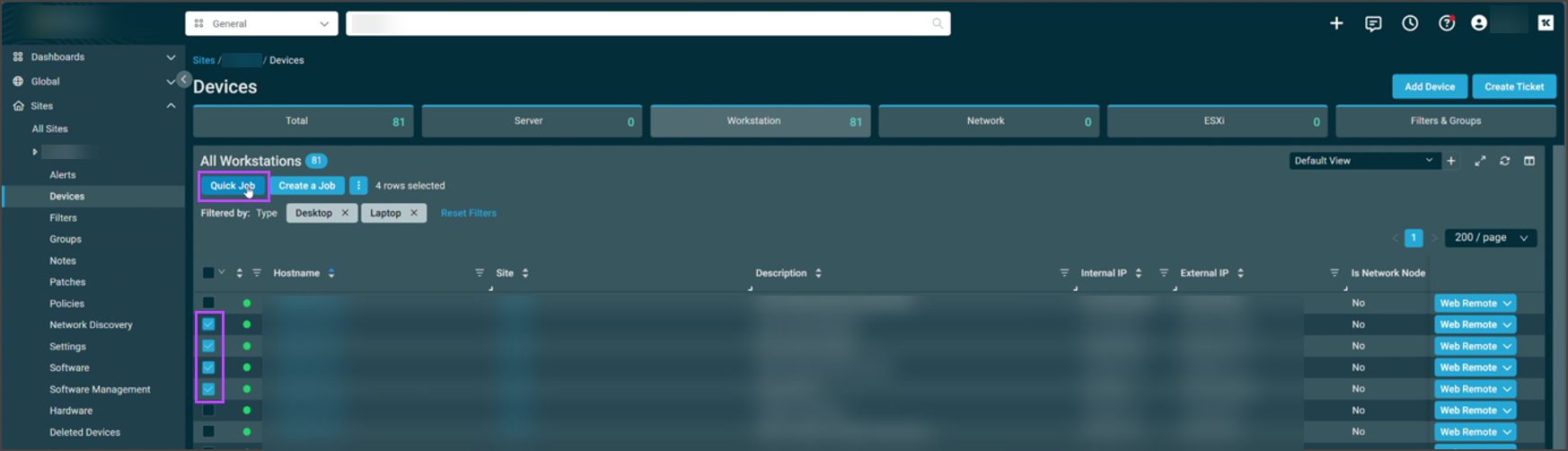
- Select the devices on which to run the script
- Click Quick Job
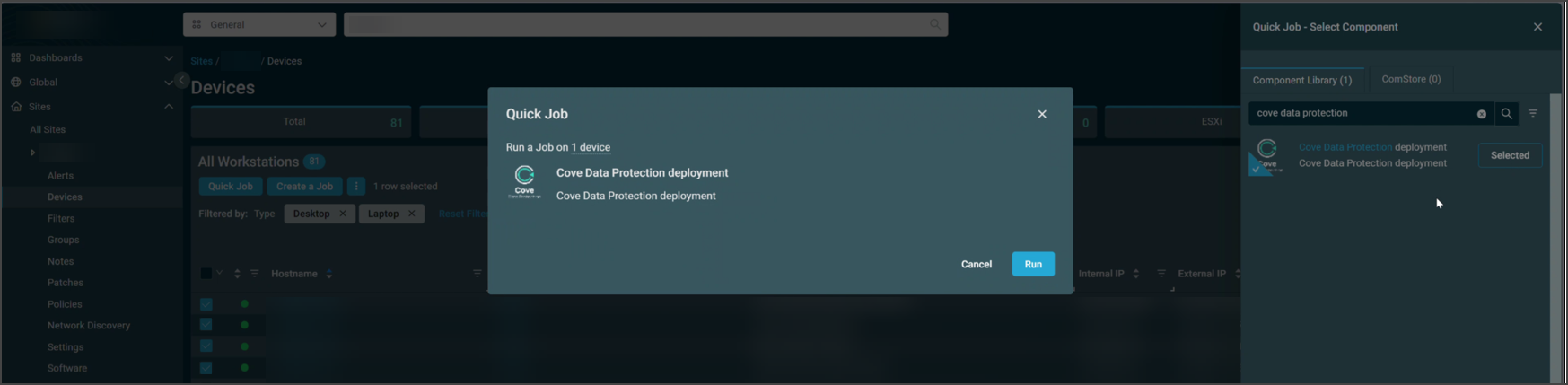
- Search for the Cove Data Protection deployment component and click Select
- Now click Run to begin the Quick Job.
- Check the status and results of the job from Automation > Jobs
The Cove Data Protection Backup Manager installation will run silently and the backup device(s) will appear in the Cove Management Console Dashboard once complete.
Use the Cove Management Console for further configuration changes, such as fine tuning Profiles. Also use this for daily management as it gives you a highly detailed view of all of your backups and (automated) restores.