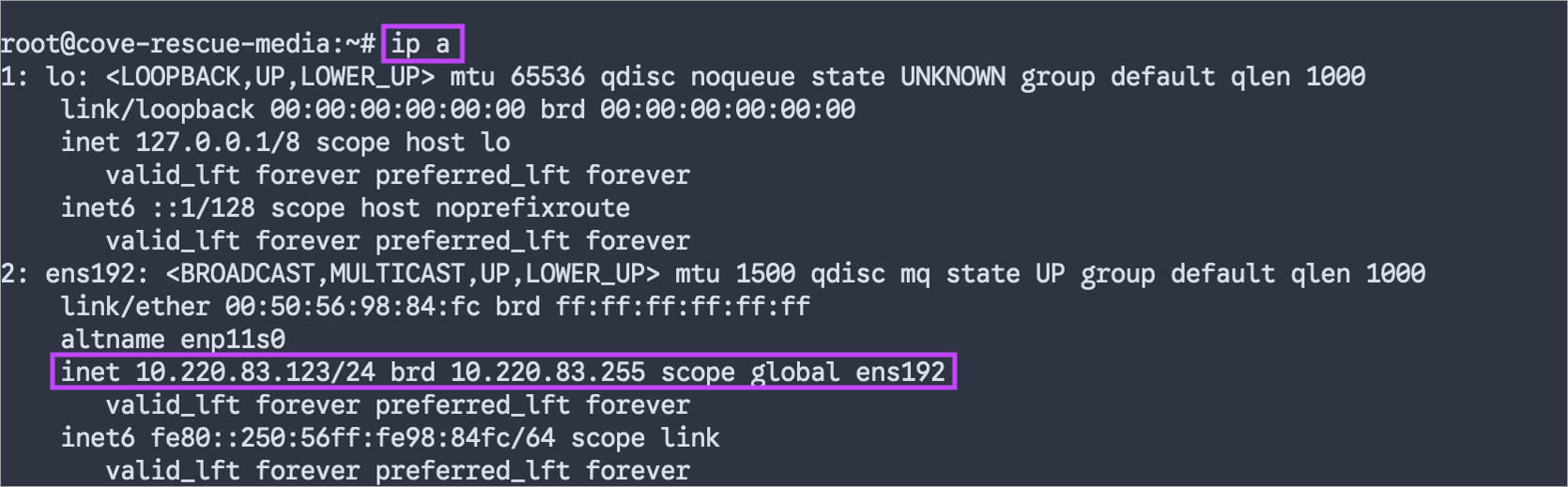
You can configure a static IP address for the Linux rescue system in two ways:
Modify Boot Parameters
To modify the boot parameters during the boot process:
- At the GRUB menu, select Recover or Automatic Recover item
- Click ‘e’ to edit boot options
- Append the desired network setting in the following format:
ip=<client-ip>:<srv-ip>:<gw-ip>:<netmask>:<host>:<device>:<autoconf> nameserver=<nameserver>
Ensure you replace the placeholder values in angle brackets (< >) with the relevant information
For example:
ip=10.220.83.123::10.220.83.1:255.255.255.0:::off nameserver=10.220.0.10
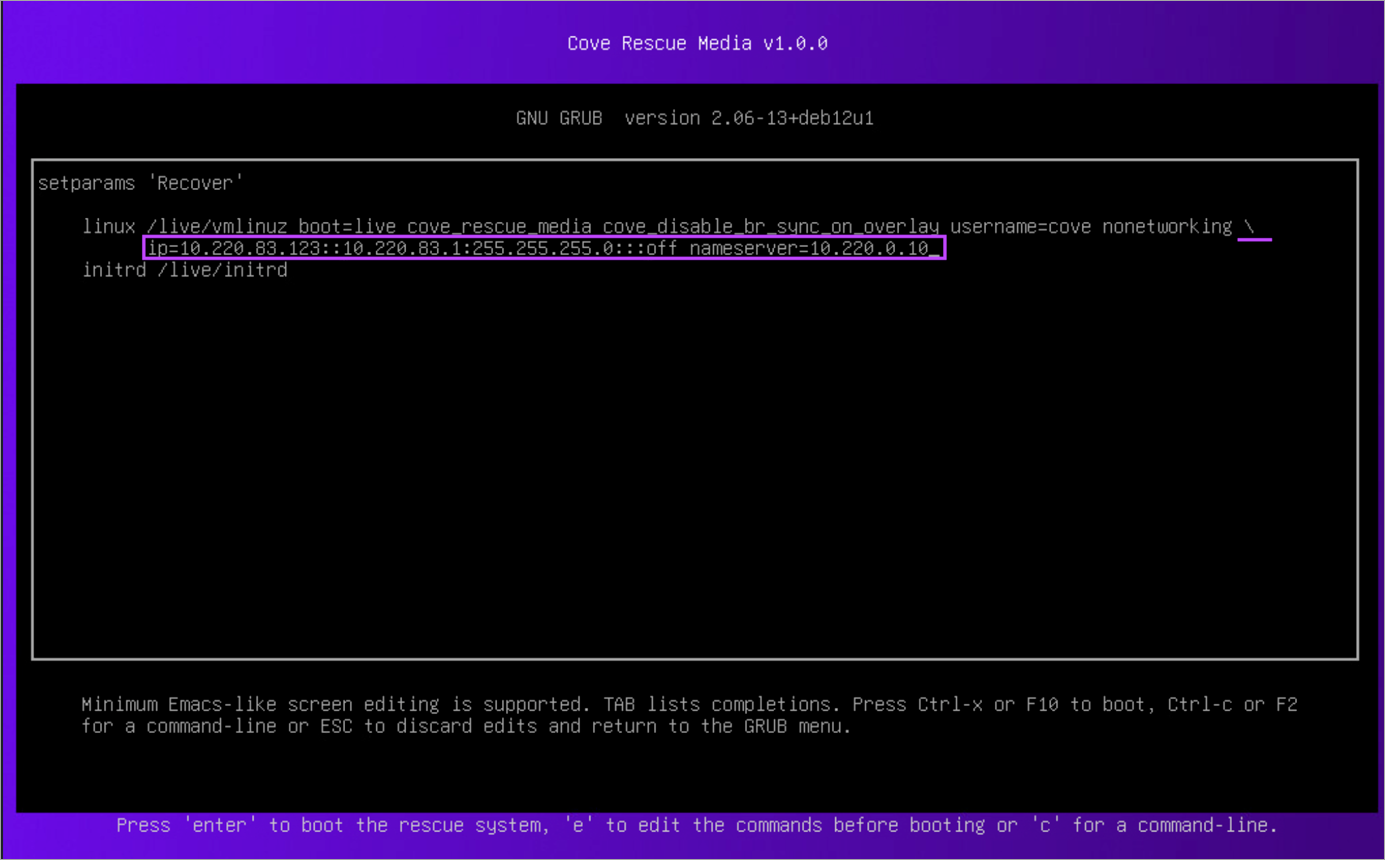
- Enter
Ctrl-xorF10to boot.
Modify Configuration File
To modify the systemd-networkd configuration file:
- Open the
/lib/systemd/network/99-ethernet.networkfile usingviornano, and update it as follows:[Match] Type=ether [Network] Address=<IP address> Gateway=<Gateway IP address> DNS=<DNS IP address>
Ensure you replace the placeholder values in angle brackets (< >) with the relevant information
For example:
[Match] Type=ether
[Network] Address=10.220.83.123/24 Gateway=10.220.83.1 DNS=1.1.1.1 - Restart the
systemd-networkdservice:systemctl restart systemd-networkd
ip a command.