
Delete Users
Any User created under your company or a customer belonging to you can be deleted. You cannot delete a user that does not belong to you or a child customer:
- Log in to the Management Console under a SuperUser or Administrator account
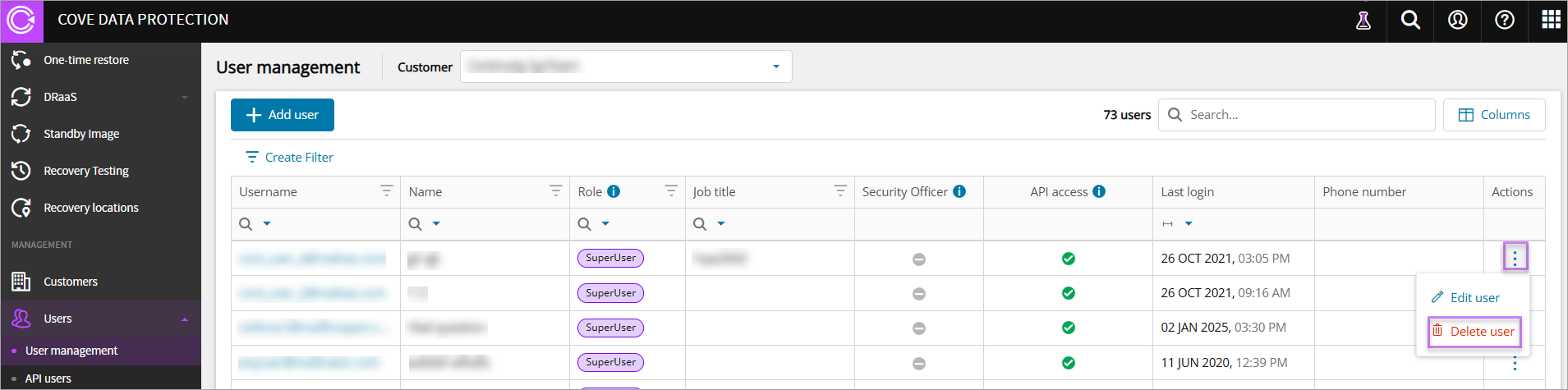
- In the vertical menu, navigate to Management > Users > User Management
- Find the user to delete
- Click the three dots under Actions and click Delete user
- Click Delete to confirm deletion of the user
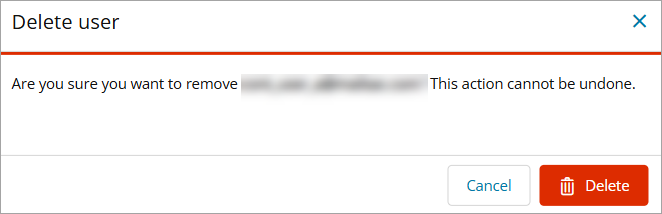
After a user is removed, it will not be possible to access the Console with the deleted user account. All people logged in under that account will be logged out within the next 15 minutes.
Delete API Users
Any API User created under your company or a customer belonging to you can be deleted. You cannot delete an API user that does not belong to you or a child customer:
- Log in to the Management Console under a SuperUser or Administrator account
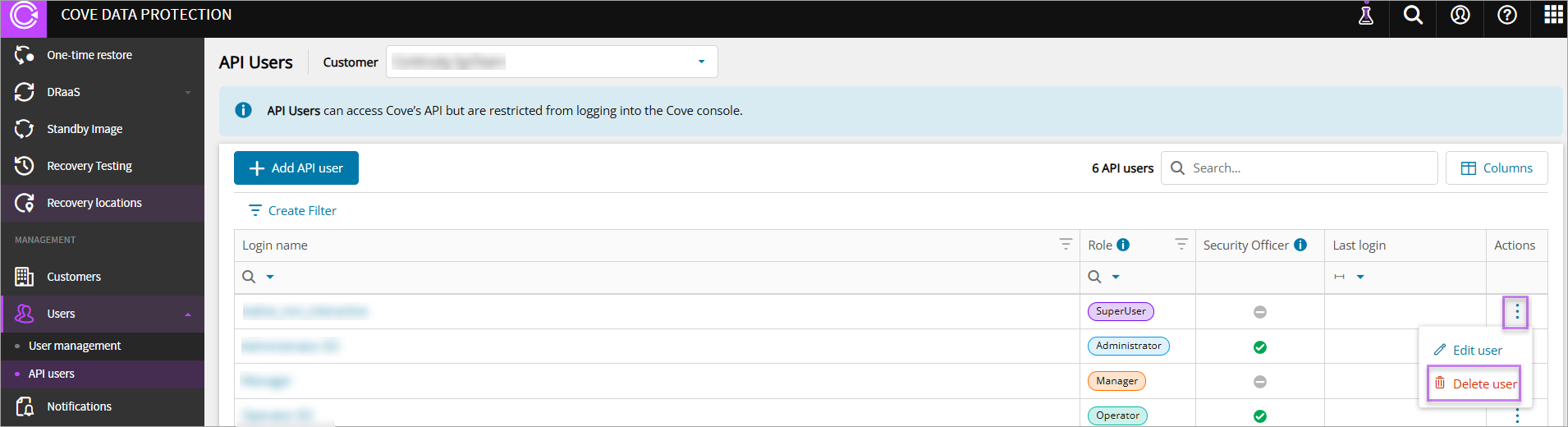
- In the vertical menu, navigate to Management > Users > API Users
- Find the user to delete
- Click the three dots under Actions and click Delete user
- Click Delete to confirm deletion of the API user
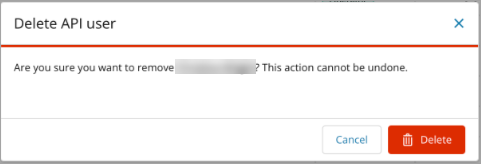
After an API user is removed, it is not possible to access Coves APIs with this user.