The information panel is broken into three distinct areas:
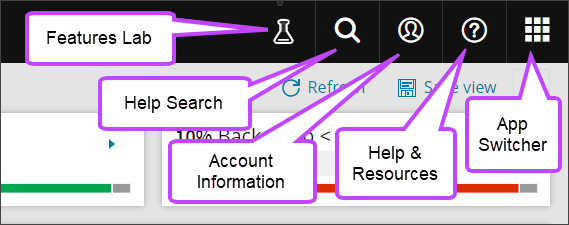
Features Lab
The Features Lab button allows you to enable or disable new features to the Management Console which are currently either in preview or beta.
All available features are listed in this window and can be enabled or disabled as required. You will also be able to send feedback of these features by following the link to the survey form for each.
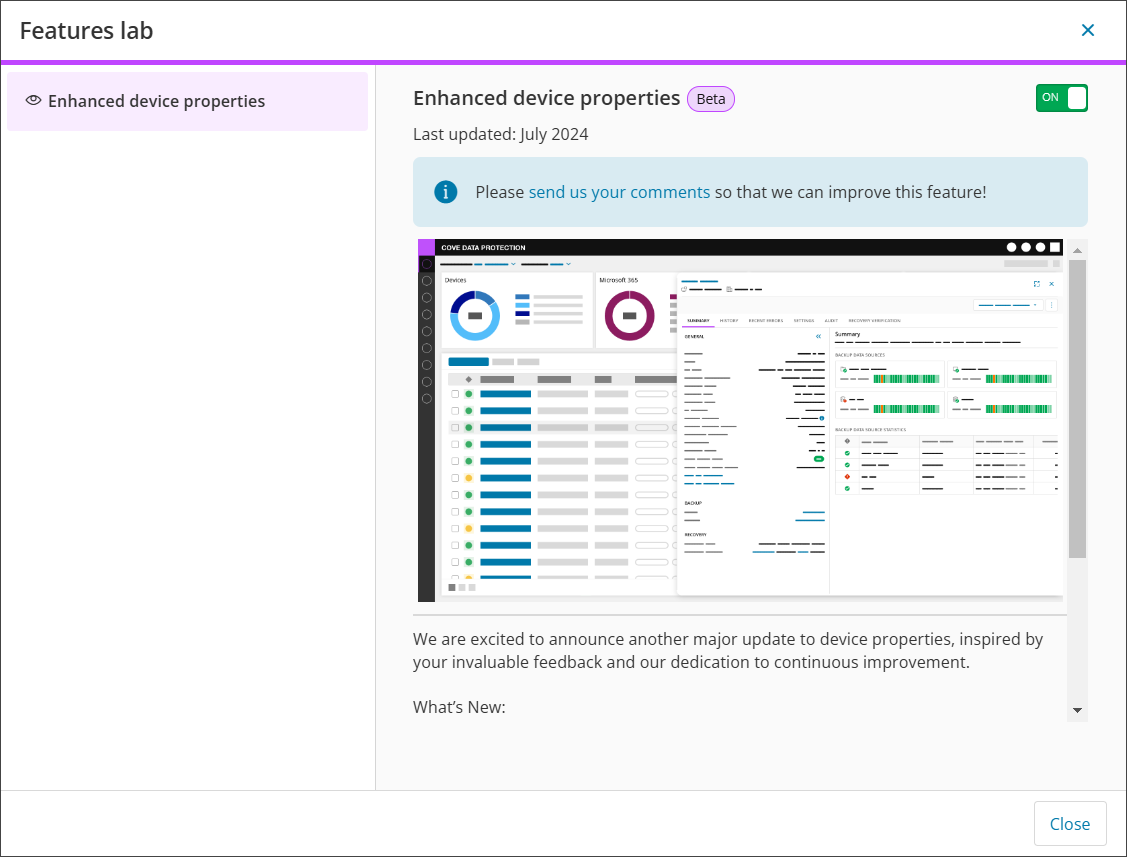
See any available preview and beta features here.
Help Search
This search function allows you to search in N-ableMe for Knowledge Base/Troubleshooting articles to help resolve issues.

Account Information
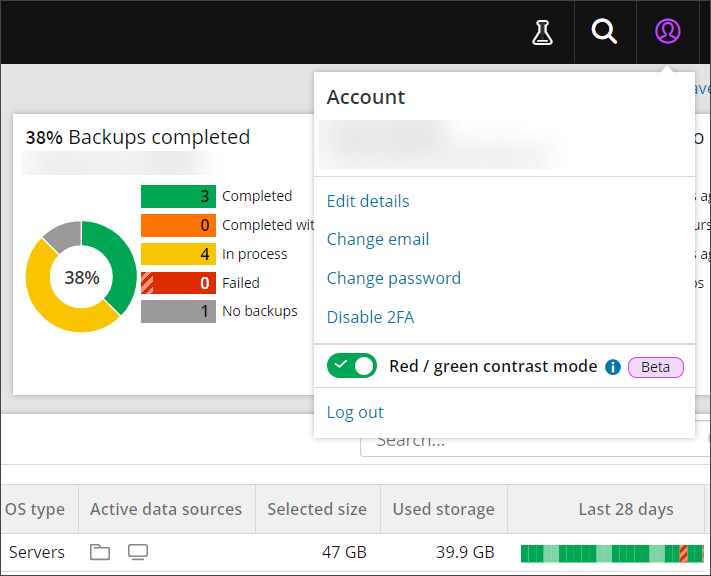
The email address used for login to the Management Console can be found in the upper-right corner of the screen. Clicking on this opens the Account information box, which gives access to some more options:
- The name and email address of the user logged on
- Edit details
- Change email
- Change password
- Setup or Disable 2FA
This will differ depending on whether 2FA is enabled for the user or not
- Enable or Disable red / green contrast mode
This will be applied to the key status colours for charts and the last 28 days color bar only
- Logout
Help & Resources
The help and resources box provides several links to resources we hope you will find useful, including to:
- Help:
- Resources

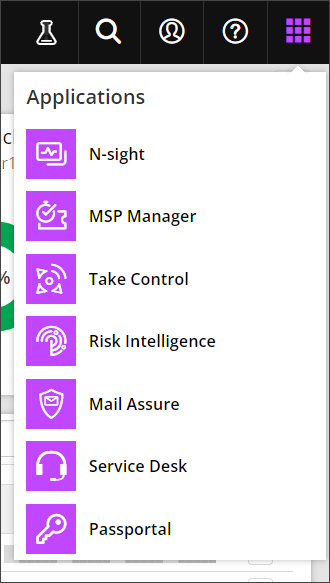
App Switcher
Using the App Switcher, it is possible to move between the suite of N-able products that you have purchased that use N-able Login.