
You can manage the devices belonging to your company and your customers through remote commands. Some of the typical actions that can be performed remotely are:
- start or cancel a backup
- edit a backup schedule
- update the backup software
Be aware, if a remote command is sent to a device when it is offline, the remote command will not be processed until the device comes back online. This is because remote commands are sent via the cloud to the storage node and then on from the storage node to the device.
The Documents solution does not support remote commands. So if you select such a device, the Remote Commands option will be disabled.
Instructions
- Sign in to the Management Console.
- Select one or more devices to send the remote command to
- Click More on the toolbar
- Select Remote commands from the list
- Using the dropdown on the Send remote commands window, select the command you want to submit
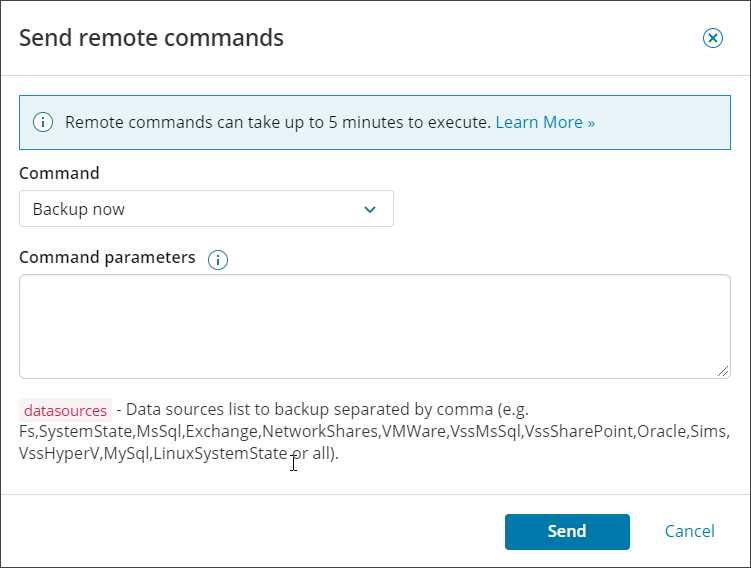
- Configure any parameters required for the command selected (if applicable)
The list of remote commands is divided into three sections; Primary commands, Secondary commands, and Advanced commands.
We do not recommend using advanced commands unless instructed by a support engineer.
- Click Send

Syntax for parameters
- Parameters must be entered one per line
- After the name of a parameter, enter a space and then a value, for example
datasources Fs - Use a comma (,) without spaces to separate the names of data sources, days, weeks and months, for example
unlimitedDays Thursday,Saturday - Use a vertical bar (|) without spaces to separate backup filters, for example
add *.doc|*.txt|*.xlsx