
The Executive Summary Report (ESR) delivers detailed graphical insights into Cove Data Protection (Cove)'s primary capabilities, enabling precise tracking of overall usage and performance through the Key Performance Indicators (KPIs). This report allows you to enhance business reviews by providing a concise summary of Cove's offerings, which you can share with your customers.
To access the Executive Summary Reports, Log in to the Management Console under a SuperUser or Administrator account, then navigate to Reporting > Executive reports (Preview) in the vertical menu.
Prerequisites
The following prerequisites are required to generate the Executive Summary Reports:
- Only available for Resellers
- User must be a SuperUser or Administrator
Dashboard
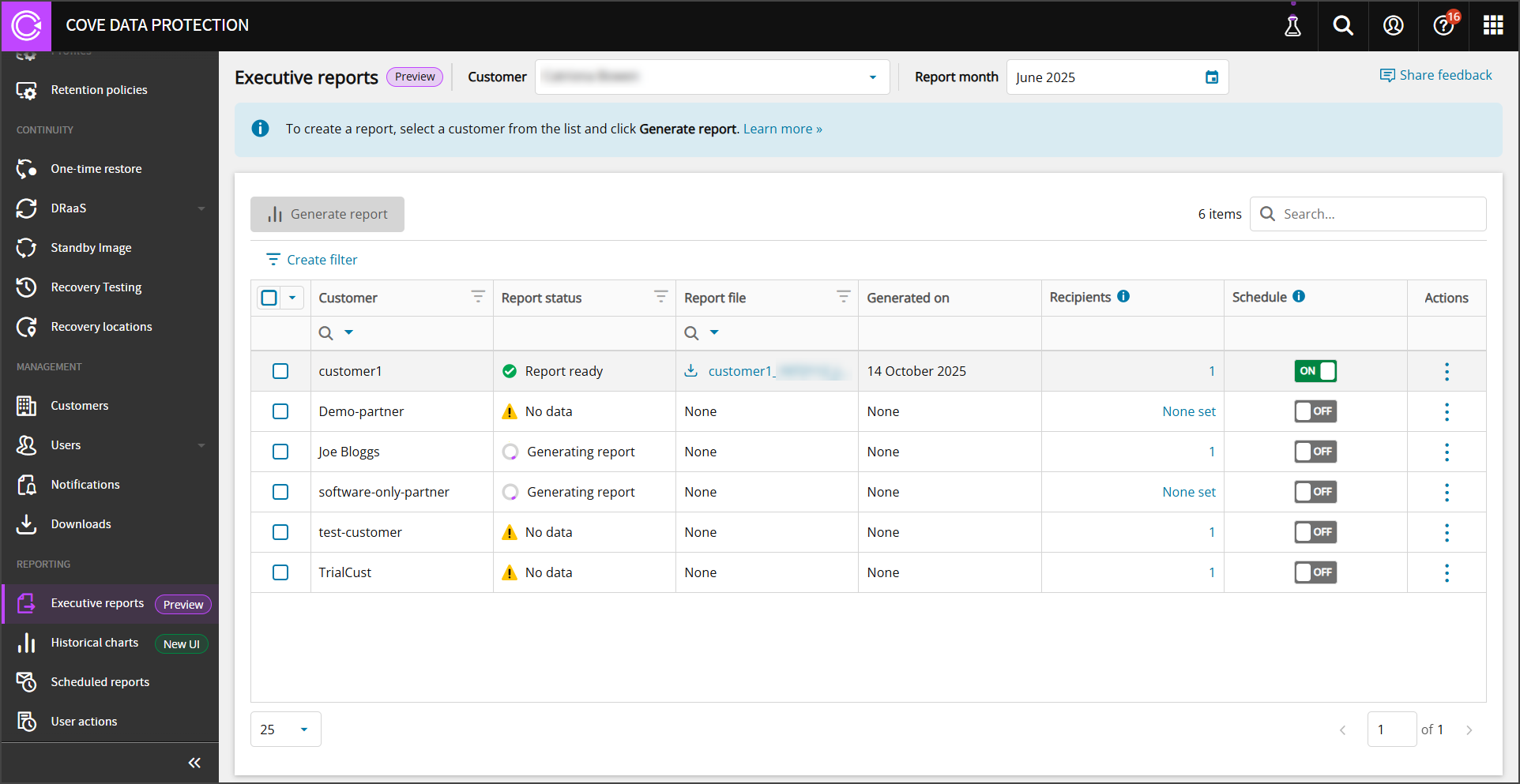
The Executive reports dashboard displays the following information:
- Customer: Each customer for whom a report can be generated.
- Report Status: Displays the status of report generation from:
- Report ready
- Generating report
- No data
- Report file: The download link to the latest report if one has been generated
- Generated on: The date of report generation.
- Recipients: The number of recipients currently assigned to receive the report. Edit the list of recipients by clicking.
- Schedule:Enable or disable the automatic generation and delivery of Executive Summary Reports.
- Actions: The action menu allows you to:
- Generate the report
- Download the report
Add Recipients
If you want a specific person to receive a copy of the Executive Summary Report once generation has completed, they must be added to the recipients list:
- Log in to the Management Console under a SuperUser or Administrator account
- Navigate to Reporting > Executive reports (Preview) in the vertical menu
- Find the Customer form whom you wish to add a report recipient
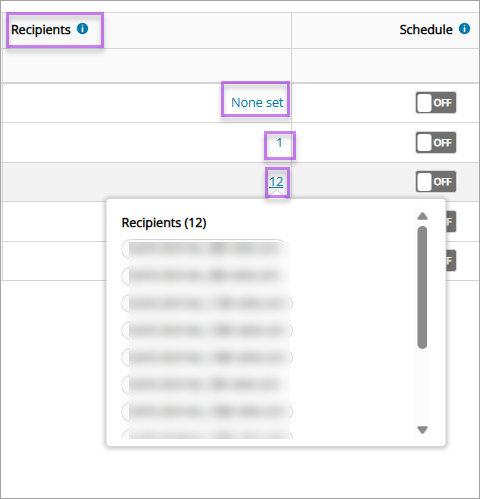
- If no recipients are set in the Recipients column, click None set to add. If recipients already exist and you wish to edit this list, click the number of recipients to edit the list
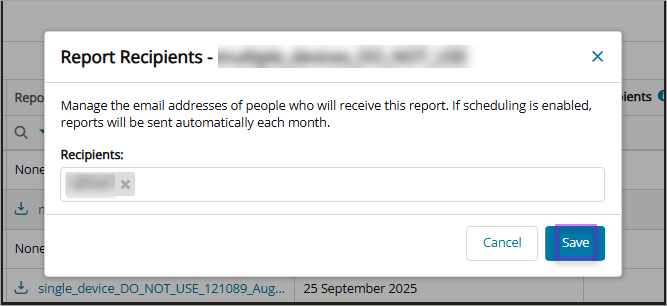
- Enter the email addresses of the Recipients to receive the report
- and Save
Example Report
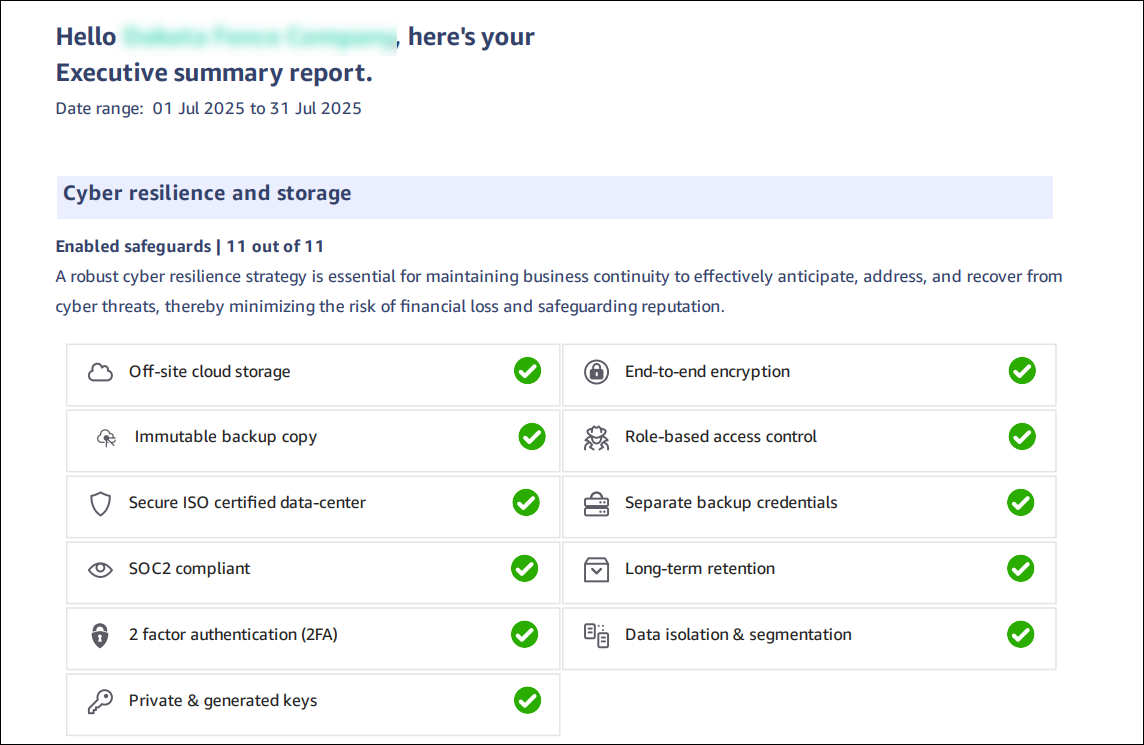
The data in the Executive Summary Report will depend upon Cove's performance for the specific month selected, however, the report will contain confirmation of the use of safeguards, the amount of data backed up for your servers and workstations, and the restore success rate if any restores were required, and more.
For additional information related to the report content, see Executive Summary Reports - Report Breakdown.