
The north panel of the Cove Data Protection (Cove) Management Console is made up by the following sections:
Dashboard view selection
The Dashboard view selection allows you to apply different views (predefined and custom) to the dashboard using the dropdown at the top of the page.
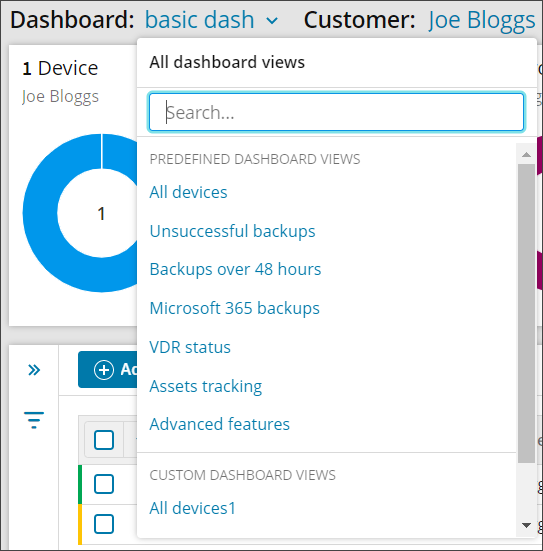
For full details on Dashboard views, see Views for Dashboards in Management Console.
Customer selection
The Customer selection allows you to view the backup devices specific to the selected customer using the dropdown at the top of the page.
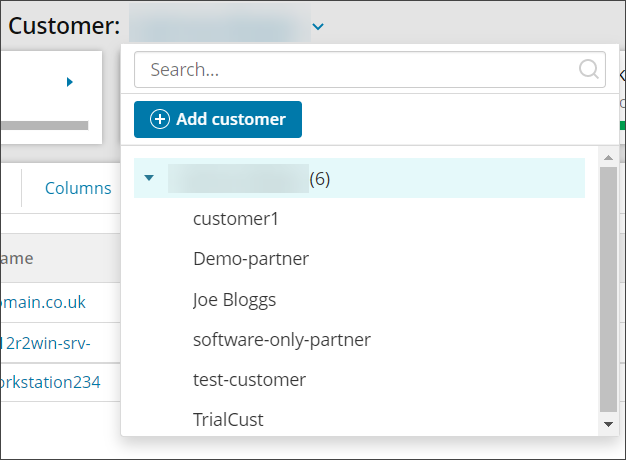
For full details on Customers, see Customer management in Management Console.
Widgets
In the Management Console's Backup Dashboard, you will see 4 graphic widgets in the form of doughnut charts.
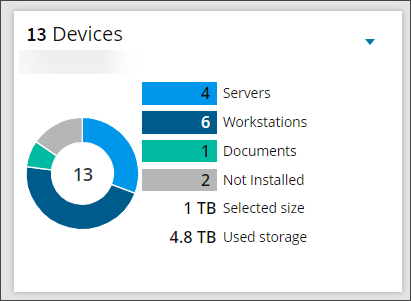
- The Devices widget illustrates the distribution of devices by the type with a choice of Server, Workstation, Documents and Not Installed. The selected size and used storage for these devices is displayed below
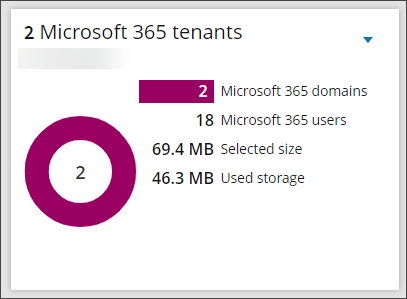
- The Microsoft 365 widget gives a break down of the number of Microsoft 365 domains and billable users. The selected size and used storage are displayed below
- The Backup Statuses widget offers a breakdown of the statuses of the latest backup sessions for your devices
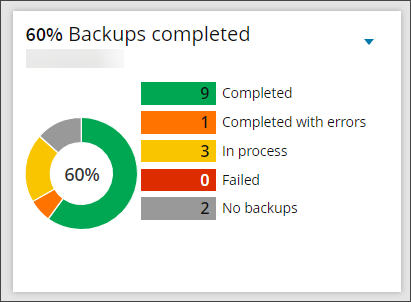
- The Last Backup widget shows the timing of the latest backup session for your devices
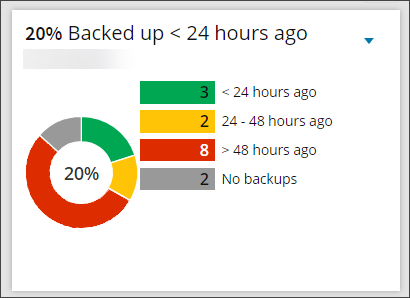
What you can do with these widgets:
- Expand/minimize a widget using the arrow icon in the top right corner
- Select data on a widget and reset the filter - By default, the widgets summarize statistics for the devices listed below (see the Devices widget). If you click on a value, the list of devices on the dashboard is immediately updated to match the selection