
For recovery of Linux devices' System State data source, the Installation token is required. This information is visible only to users with Security Officer permissions.
The Installation token is for one-time use only.
If you provide invalid encryption key or passphrase, you will need to generate a new installation token.
Get Installation token
The following is the sequence of steps to generate an Installation token:
- Log in to the Cove Data Protection (Cove) Management Console as a user with Security officer permissions
- Click the name of the device to open the Device Properties window
- Switch to the Settings tab
- Under Installation token, click Generate a token
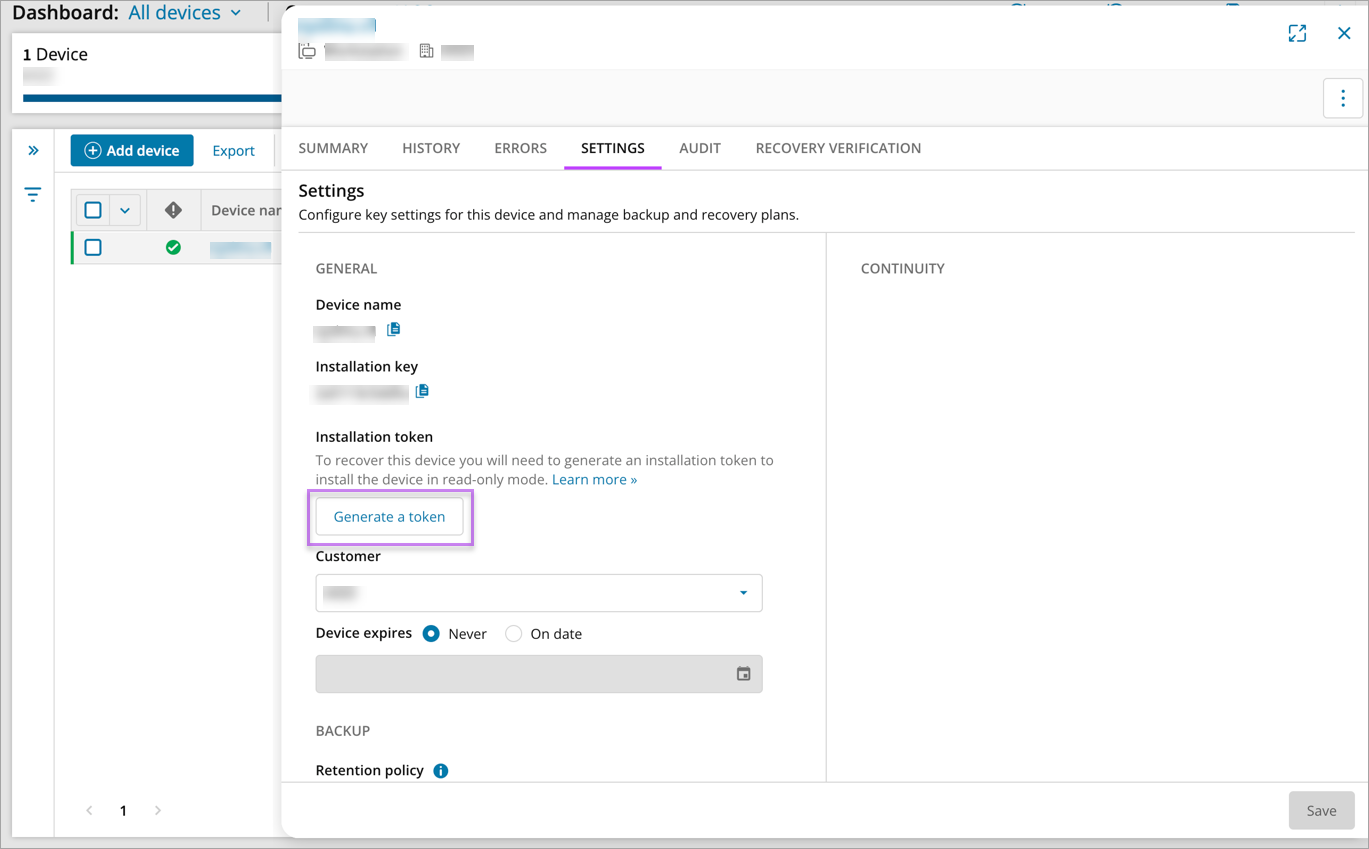
Once the Installation token is generated, take a copy of this to carry out the required work