
Install configuration profiles on devices
Device Management for Apple is not supported on devices running macOS 10.12 or earlier. You can't deploy configuration profiles to those devices using N-central.
-
The Devices tab shows each device's name, serial number, OS version, profiles and more.
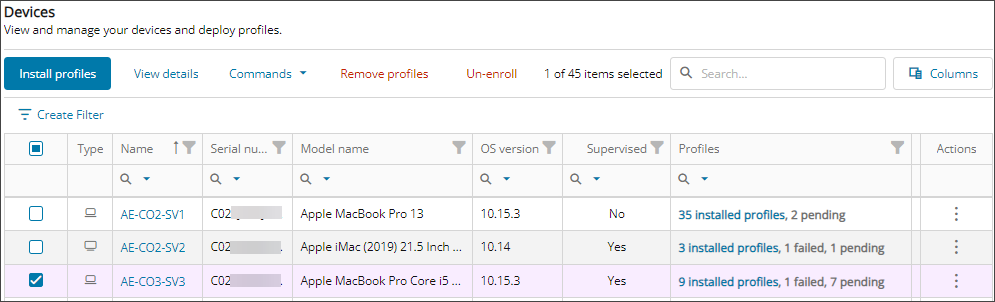
- Select the checkbox for one of more devices, or use the multi-select drop-down to select all devices.
- Select Install profiles in the top menu.
If your selection spans multiple windows, the number of selected profiles appears next to the Search field, for example, Selected: 12/24.
- Select the checkbox for one or more configuration profile(s) you want to install on the selected devices.
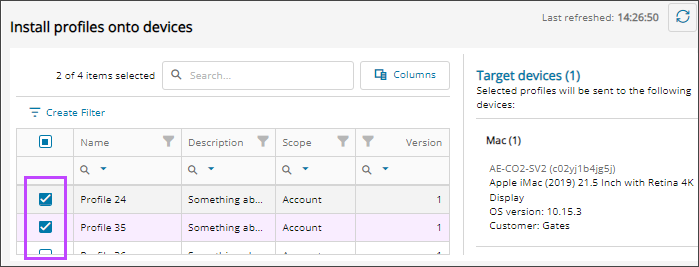
- Click Install to deploy the profiles to the selected devices.
Online devices receive the profiles in near real-time. Offline devices receive the profiles the next time they come online.
Device Management for Apple lets you deploy custom profiles, but we don’t manage or validate them. We’re not liable for system, hardware, or data loss. Customers or profile developers must confirm the integrity and impact of any custom profiles.
Updated: Jun 17, 2026