Export Vulnerability Management data to CSV
You can export the data currently displayed in Vulnerability Management to a CSV file. The exported CSV file will only include the columns that are currently set to be displayed.
- The export will download to your default downloads directory.
- Large exports (10k+ rows) require more processing time. Exports of this size can be viewed in the Activity tab.
Export all data to CSV
- Go to Ecoverse > Endpoint Remediation > Vulnerabilities.
- Choose either of the All Detections tab, the By Vulnerability tab or Assets at risk view.
- (Optional) Apply a
- Select the Export button.
The export will download to your default downloads directory.
Large exports
When you export a large data set of 10,000 rows or more, the export requires to be generated in the background.
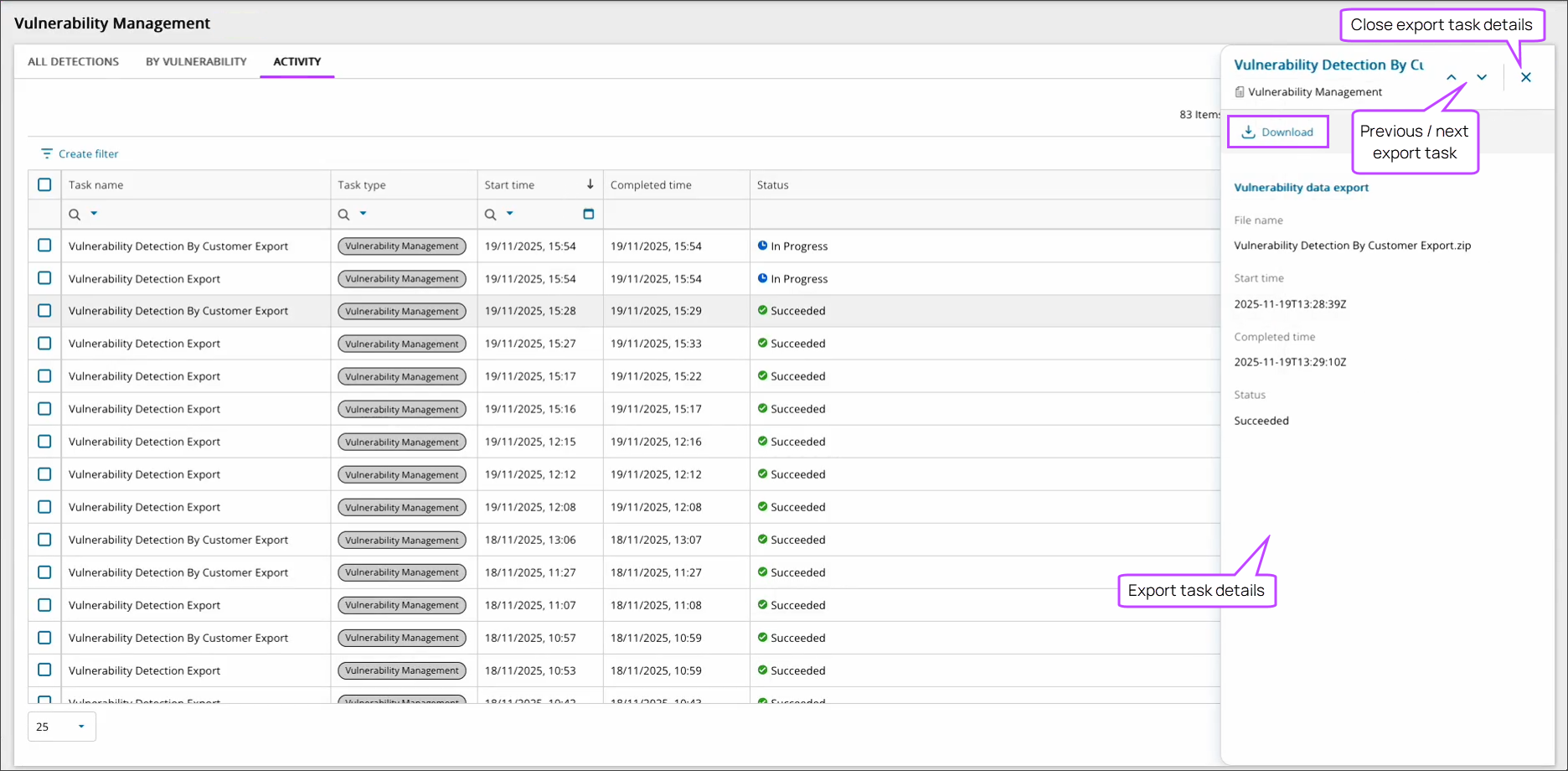
The Activity tab in Vulnerability Management allows you see the current status of any export generations currently in progress as well as previously generated exports, listed as Tasks.
Download a generated export
- Go to Ecoverse > Endpoint Remediation > Vulnerabilities.
- Choose the Activity tab.
- (Optional) Apply a
- Choose the Task row to open the task's details panel.
- Select the Download button.
The export will download to your default downloads directory.