
Pause (temporarily disable) the PSA integration
Once configured, you may find it necessary to pause (temporarily disable) the PSA integration, for example to test or adjust configuration without creating PSA activity or to temporarily prevent ticket creation or updates during maintenance.
To pause the integration:
-
Go to Administration > PSA Integration > Configure PSA Integration.
-
Under "PSA Configuration Settings", turn the On toggle next to "Choose your PSA Solution" to Off.
-
Select OK when prompted to confirm.
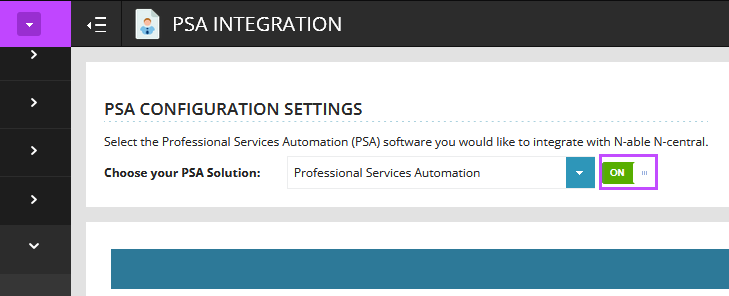
While paused:
-
No data is synchronized between N-central and the PSA.
-
No tickets, updates, or status changes are sent to or received from the PSA.
The integration remains paused until one of the following occurs:
-
You turn the toggle back On manually.
-
The N-central server is rebooted.
-
The N-central operating system is restarted.
After a server reboot or operating system restart, the integration is automatically re‑enabled.