
Update your settings
Update your email address, configure your location and locale, review your profile visibility, and select your email notifications.
-
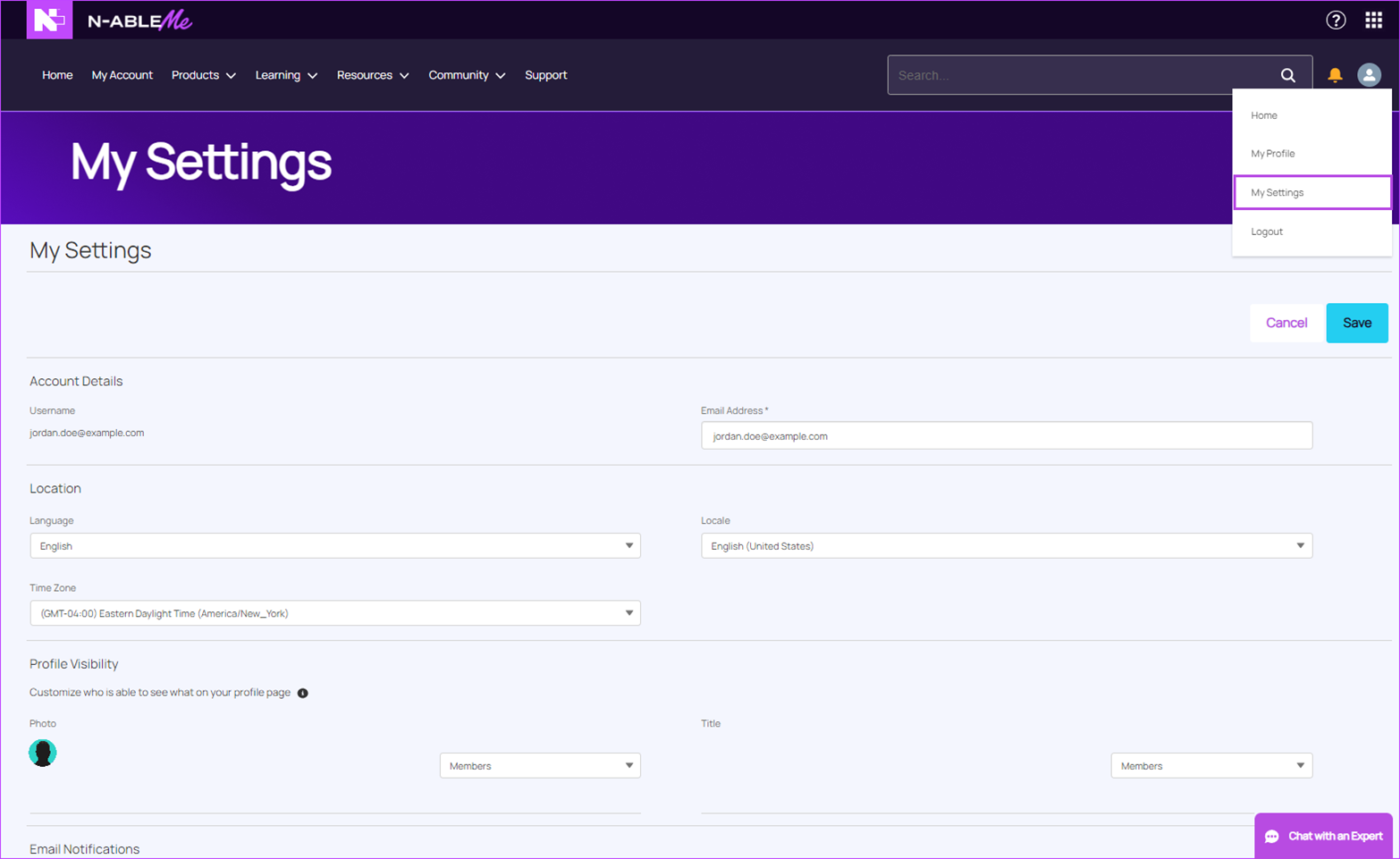
Click the drop-down arrow to the right of your notifications icon and then click My Settings.
-
Enter the required information in the following areas:
-
Account Details Enter your email address.
-
Location Enter your language, locale, and time zone.
-
Profile Visibility Select one of the following options for visibility:
-
Members: Visible to logged-in members or Public: Visible to anyone viewing pages that don't require a login. Restricted: Visible to the employees of the company that created the site.
-
Email Notifications (optional) Click the Email Notifications check box to enable notifications and select the actions that will trigger them.
-
-
Click Save.